

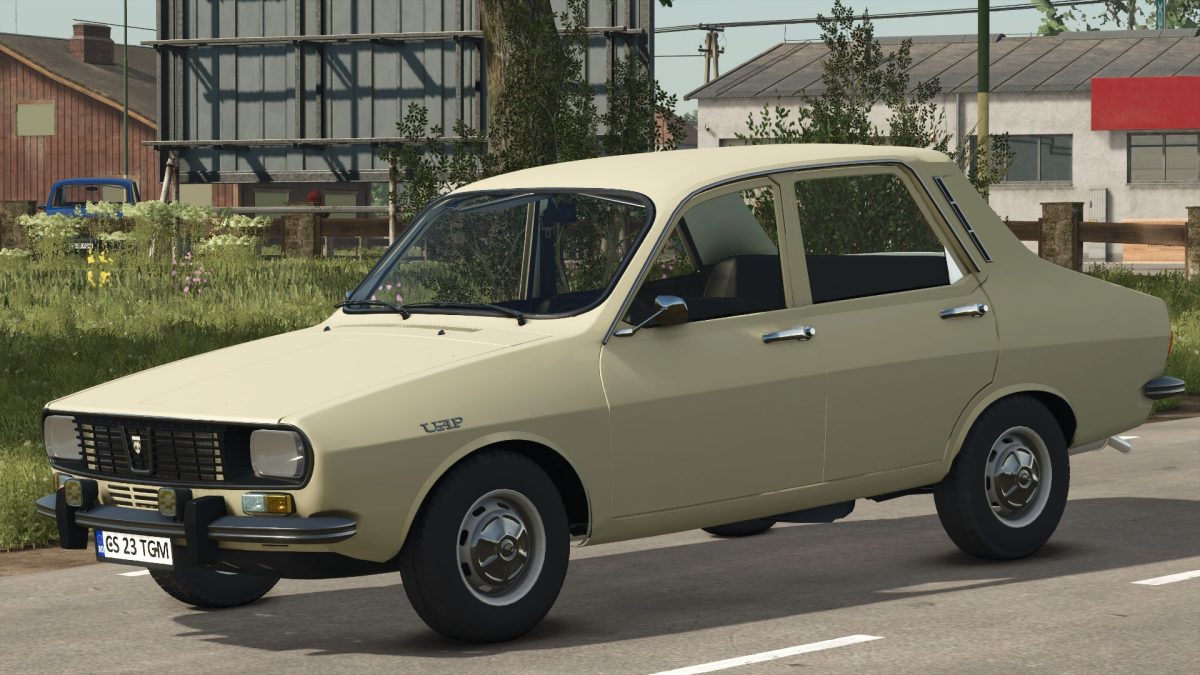
Dacia 1300 v 1.6


The Dacia 1300 v 1.6 mod brings the classic Romanian vehicle to Farming Simulator 25, featuring a detailed representation of the iconic Dacia 1300, which is essentially a Romanian variant of the Renault 12. This mod showcases the vehicle equipped with a 1.3L Renault engine, allowing players to experience a piece of Romanian automotive history within their farming simulation. The Dacia 1300 is characterized by its distinctive design and practical features, making it a versatile addition to your in-game vehicle fleet.
Whether you’re exploring expansive fields or traversing the farm, this mod captures the essence of the Dacia 1300, allowing for a realistic gameplay experience. The vehicle is designed with careful attention to detail, providing an authentic representation of its real-world counterpart.
– Dacia 1300 model based on Romanian Renault 12
– Equipped with a 1.3L Renault engine
– Detailed representation and design
– Suitable for various in-game tasks
– Authentic driving experience
Version 1.6:
* Clean game file log
Credits:
BlueWolfDVM


