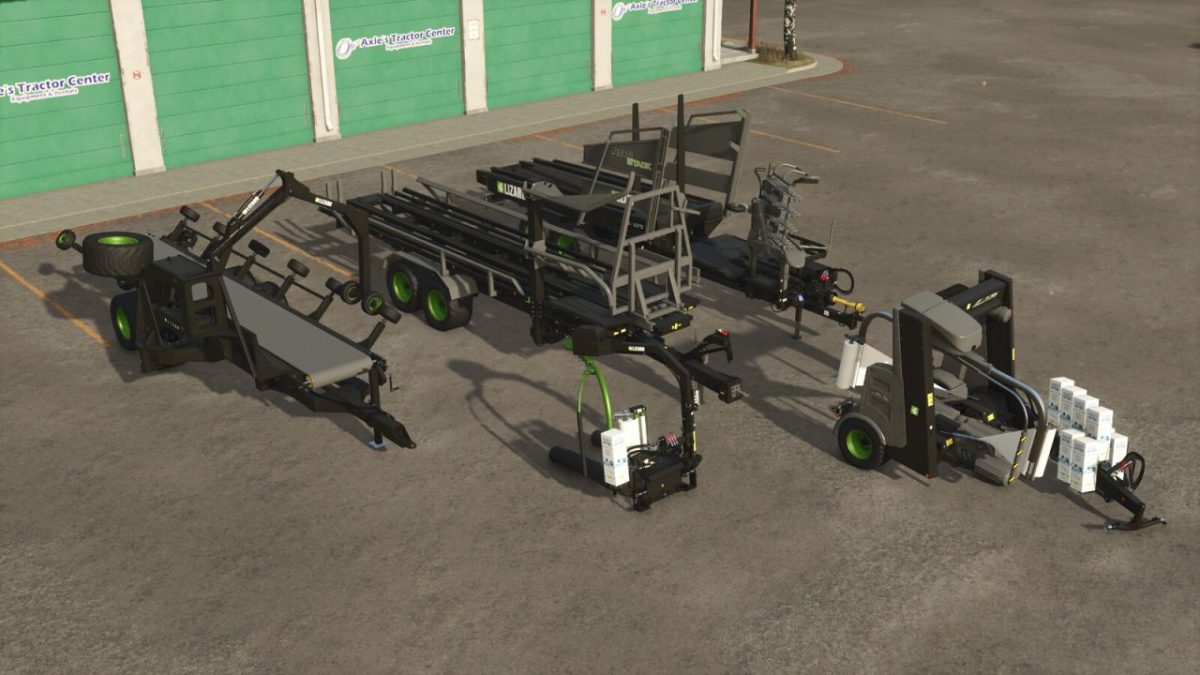
Custom Bale Support Pack v 1.1.1


A pack of Lizard branded bale transport and wrappers with minor quality of life tweaks and support for all custom bale sizes currently used in mods (including Baler Plus Packs, ProBale, AgriFlex, Selectable Bale Capacity, JD 561R, Hesston Balers).
All items in the pack have the following:
– Color customization (base/frame, design, and rim)
– Custom Lizard decals (with options to remove)
– Support for custom bale sizes; including cotton
Lizard Cotton Tag Trailer Custom
– Shop Category: Cotton Transport
– Price: $89,000
Lizard RBM2000 Custom
– Shop Category: Bale Transport
– Price: $50,500
– Required power: 130 hp
Lizard FSX 63.72 Custom
– Shop Category: Bale Transport
– Price: $90,000
Lizard G1015 Custom
– Shop Category: Bale Wrappers
– Price: $16,000
– Added support for 180-189cm round bales
– Custom animations with faster wrapping (extra fast for Unreal bales)
– Reduced wrap usage for Unreal bales
Lizard SW 4014 Custom
– Shop Category: Bale Wrappers
– Price: $54,000
– Added support for 180-189cm round bales & 240-249cm square bales
– Custom animations with faster wrapping (extra fast for Unreal bales)
– Reduced wrap usage for Unreal bales
Version 1.1.1:
* Add support for JD 561R custom bales in the G1015 and SW 4014 Custom wrappers
* Add support for Hesston Baler custom bales in the SW 4014 Custom wrapper
* Fix chrome colors preview icon
Credits:
Bb Mods