

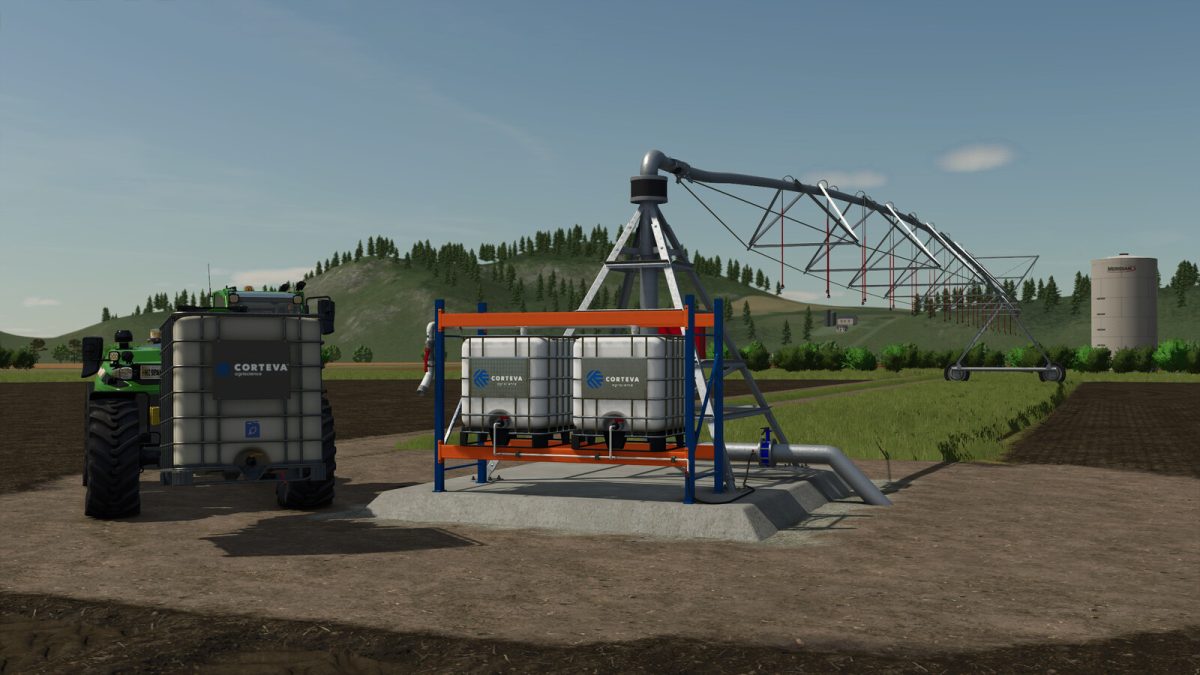
Corteva Circular Pivot Irrigation v 1.0


Corteva Pivot Circular Irrigation
Category: Yield Improvements / Sprayers
ATTENTION: For the correct operation of this mod, read carefully everything in this description, otherwise the mod may not work properly, waste a little of your time reading and so you can fully enjoy the mod.
Circular pivot systems irrigate large areas in a circular fashion.
They are used in places where water is a strong limiting factor.
Pivot irrigation efficiency is 85% to 90%.
Liquid fertilizers and herbicides can also be added to the irrigation.
For the pivots to work, I have had to integrate them into a vehicle with a motor.
This way it can work without the need to be attached to a motor vehicle.
We can also leave them working without the need to be on the vehicle.
For this we need to have the automatic start disabled in the vehicle options.
Even so, the vehicles turn off after 3 minutes if we move away from it more than 300 meters.
Now let’s see the features and its operation.
Features (In order in the store)
– Base price: 45.800 $.
– Working widths: 68 meters, 124 meters, 180 meters and 236 meters.
– Field contour guides: (Yes or No)
– Coupler configuration: Low coupler (Ball) or Normal coupler (Pin)
– Number of sessions: 1 Section (68 meters radius), 2 Sections (124 meters radius),3 Sections (180 meters radius) or 4 Sections (236 meters radius)
– Rotation and duration configuration: Full lap, 3/4 lap, 1/2 lap and 1/4 lap, durations 3, 5, 10, 20 and 30 minutes.
– Note: The short durations (3 and 5 minutes) make the pivot turn very fast and at the beginning and end it hits.
– Color configurations.
– Tank capacity: 4000 liters of liquid fertilizer or herbicide.
– Consumption of liquid fertilizer or herbicide: 500 liters in the complete turn and duration of 30 minutes.
Operation.
– Warnings: The pivot can only be unfolded and folded in the initial pivot position. Never rotate the pivot if it is not unfolded.
– Take the trailer to the field where we want to install it.
– Note: Although the pivot adapts well to sloping terrain, it works best and has the least vibration on flat terrain.
– If we select the guides in the store, we can make them visible with the left mouse button and see if it fits where we want to place it, these guides are also useful for drawing the fields.
– It is necessary to smooth the area where we are going to place the pivot and remove the layer of soil, otherwise the base will have vibrations.
– We place the trailer in the direction we want the pivot to go out, the pivot is deployed towards the back of the trailer.
– Once placed in the place we want, we uncouple it from the vehicle with which we transport it, we approach the trailer and we get on it, as if it were a normal vehicle (E key).
– Now we deploy the pivot with the Z key (open cover), the more sessions the pivot has the more difficult it is to deploy, until the red rotating lights go out it is not fully deployed.
– Now we fill the tanks with liquid fertilizer or herbicide.
– Note: Diesel should never be filled as it has 0 consumption.
– Once deployed and filled the tanks, we turn on the sprayer with the B key and give the turn with the X key.
– Now we can get off the pivot and let it work.
– The pivot stops automatically when it reaches the end, but the sprayers do not turn off, you have to turn them off manually.
Credits:
Hispano


