

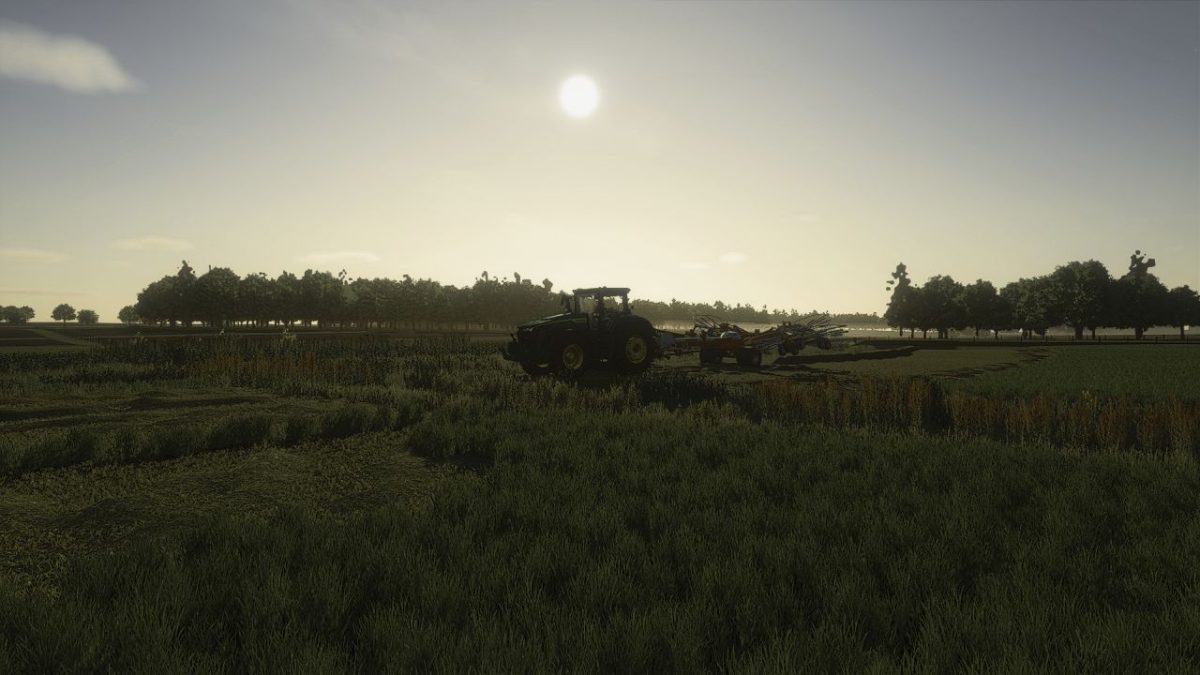
Cool Shaders v 1.0


Cool Shaders v 1.0 is a reshade mod designed to enhance the graphical quality and visual appeal of Farming Simulator 25.
By applying advanced shader effects, this mod aims to improve lighting, shadows, and overall color saturation, providing players with a more immersive farming experience.
The adjustments made by this mod can make in-game environments appear more vibrant and lifelike, contributing to a heightened sense of realism during gameplay.
Players can easily install and customize the shaders to suit their preferences, allowing for a tailored visual experience.
Whether you are navigating vast fields or managing your livestock, this mod seeks to make each moment visually engaging.
– Enhances lighting and shadow effects
– Improves color saturation
– Provides a more immersive graphical experience
– Easy installation and customization options
– Compatible with Farming Simulator 25
Credits:
HolgerDanske


