

Compass Heading Display v 1.1


Compass Heading Display adds a smooth, scrolling horizontal compass bar to the top of your screen, now with a full in-game settings menu, a heading lock with an optional steering and walking lock, wild boar alerts for the GIANTS Vredo Pack DLC, and a dispatch marker for the GIANTS Emergency Pack DLC.
COMPASS
A full 16-point compass rose with tick marks every 10 degrees and a gold centre indicator showing your live numeric heading. Waypoint tracking with distance, tornado tracking with a flashing red marker, multiplayer player tracking with farm colours, and AI helper tracking with blocked-helper alerts. Filter players and helpers by farm.
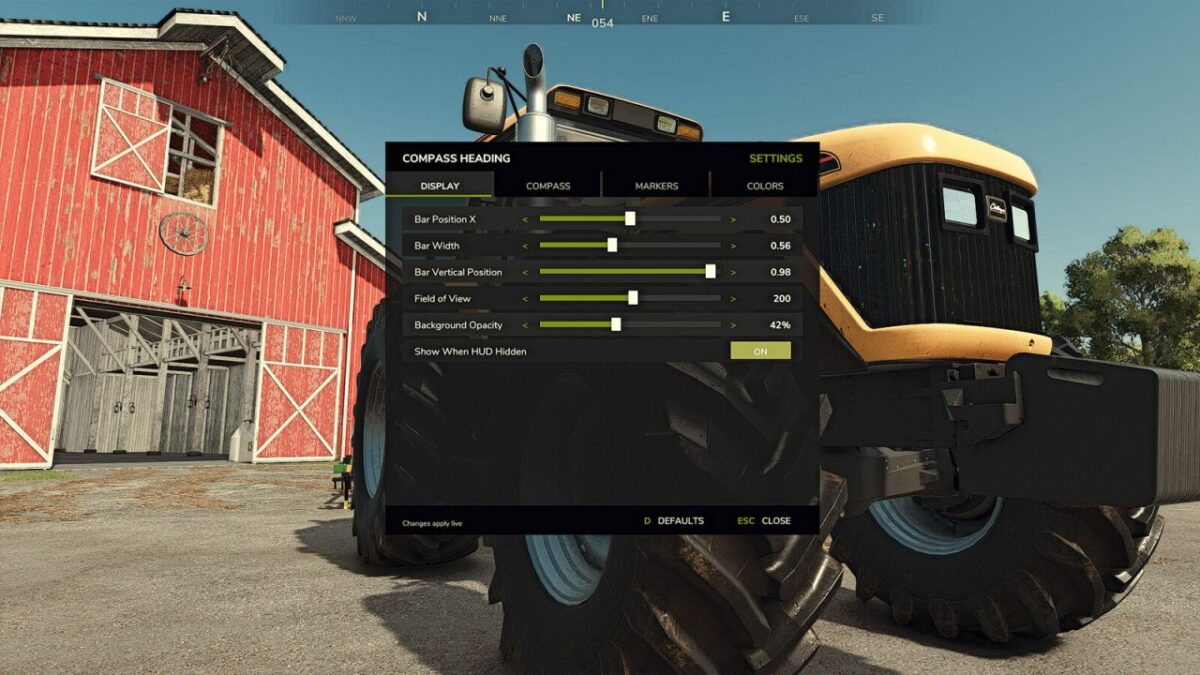
IN-GAME SETTINGS MENU (default F6)
Configure everything without editing files, across four tabs: Display (bar position, width, field of view, background opacity), Compass (labels, tick marks, centre indicator, degree readout), Markers, and Colours (per-marker colour presets). A DEFAULTS button restores the original settings, and everything still saves to settings.xml.
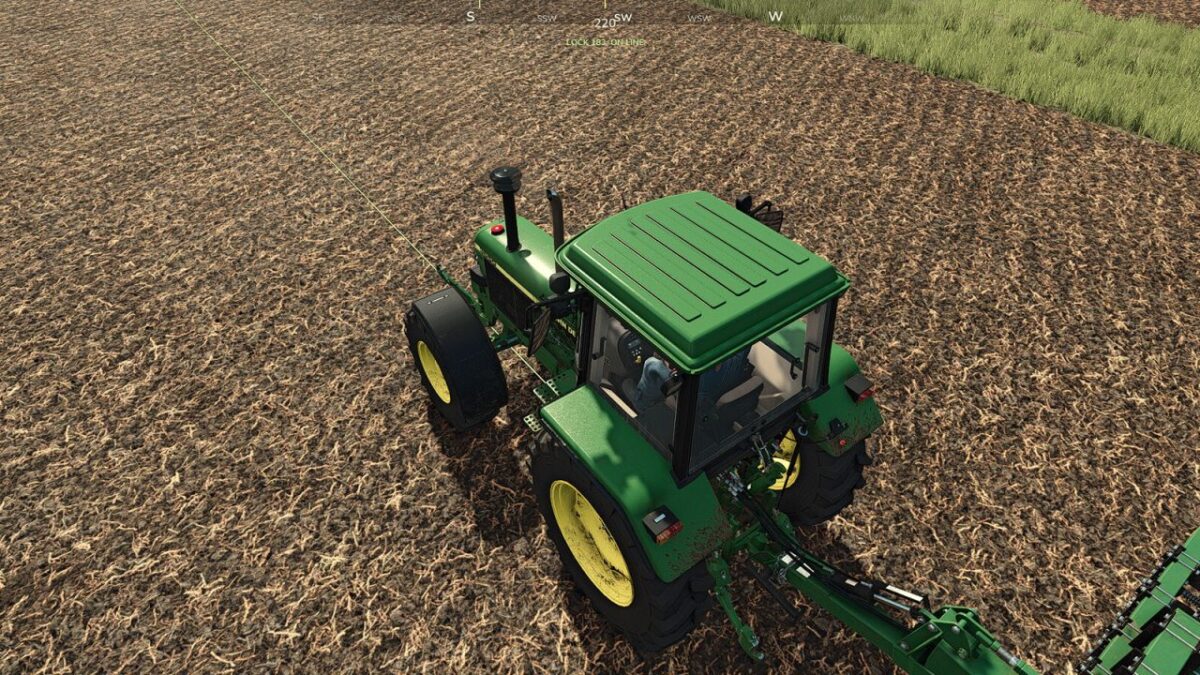
HEADING LOCK (default the [ key)
Pin your current bearing on the compass with a live steer-correction cue and an on-line indicator, ideal for driving dead-straight passes or hand-working fields on foot. Turn on the optional Steering / Walk Lock to hold your line automatically: while locked, your vehicle drives straight and, uniquely, on foot with hand tools you keep walking dead-straight too, not just in vehicles. A thin guidance line runs along the ground ahead of you so you can see the exact row you are holding. Toggle it off any time.
WILD BOAR ALERTS (VREDO PACK DLC)
Wild boar come with the official GIANTS Vredo Pack DLC, and they can trample and ruin your crops. If you own that DLC, the compass adds a flashing marker whenever a boar herd wanders onto land your own farm owns, pointing straight to it so you can track it down and clear it before it damages the field. The alert only ever covers fields your own farm owns.
EMERGENCY PACK DLC
If you own the official GIANTS Emergency Pack DLC, the compass adds a flashing emergency marker that points to your active dispatch, so you always know which way the call is, on foot or in any vehicle.
All keybinds are rebindable in Options > Controls. Works in singleplayer and multiplayer. No performance impact. No dependencies required (the Emergency Pack marker appears only if you own that DLC).
For a link to our latest release, Help page and GitHub page where you can find more information, help, and report issues please visit our Compass Heading Website or go directly to our GitHub page
Many thanks to our translators and to our community for reporting bugs, giving us feedback and great ideas.
Version 1.1:
* Added a full ingame settings menu (default F6) with Display, Compass, Markers and Colours tabs
* Added Heading Lock (default the [ key) with an optional Steering / Walk Lock and a ground guidance line
* Added Wild Boar Alerts for the GIANTS Vredo Pack DLC
* Added a dispatch marker for the GIANTS Emergency Pack DLC
* Fixes and stability improvements
Credits:
RocklandUSA Gaming


