

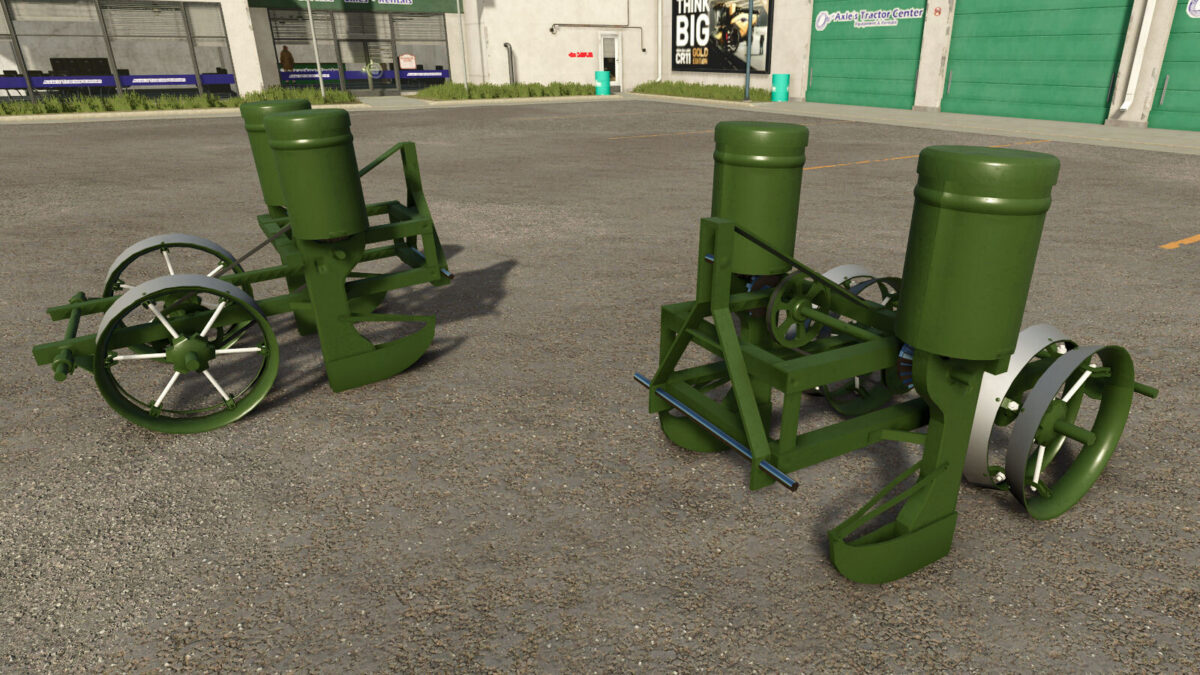
Classic 2 Row Planter v 1.0


The Classic 2 Row Planter offers a nostalgic experience for players who appreciate the charm of vintage agricultural equipment. This retro-inspired sowing machine, produced under the Lizard Brand, is specifically designed to cater to small and antique tractors, making it perfect for users who prefer a more classic farming style.
Versatile in its capabilities, the planter can effectively sow a variety of crops including Corn, Sunflower, Soybean, Sugar Beet, and Cotton. With a modest working width of 2.0 meters, it’s ideal for precision farming in smaller fields where maneuverability is essential. Operating at a speed of 10 kph ensures efficiency without sacrificing control, allowing for careful sowing on different terrains. Its small capacity of 100 liters makes it suitable for smaller-scale operations.
Overall, this mod represents a practical addition for players who enjoy enhancing their farming experience with traditional equipment.
– Price: $2,750
– Required power: 20 hp
– Working width: 2.0m
– Working speed: 10 kph
– Capacity: 100 L
– Compatible with small and antique tractors
– Suitable for sowing multiple crop types
Credits:
Dogface


