
FS22 Claas Harvesters

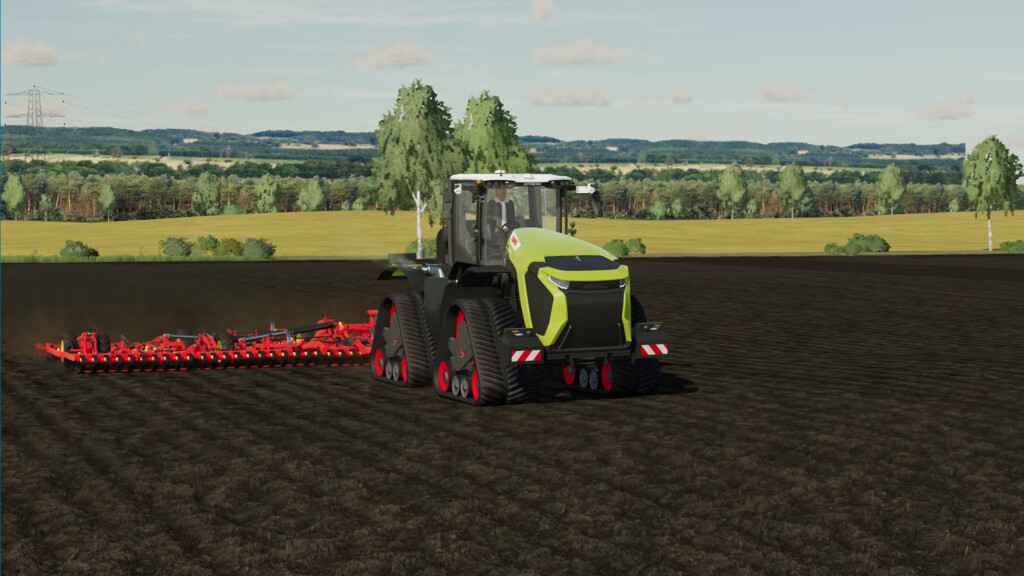
Claas Xerion 12.590/12.650 v 2.0.0.2

Claas Xerion 12.590/12.650 v 2.0.0.2

Official newest model from CLAAS primary for USA and Canada

Claas Xerion 12.650 Tractor, Large series tractor
Model: Xerion 12.590
Engine: Mercedes-Benz 15.6L
Price: 706.045 $
Power: 585HP

Model: Xerion 12.650
Engine: Mercedes-Benz 15.6L
Price: 739.605 $
Power: 653HP

Newest Terra Trac 400 crawler
Back Lights with dynamic turn lights
Big Driver Cabin
IFKOS Information System
realGPS MAP Viewing with activated realGPS MOD
Doors, Engine Cab, steering wheel and front toolboxes opened/changed with interactive Control MOD
interactiveControl IC und realGPS supported
crabSteering Functionallity for all wheel and crawler combinations

Version 2.0.0.2:
* Initial ModHub release

Credits:

Wobby

How to install FS22 Claas Harvesters?
Firstly find a mod which you like and want to download. Then download a mod to your PC. Mods are usually in .zip format file. But sometimes it can be in .rar. If a mod file is a .zip format no needed additional actions. If a file is in .rar, then you must unarchive mod with software like WinRar or Zip7. Windows 10 users no need to use software for archives, Win10 itself has a feature to unarchive files.
The next step is to find mods folder in your PC. Usually, it is in Documents/My Games/Farming Simulator 25/2025. Open the "mods" folder and put downloaded .zip archive or unarchived .rar file to this folder.
Last step. Enjoy of FS25 mods!

Leave a Reply

Your email address will not be published. Required fields are marked *