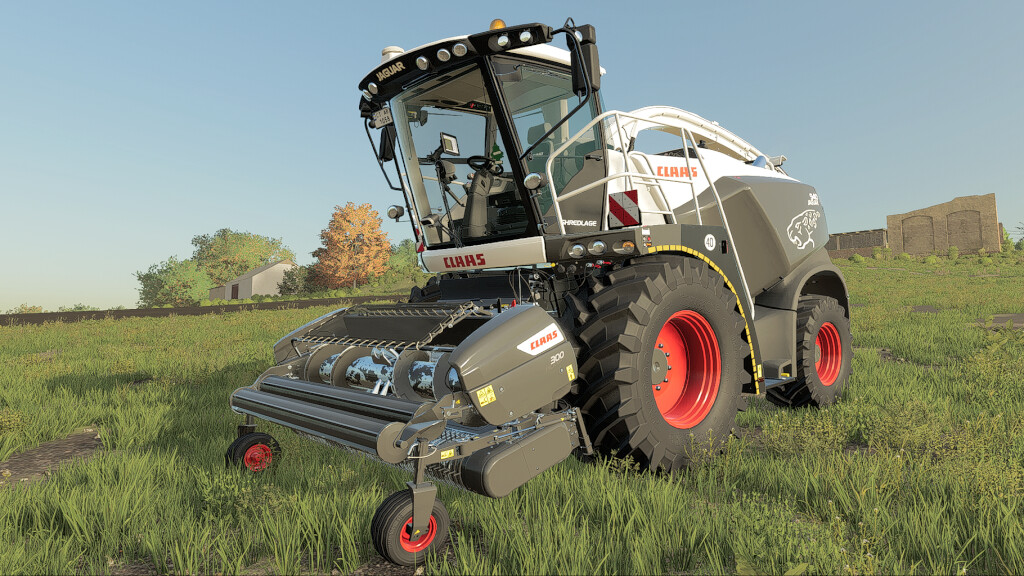
Claas Jaguar 930-980 v 1.0


Price: 358.500-487.500 $
Power: 462-884 hp
Features:
– Realistic lights
– 3 passengers available (requires the Kubota DLC)
– TurnON animations with lighting
– Fully realistic Displays with all animations, lights, dashboards numbers, Animations
– The combine has 6 screens that can be changed, where you can find information about all the parameters of the combine
– The display contains information about hours, worked hectares, real time, speed, rpm, power, temperature engine, fuel consumption and fuel capacity, def level, operating time
– Interior lighting
– New details for the interior
– Real GPS ready
– Interactive Control ready
– CameraSystem support
Configurations:
– Wheels options
– Worklight
– GPS
– Radio
– Reflector
– Car air freshener
– Phone holder in the cabin with smartphone
– Camera
– Collector’s decals
– Window Tint
– Color selection: main color, design color and rim color
Animation:
* Switching monitors. Six different screens are available. (KEY_lalt KEY_up/KEY_down + Mouse control)
* Left door
* Window
* Sun protection curtain
* Steering wheel (KEY_space/KEY_lctrl)
* Rotate the CEBIS display (KEY_lalt KEY_right/KEY_left)
* Tilt the CEBIS display
* Seat adjustment (KEY_ralt KEY_up/KEY_down)
* GPS display
* and other features
ORBIS 750
Price: 100.000 $
Working width: 7.5 m
Max. working speed: 10 kph
Features:
– New wear texture for ORBIS 750
ORBIS 900
Price: 120.000 $
Working width: 9.0 m
Max. working speed: 10 kph
Features:
– New wear texture for ORBIS 900
PICK UP 300
Price: 20.500 $
Working width: 3.0 m
Max. working speed: 15 kph
Features:
– New wear texture for PICK UP 300
Credits:
Kalderone