FS25 Claas Harvesters

Claas Dominator 198H v 1.0

Claas Dominator 198H v 1.0

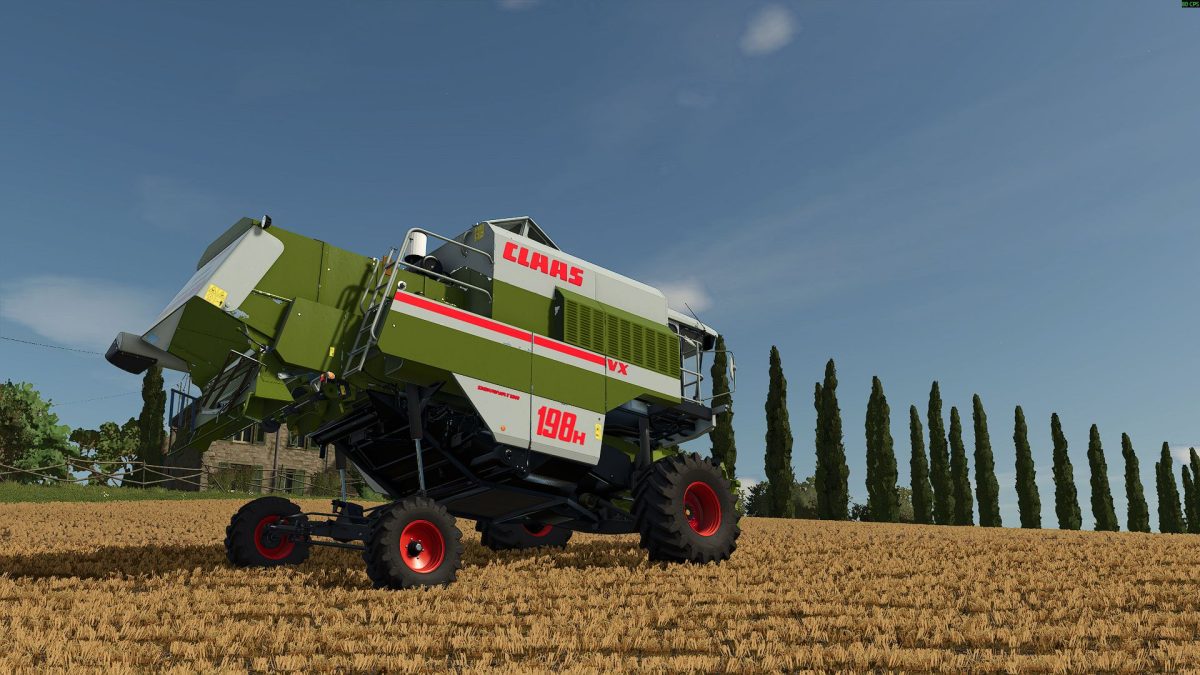
This time we offer the queen of Claas’ 90s self leveling combines, the Dominator 198H “H” as for Hillside, as this combine is capable of keeping itself leveled from the ground slope.
The combine can level itself 30% – 10% vertically and 15% horizontally and can be controlled manually or either automatically.

Price: 65000
Capacity: 5200
Max speed: 25
Power: 225
Configurations: Undercarriage color, Cab design, Stickers and Tyres Interactive Control.

Required mods:
Interactive Control
Cressoni CRX Series

Credits:

Razvan2004, Wojtasik, DEG Modding Team, Tesik

How to install FS25 Claas Harvesters?
Firstly find a mod which you like and want to download. Then download a mod to your PC. Mods are usually in .zip format file. But sometimes it can be in .rar. If a mod file is a .zip format no needed additional actions. If a file is in .rar, then you must unarchive mod with software like WinRar or Zip7. Windows 10 users no need to use software for archives, Win10 itself has a feature to unarchive files.
The next step is to find mods folder in your PC. Usually, it is in Documents/My Games/Farming Simulator 25/2025. Open the "mods" folder and put downloaded .zip archive or unarchived .rar file to this folder.
Last step. Enjoy of FS25 mods!

Leave a Reply

Your email address will not be published. Required fields are marked *