

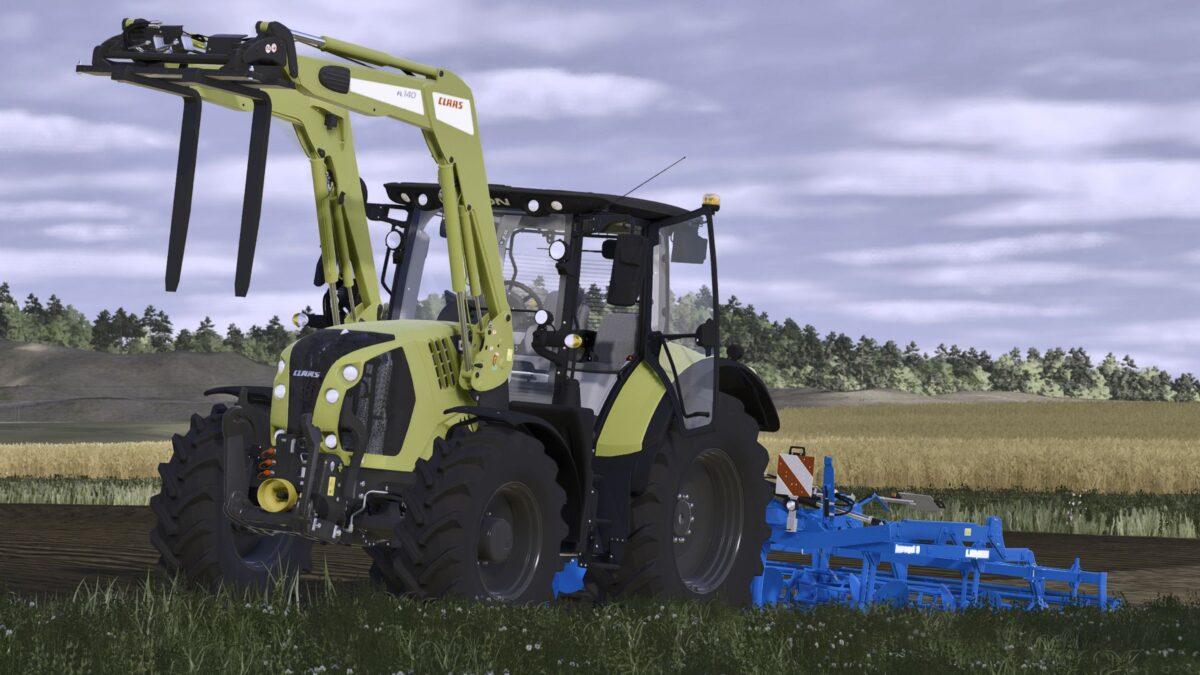
Claas Arion 500 Series v 1.0


The Claas Arion 500 Series v 1.0 mod brings enhancements to the popular tractor model from the base game. This conversion introduces new motor configurations, including the Arion 510 with 125 horsepower and the Arion 570 that offers 180 horsepower. A Night Edition variant has been incorporated, providing players with an alternative option for night farming activities. The mod also features an expanded selection of color options for the interior, as well as various main and rim colors, allowing for greater customization of your machinery. Additionally, the agribumper has been included.
– Two new motor configurations: Arion 510 (125PS) and Arion 570 (180PS)
– Night Edition variant included
– Customizable interior colors and additional main/rim colors
– Agribumper feature added
– New design line options
Credits:
DeNize, Finanzamt31er, Madabub


