
FS25 Buildings

Church Schondorf v 1.0

Church Schondorf v 1.0

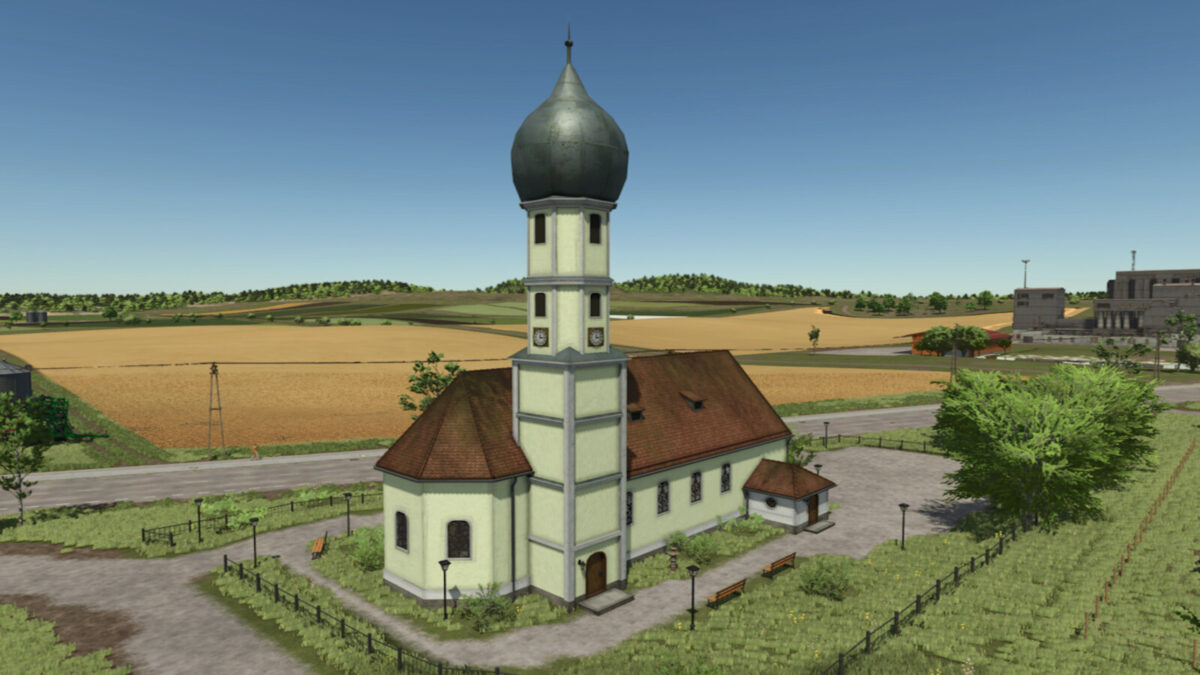
The Church Schondorf mod introduces a detailed replica of St. Anna’s Church, located in Schondorf am Ammersee, Bavaria. This church, originally constructed in 1499, showcases a stunning baroque interior that was added during significant renovations in the 17th and 18th centuries. In the game, the church serves as a decorative object for your farming landscape, enhancing the visual appeal of your surroundings. The purchase cost for the church is set at $50,000, with no ongoing maintenance cost to consider. This mod adds cultural and historical depth to your Farming Simulator experience, allowing players to create a more immersive environment.

Credits:

BERNIESCS

How to install FS25 Buildings?
Firstly find a mod which you like and want to download. Then download a mod to your PC. Mods are usually in .zip format file. But sometimes it can be in .rar. If a mod file is a .zip format no needed additional actions. If a file is in .rar, then you must unarchive mod with software like WinRar or Zip7. Windows 10 users no need to use software for archives, Win10 itself has a feature to unarchive files.
The next step is to find mods folder in your PC. Usually, it is in Documents/My Games/Farming Simulator 25/2025. Open the "mods" folder and put downloaded .zip archive or unarchived .rar file to this folder.
Last step. Enjoy of FS25 mods!

Leave a Reply

Your email address will not be published. Required fields are marked *