
FS25 Loaders

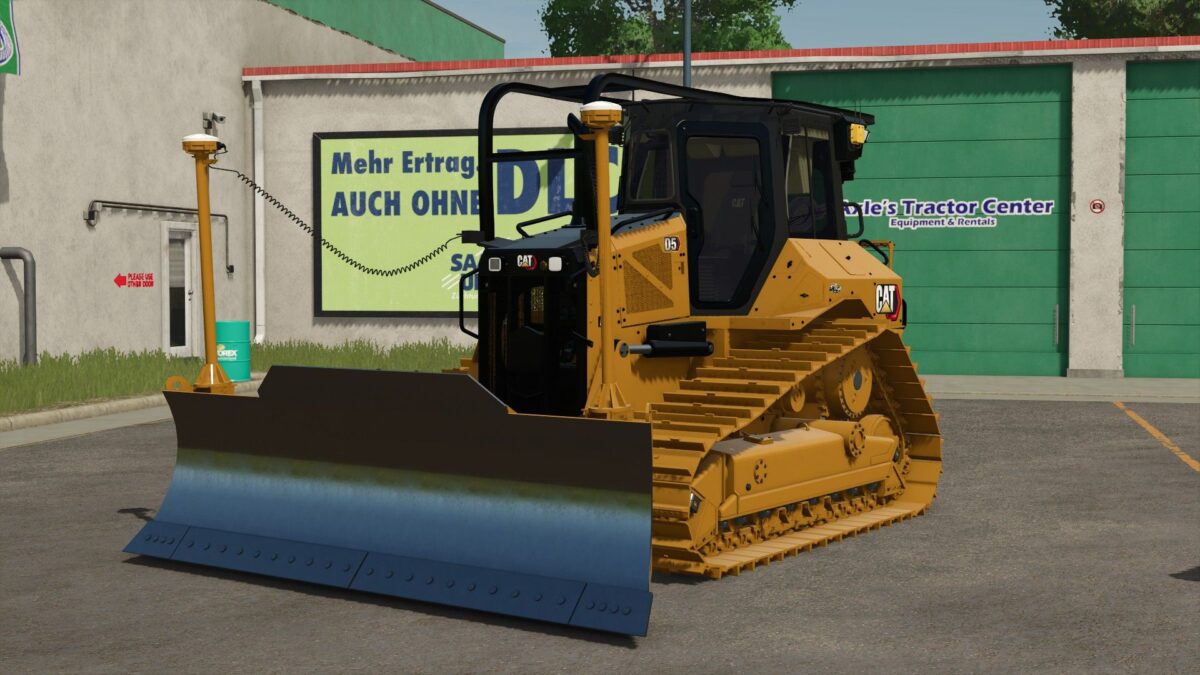
Caterpillar D5 Next Gen Dozer v 1.0

Caterpillar D5 Next Gen Dozer v 1.0

Non-working backup camera
Next gen interior display screens with updated UI
GPS grade control options (exterior setup)
Un-detailed interior props (iPhone, vape, Trimble screen)
Window tint options
Wearing tracks and blade for realistic wear over time
Non-functional root rake function (creates fields)
Rear drawbar tow setup
Ripper hydraulics ready
Not built by players who actually run their equipment
Not tuned by real operators, with dialed-in physics and true functionality
Not released only when it’s right
Built for non-serious realism servers.

Credits:

RowlandFarms Modding

How to install FS25 Loaders?
Firstly find a mod which you like and want to download. Then download a mod to your PC. Mods are usually in .zip format file. But sometimes it can be in .rar. If a mod file is a .zip format no needed additional actions. If a file is in .rar, then you must unarchive mod with software like WinRar or Zip7. Windows 10 users no need to use software for archives, Win10 itself has a feature to unarchive files.
The next step is to find mods folder in your PC. Usually, it is in Documents/My Games/Farming Simulator 25/2025. Open the "mods" folder and put downloaded .zip archive or unarchived .rar file to this folder.
Last step. Enjoy of FS25 mods!

Leave a Reply

Your email address will not be published. Required fields are marked *