
FS22 Misc

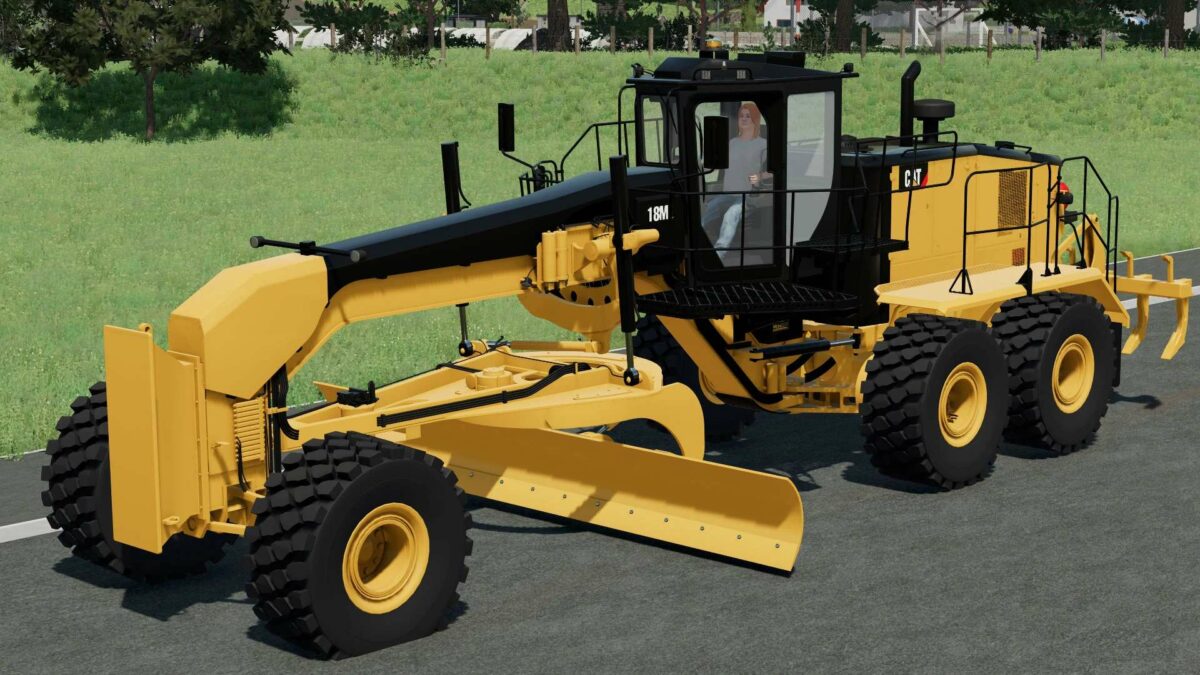
Caterpillar 18M v 1.0

The Caterpillar 18M Grader is a powerful and efficient machine for players in Farming Simulator 22. With its robust engine and advanced features, it’s designed to handle the toughest grading tasks on your virtual farm.
The grader is equipped with a strong engine that delivers high horsepower, ensuring that it can tackle even the most challenging terrain.
It boasts a top speed that allows for quick and efficient movement across the farm, saving time and increasing productivity.
Whether you’re shaping land for crops or constructing roads, the Caterpillar 18M Grader is up to the task, combining power and speed for optimal performance.

Credits:

4MR Modding, Western Dakota Mining
How to install FS22 Misc?
Firstly find a mod which you like and want to download. Then download a mod to your PC. Mods are usually in .zip format file. But sometimes it can be in .rar. If a mod file is a .zip format no needed additional actions. If a file is in .rar, then you must unarchive mod with software like WinRar or Zip7. Windows 10 users no need to use software for archives, Win10 itself has a feature to unarchive files.
The next step is to find mods folder in your PC. Usually, it is in Documents/My Games/Farming Simulator 25/2025. Open the "mods" folder and put downloaded .zip archive or unarchived .rar file to this folder.
Last step. Enjoy of FS25 mods!

Leave a Reply

Your email address will not be published. Required fields are marked *