
FS25 Misc

Camera DoF v 1.0
Camera DoF v 1.0
Camera DoF v 1.0
Camera DoF v 1.0

Camera DoF v 1.0

Adds cinematic depth to your gameplay by taking full control over the camera’s depth-of-field effect.
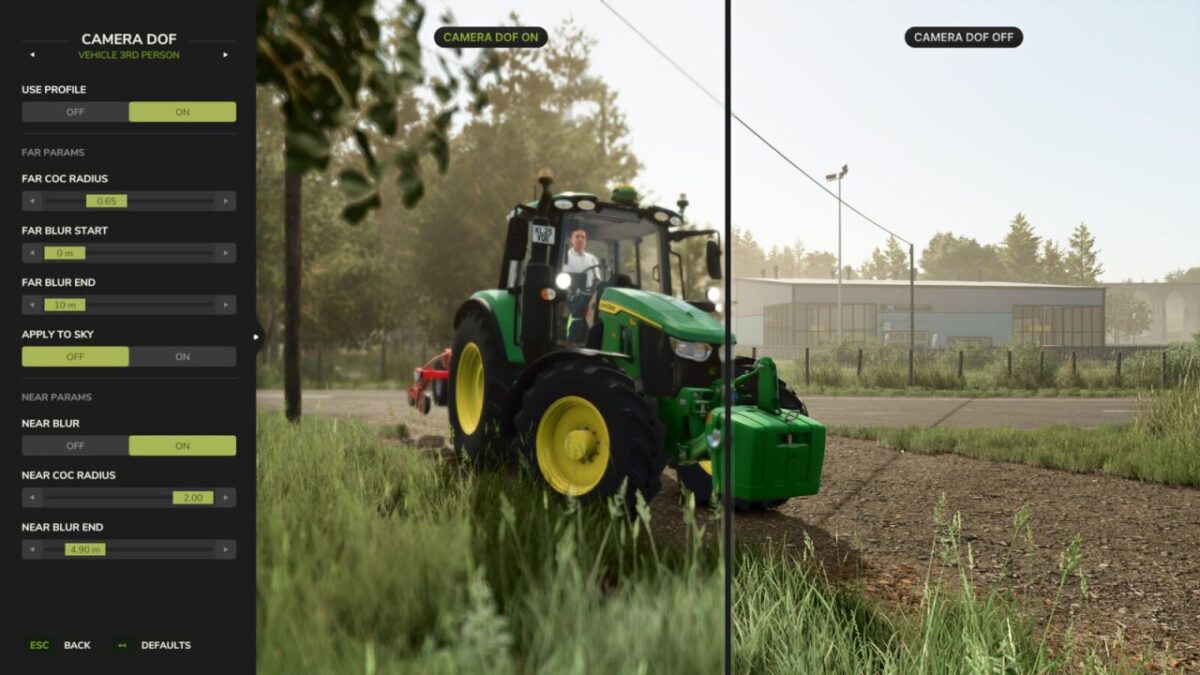
Instead of relying on the game’s default blur settings, you can now fine tune near and far blur independently for every camera perspective and see the changes in real time.

Features:
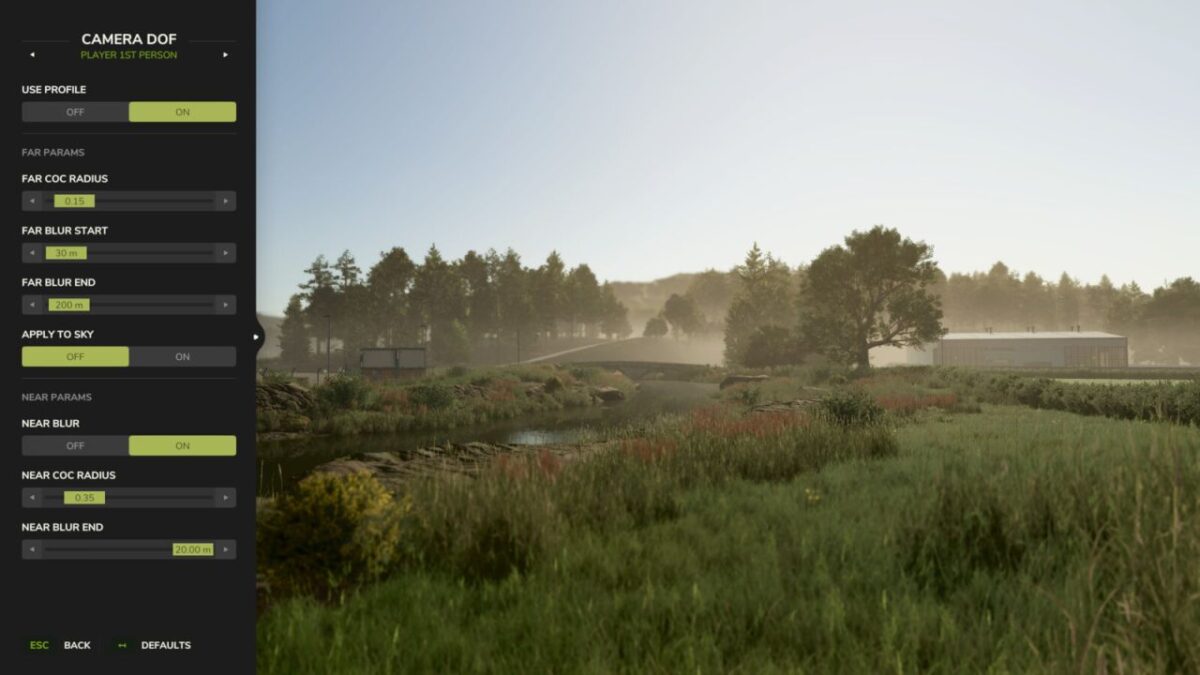
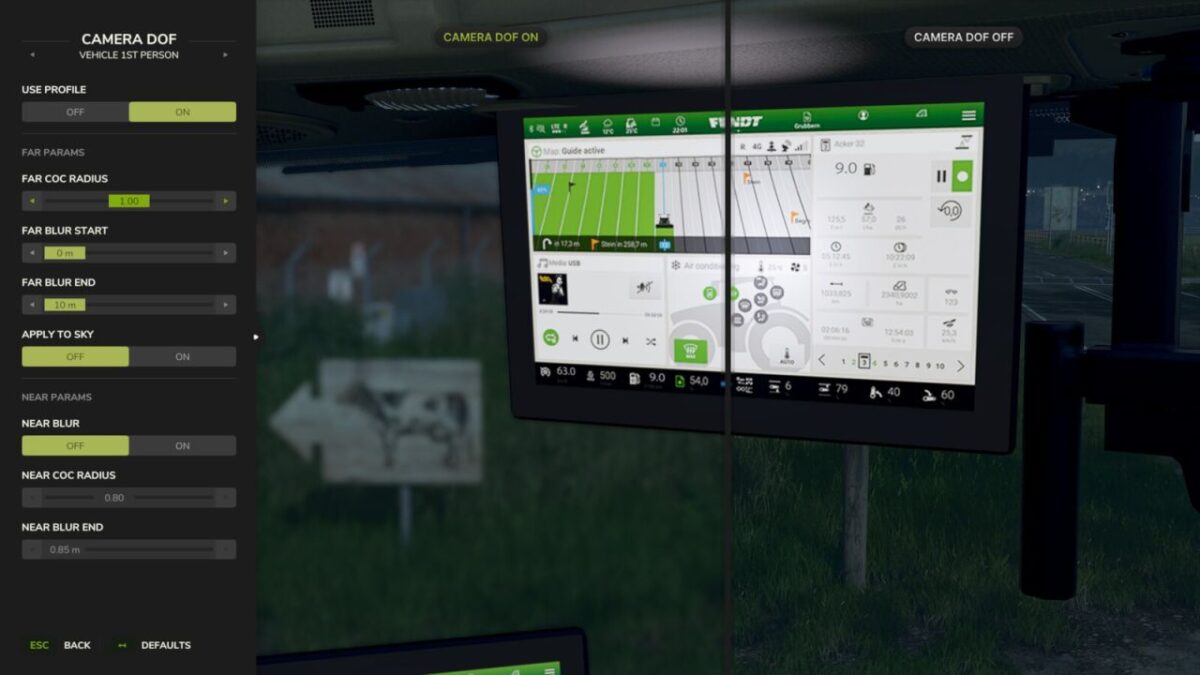
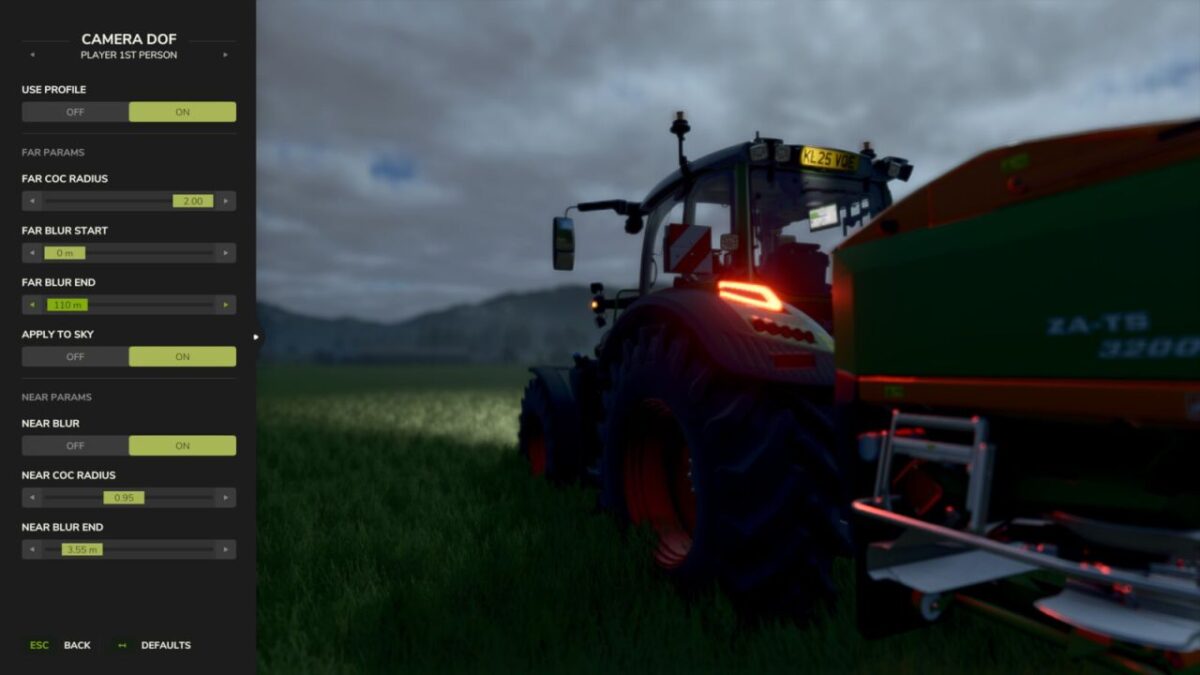
Configure 4 separate blur profiles: Vehicle 1st Person, Vehicle 3rd Person, Player 1st Person, and Player 3rd Person.
Adjust near and far blur parameters including CoC radius, blur distances, and sky application.
Enable or disable each profile individually — disabled profiles fall back to the game’s default DOF.
Reset any profile to built-in defaults with a single click. Settings are saved automatically.

Hotkeys:
Press ‘F6’ to open the Camera DoF settings dialog.

Credits:

aaw3k

How to install FS25 Misc?
Firstly find a mod which you like and want to download. Then download a mod to your PC. Mods are usually in .zip format file. But sometimes it can be in .rar. If a mod file is a .zip format no needed additional actions. If a file is in .rar, then you must unarchive mod with software like WinRar or Zip7. Windows 10 users no need to use software for archives, Win10 itself has a feature to unarchive files.
The next step is to find mods folder in your PC. Usually, it is in Documents/My Games/Farming Simulator 25/2025. Open the "mods" folder and put downloaded .zip archive or unarchived .rar file to this folder.
Last step. Enjoy of FS25 mods!

Leave a Reply

Your email address will not be published. Required fields are marked *