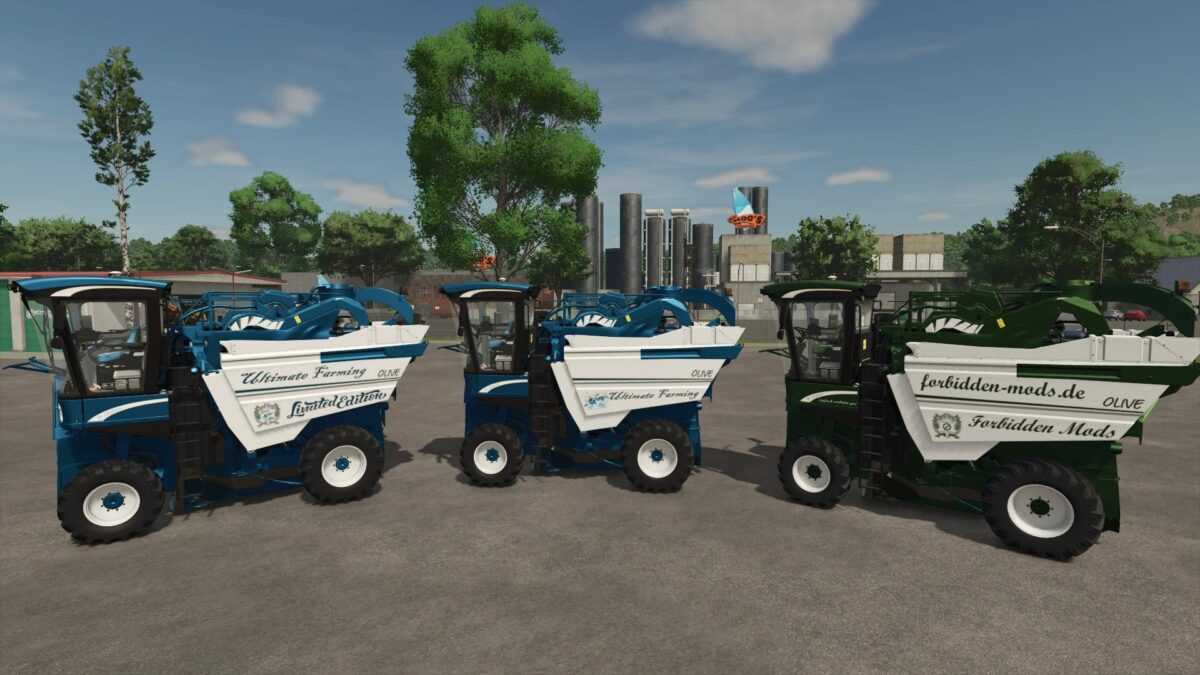
Braud 9090X Olive Limited Edition v 1.0.0.1


Changes and Features
Price: €275,000
Engine tuned for improved performance
Top speed: 45 km/h
Working speed: 15 km/h
Engine options: Standard or Limited Edition
Decal options: Limited Edition, Ultimate Farming, or FBM
Text options: None, Limited Edition, Ultimate Farming, or FBM
Tank logo options: None, Limited Edition, Dolphins, or FBM
Front logo options: None, Limited Edition, Dolphins, or FBM
Window logo options: None, Limited Edition, Dolphins, or FBM
Door sticker options: None or FC Köln
Capacity options:
Standard – 4,000 L
Limited Edition – 9,000 L
Ultimate Farming – 15,000 L
Customizable colors for:
Main color
Design color
Frame
Decals
Text
Belt
Interior headliner
Interior
Seat belt
Seats
Seat design
Grille
Rims
Increased repair interval
Version 1.0.0.1:
* Verified with TestRunner Public 0.9.18
* Adjusted the desktop version
* Various fixes and improvements
* Added new logos
* Separated the FBM Edition to allow the FBM seat logo to be used correctly
Credits:
Dolphin