
FS25 Cars

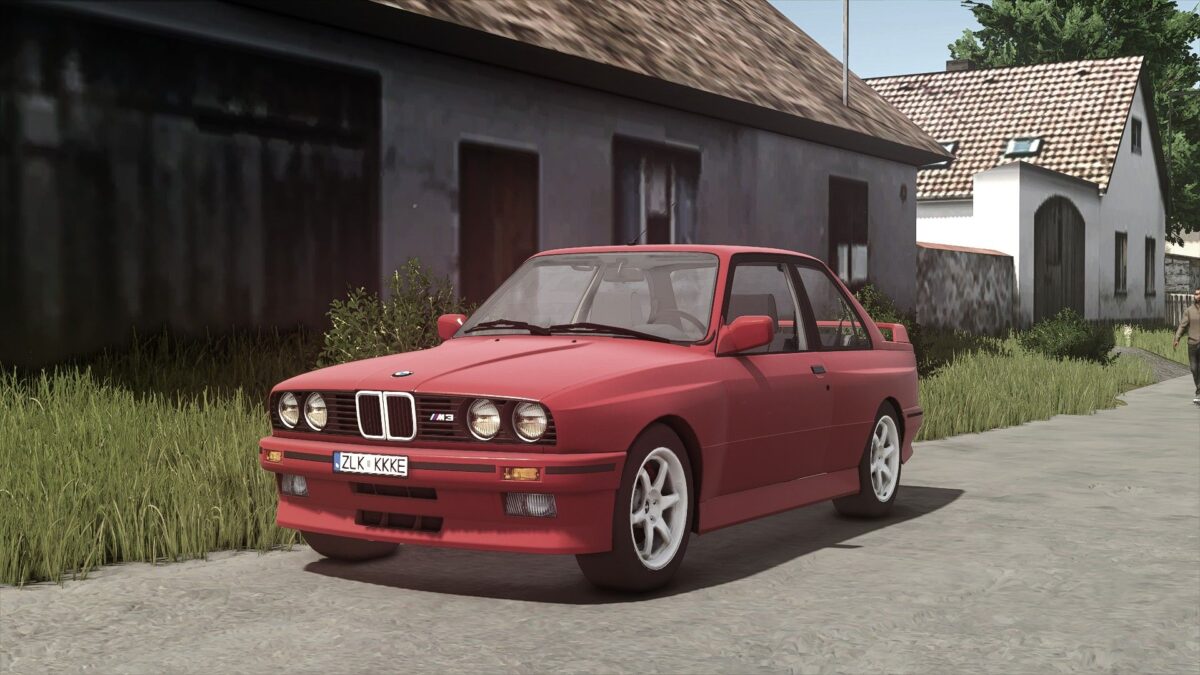
BMW M3 E30 Coupe v 1.0

BMW M3 E30 Coupe v 1.0

The BMW M3 E30 Coupe v 1.0 mod for Farming Simulator 25 offers players the opportunity to incorporate this classic sports car into their gaming experience. This vehicle features a maximum speed of 120 km/h, allowing for quick travel across your farming landscape. With a power output of 197 horsepower, the car balances performance and usability, making it suitable for various tasks within the game.

Customization options are available, allowing users to choose from different main color configurations and rim color configurations, enabling personalization to match your in-game style.

– Price: 842
– Max speed: 120 km/h
– Power: 197 HP
– Main color configuration
– Rims color configuration

Credits:

Starlexs, honved4, Bazsi

How to install FS25 Cars?
Firstly find a mod which you like and want to download. Then download a mod to your PC. Mods are usually in .zip format file. But sometimes it can be in .rar. If a mod file is a .zip format no needed additional actions. If a file is in .rar, then you must unarchive mod with software like WinRar or Zip7. Windows 10 users no need to use software for archives, Win10 itself has a feature to unarchive files.
The next step is to find mods folder in your PC. Usually, it is in Documents/My Games/Farming Simulator 25/2025. Open the "mods" folder and put downloaded .zip archive or unarchived .rar file to this folder.
Last step. Enjoy of FS25 mods!

Leave a Reply

Your email address will not be published. Required fields are marked *