
FS25 Misc

Autodrive Reverse to Marker v 1.0

Autodrive Reverse to Marker v 1.0

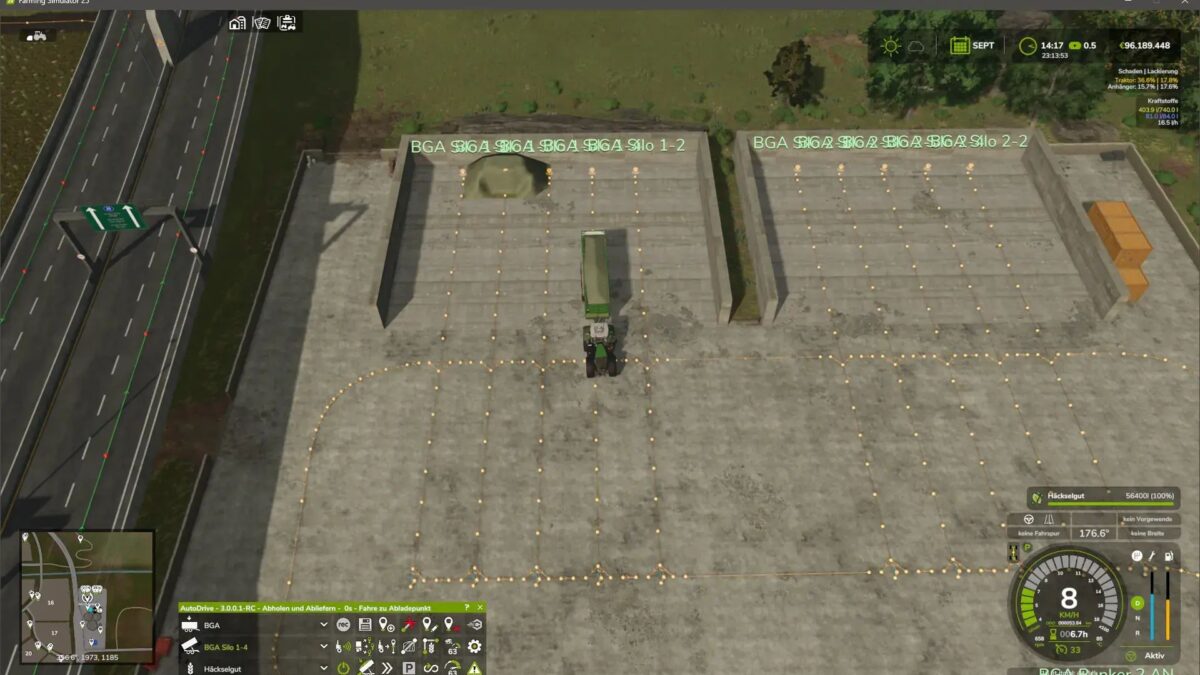
With this mod, you can build a return route to the ready -to -use marker on the map. You can use this route for parking spaces or bunker silo inputs, for example.

In the construction menu under decorations – another, you will find two return routes with lengths of 25 m, 50 m, 75 m and 100 m. These return routes have positioning aid (yellow cross) to align them.

If you leave the construction menu after having placed them, the ways of waypoints of a return route are created with a destination point at the end.

You can then connect them to your route network. The yellow cross can be sold again via the construction menu. You need a mod that allows you to place them on land that does not belong to you.

Credits:

Williwillswissen

How to install FS25 Misc?
Firstly find a mod which you like and want to download. Then download a mod to your PC. Mods are usually in .zip format file. But sometimes it can be in .rar. If a mod file is a .zip format no needed additional actions. If a file is in .rar, then you must unarchive mod with software like WinRar or Zip7. Windows 10 users no need to use software for archives, Win10 itself has a feature to unarchive files.
The next step is to find mods folder in your PC. Usually, it is in Documents/My Games/Farming Simulator 25/2025. Open the "mods" folder and put downloaded .zip archive or unarchived .rar file to this folder.
Last step. Enjoy of FS25 mods!

Leave a Reply

Your email address will not be published. Required fields are marked *