

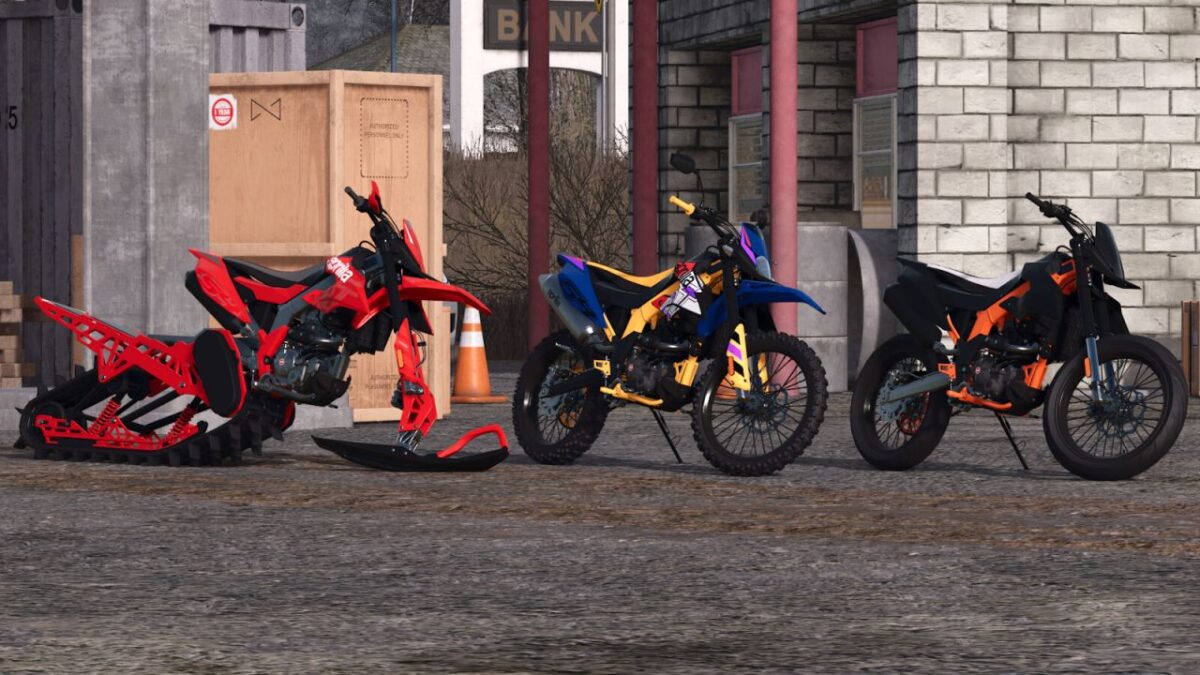
Aprilla RX 125 v 1.0


The Aprilia RX125 now features several optional extras and a new driving physics engine. These include various visual options and new wheel and track options.
Specifications
– Category: Cars & Bikes
– Price: $4000
– Power: 15 HP
– Top speed: 115 km/h
– Different power output from the original for better playability
Optional Features
– Manual kickstand animation
– 3 off-road tire models and optional rear track
– Optional headlight and front fairing, with options for the front base in the color of the fairing, frame, carbon fiber or plastic, as well as completely removing the front section
– Optional black or silver engine color
– Hand guards in the colors of the fairing, frame, carbon fiber or plastic
– 4 variations of the motorcycle’s tail section
– 2 exhaust models, with 6 variations in one model and 12 in the second model
– Two engine sound options
– Optional side, center, and rear fairings, frame protector, mudguard, and fork fairing in variations of fairing colors, frame color, carbon fiber or plastic. Each option is individual per item:
– Optional removal of front turn signals and mirrors
– Optional decals
– Optional black or silver swingarm along with the option to remove the passenger footrest
– Optional handlebar protector and instrument panel removal
– Optional colors for the fairing, frame, seat and its details, engine guard, grips, chain guard or chain guard, shock absorber spring and rims
Credits:
Agro Tonho


