

Animalic Food v 1.0.0.1


Customizable animal food via mod.
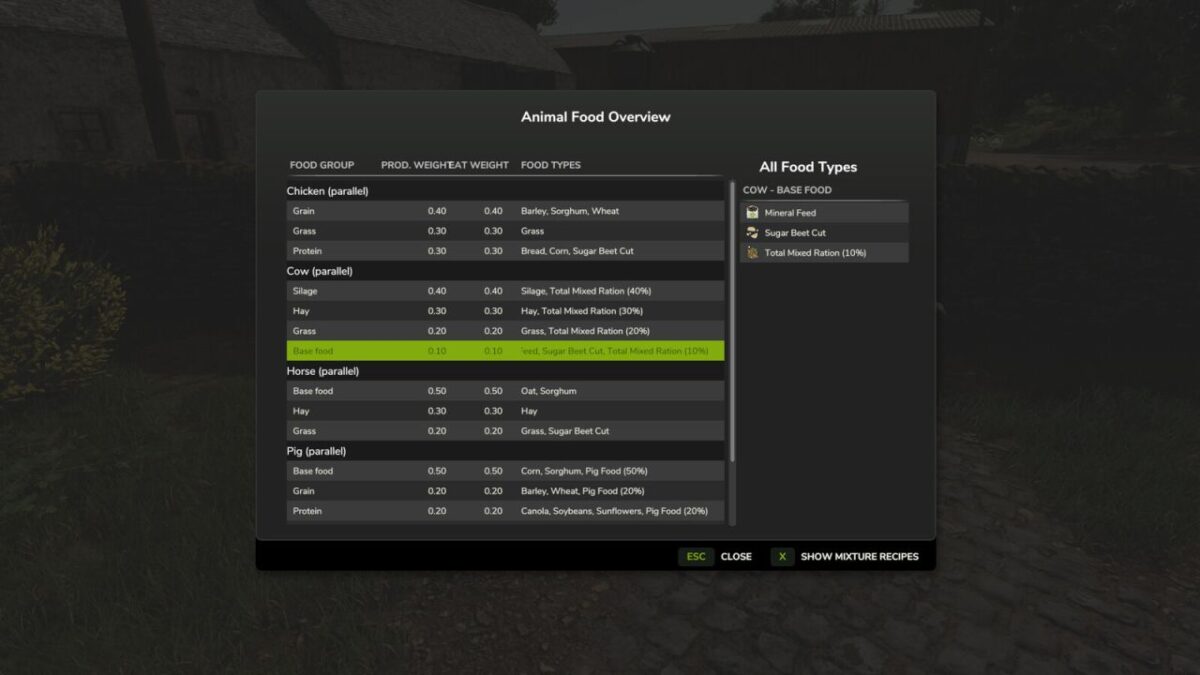
The consumption ratios (eatWeight) and production coefficients (productionWeight) can be individually adjusted in the animalicFood.xml file.
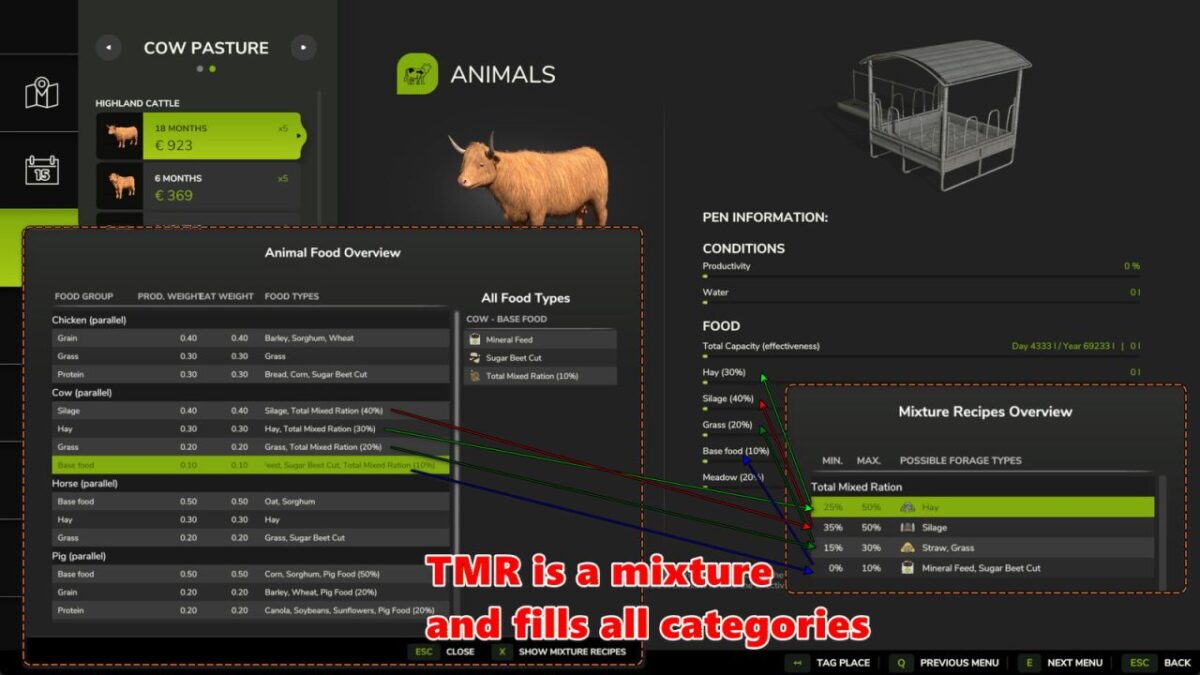
TotalMixRatio is now also considered a “real”
The production coefficient for grazing can now be configured separately from grass—so your cows will no longer lose health or productivity during summer pasture grazing (grazingProductivity: default is OFF at 50% to prevent losses, and ON at 75% for intensive grazing systems).
Food and Production quantity numbers (inputs and outputs in liters) are base game values and modification IS NOT possible with this mod!
This mod also CANNOT add additional registered feed types to the feed mixers!
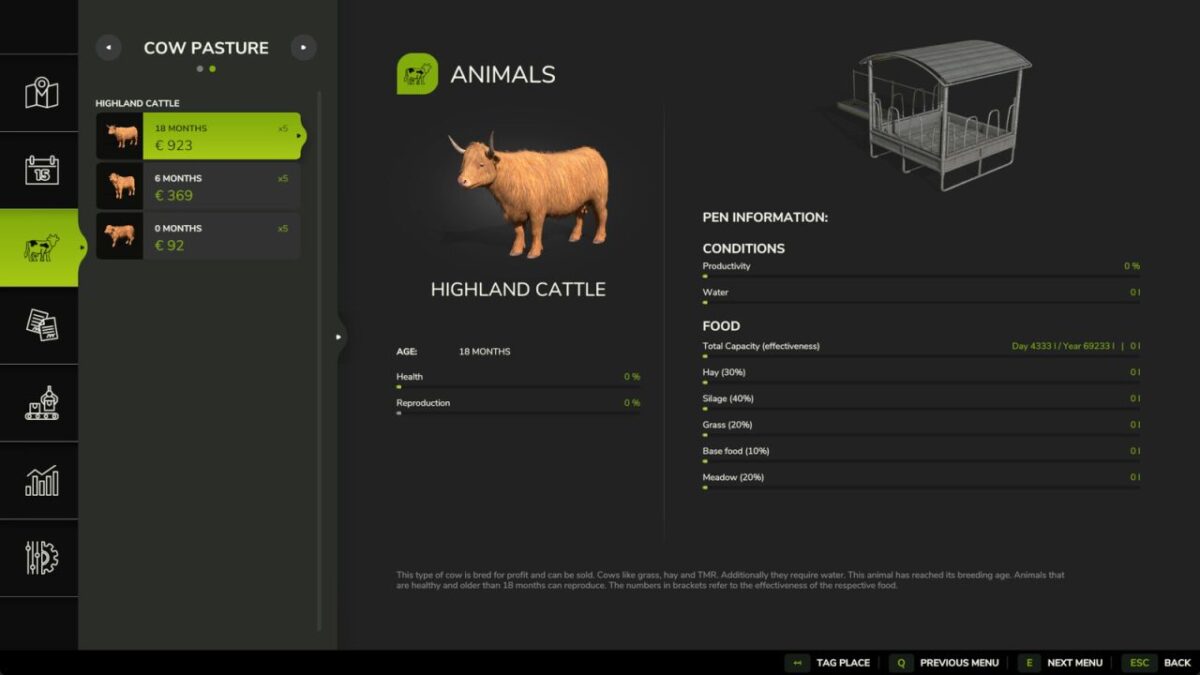
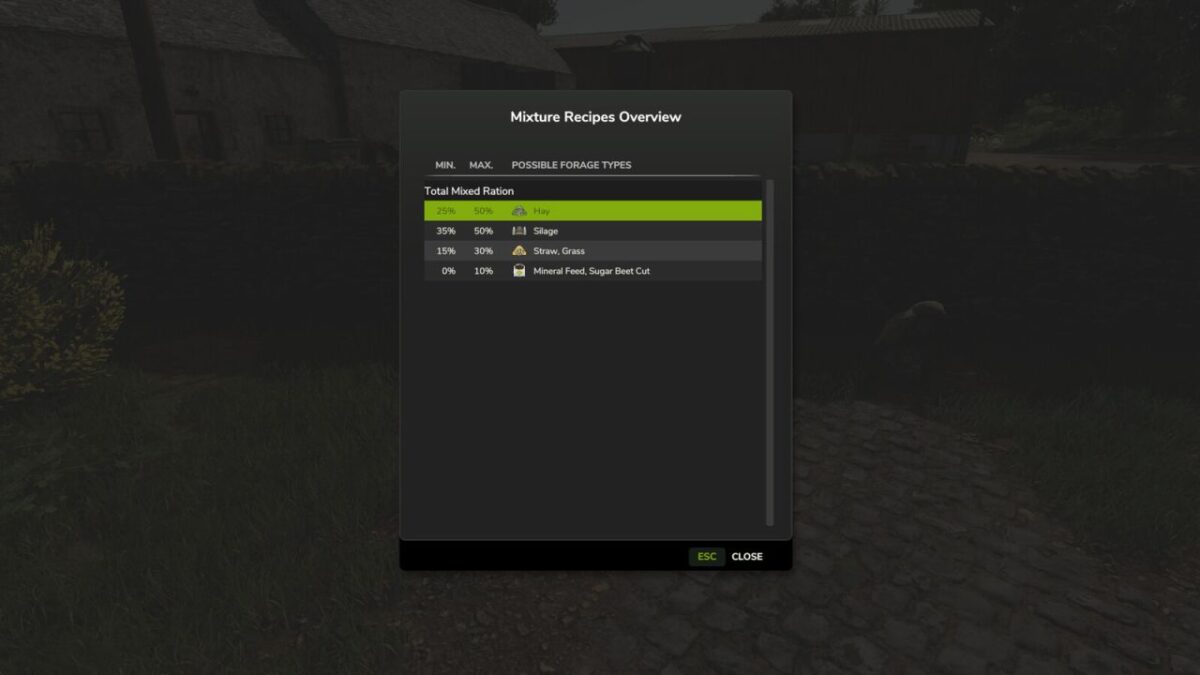
Screenshots created with the use of the FS25_AnimalFoodOverview mod by Fetty42 for better understanding.
Version 1.0.0.1:
* Added a script to allow independent adjustment of pastry (grazing) productionWeight from grass
* The incorrect description has been corrected: silage is a component, while TMR is the mixture
Credits:
[FD]Aekzl


