

Animal Vet System v 1.0


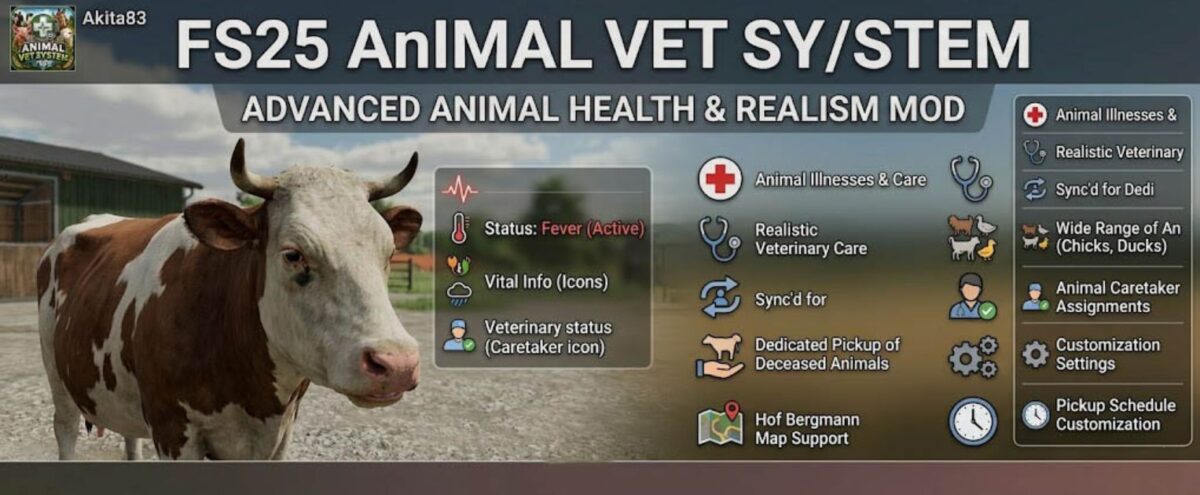
FS25 AnimalVetSystem introduces a completely new and realistic animal health system to Farming Simulator 25.
Animals can fall ill, recover on their own, receive veterinary care, or in the worst case scenario pass away.
Various causes of illness such as infections, fever, or digestive issues add greater depth and realism to animal husbandry.
Specifically designed for dedicated servers, this system reliably synchronizes illnesses, treatments, and animal pickups in multiplayer environments.
The mod also supports a wide range of custom animals and maps such as *Hof Bergmann* including chicks, ducks, and other species.
A modern, intuitive HUD clearly displays all vital information: active illnesses, veterinary status, animal caretaker assignments, and deceased animals including realistic pickup mechanics.
Thanks to extensive ingame settings, every player can customize the system to their liking adjusting everything from treatment costs to the pickup schedule for deceased animals.
The FS25 AnimalVetSystem adds a new layer of gameplay to animal husbandry, bringing significantly more atmosphere, management depth, and realism to every farm.
Credits:
Akita83


