

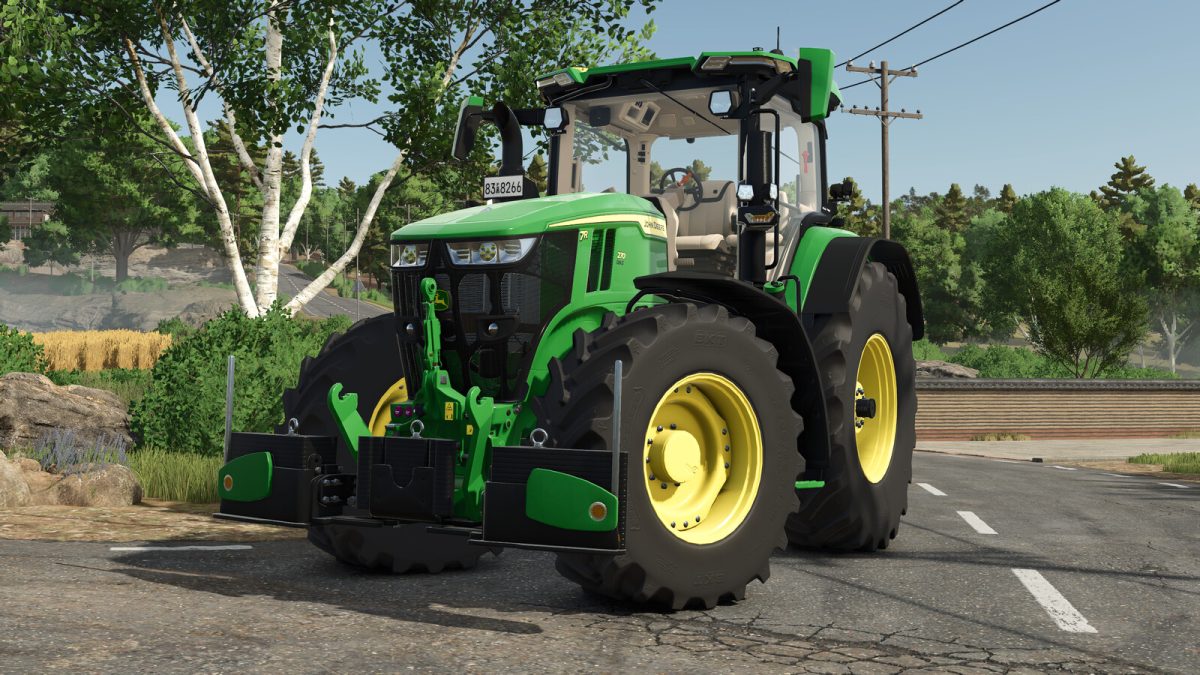
Agribumper v 1.0


This mod adds the AgriBumper as an optional configuration to many standard vehicles as well as prepared mod vehicles.
AgriBumper Weight:
Price: $3799 – $8999
Weight: 400kg – 1600kg
Lizard ToolBox:
Price: $200
Category: Miscellaneous
4 new config blocks are added to the FS25 standard vehicles:
– AgriBumper version
– AgriBumper main color
– AgriBumper design color
– AgriBumper weight color
The AgriBumper can be purchased with weights ranging from 400kg as a pure underride protection or up to 1600kg as a full weight, depending on the vehicle size.
The color selection is possible with all FS25 standard colors. Depending on the brand, some brand-specific colors have also been added.
The ToolBox can be mounted on all AgriBumpers in the EXTRA version. To do this, the box must be placed by hand in the free mount in the center of the bumper.
Appropriately prepared mod vehicles can also be configured with the AgriBumper. The scope of configurations is not fixed and may vary depending on the modder.
You can find instructions for installing the AgriBumper in mod vehicles in the sdk folder in the mod directory.
Credits:
BayernGamers


