

Advanced Bank System v 1.0


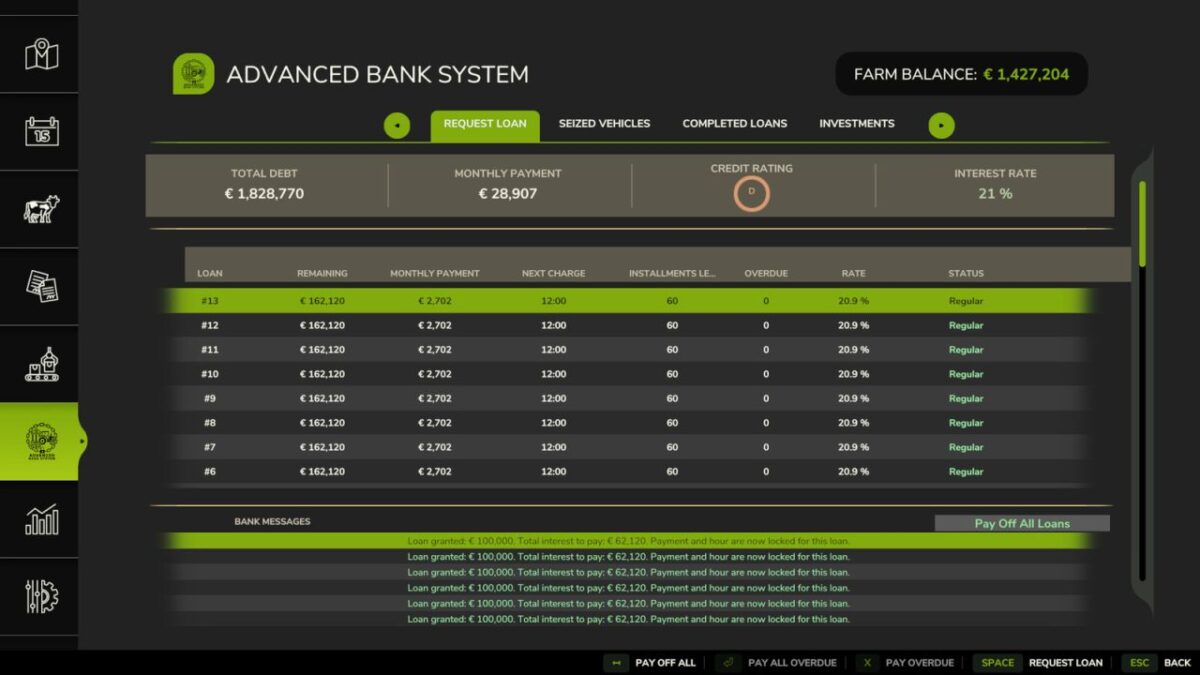
This mod fully replaces the base game’s finance/loan system: any loan taken from the vanilla financial service is automatically cancelled and refunded, all borrowing goes through this mod’s own bank instead.
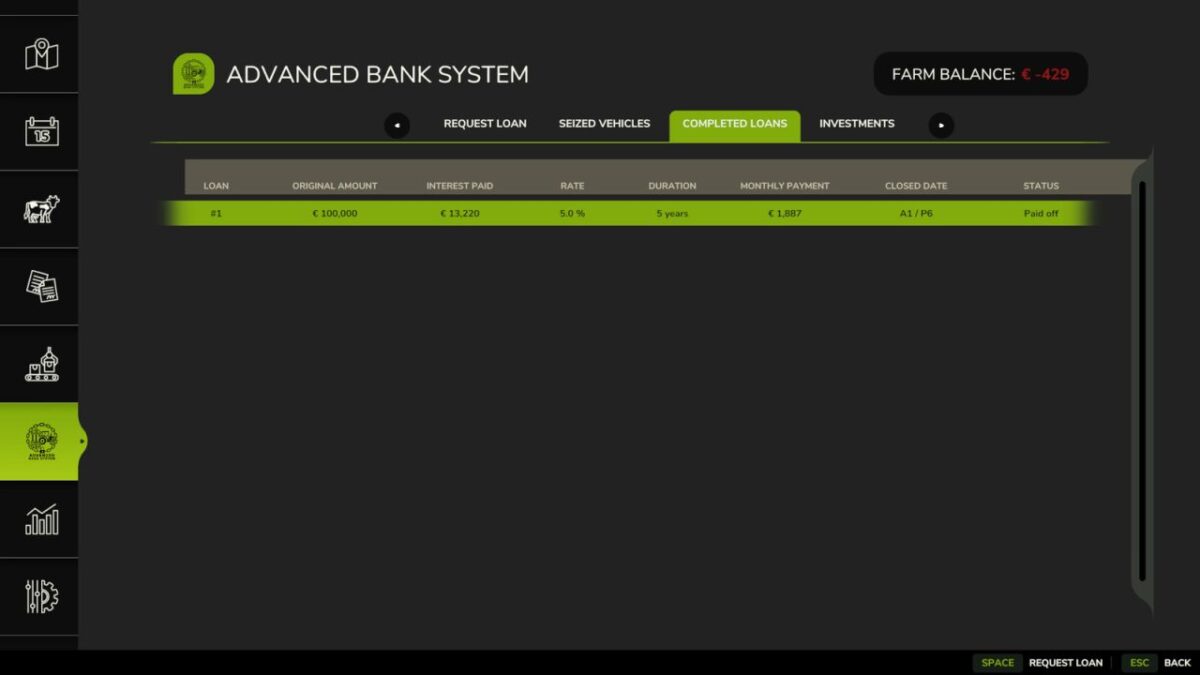
Advanced bank system with a dedicated tabbed page in the native pause menu.
No total loan limit, except at the worst credit rating tier.
Interest rate is a base market rate plus a risk premium tied to a dynamic 6 tier credit rating (D to AAA), which drops a tier on every default and climbs back up a tier every time you fully pay off a loan.
Each loan has its own locked in monthly repayment and payment hour.
If you have any overdue installment on any loan, the bank won’t grant you a new one until it’s settled.
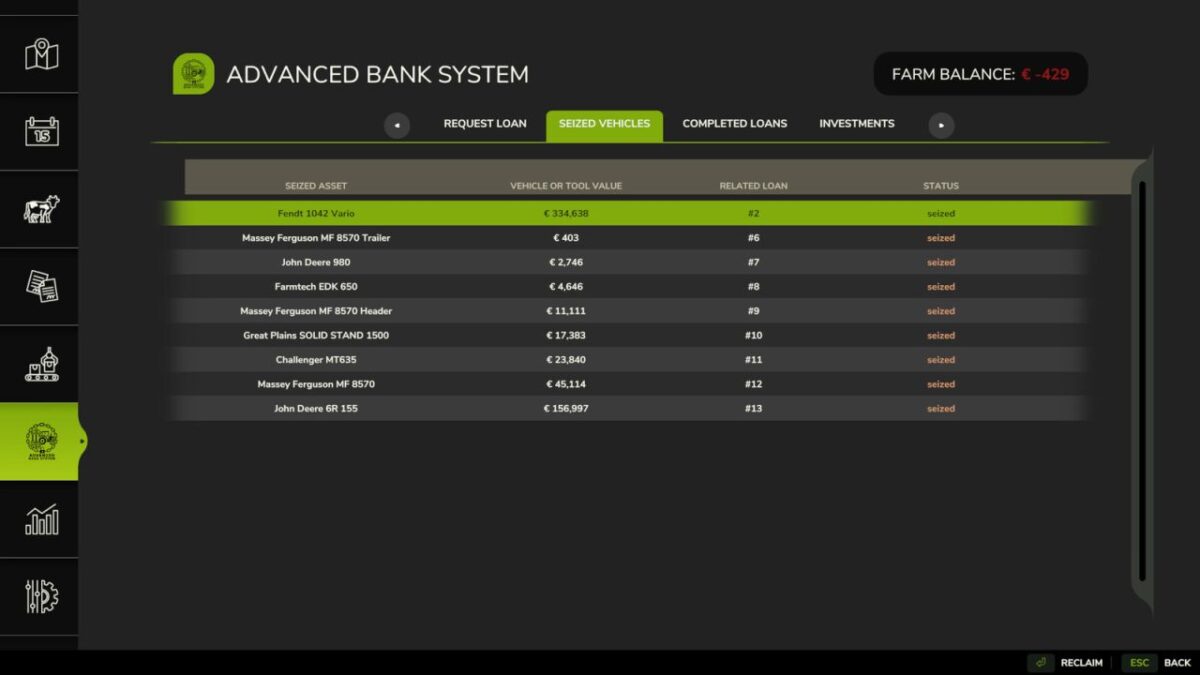
A missed payment triggers a warning: if it stays unpaid, a vehicle/implement is seized every following month until settled.
The most valuable eligible asset is seized into a hidden virtual warehouse and returned to the shop parking area once the arrears are settled.
The last usable motorized vehicle is never seized.
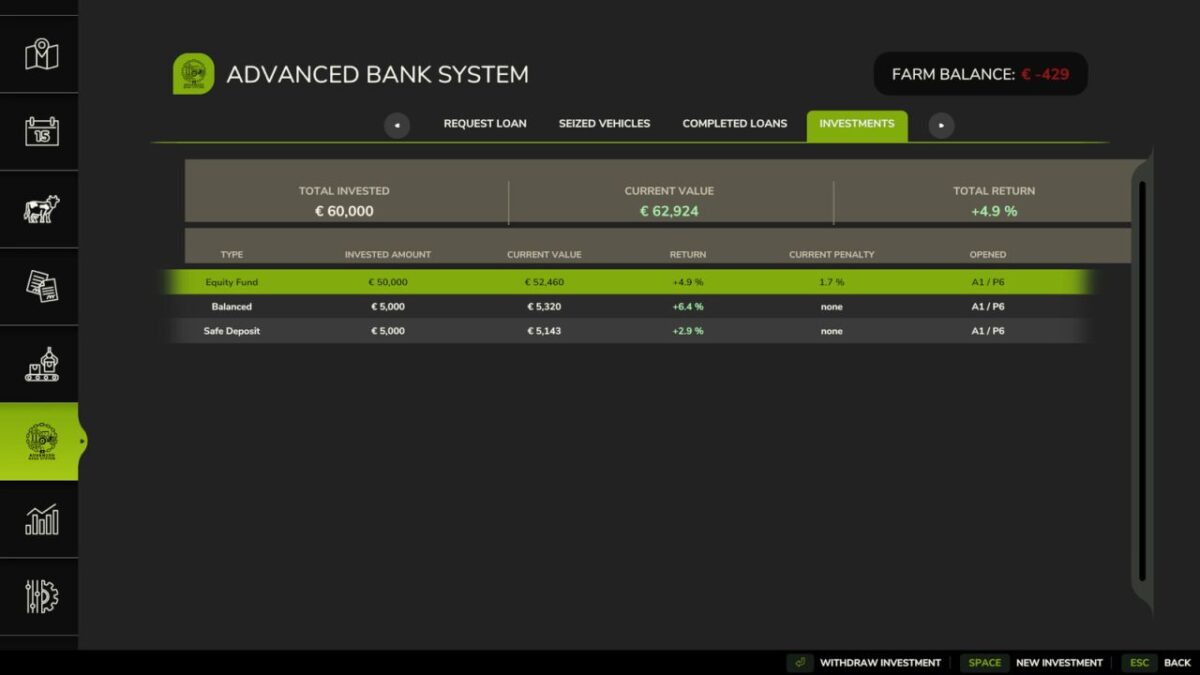
Also includes an investment module with three risk profiles tied to a simulated market cycle.
Credits:
t3rrox96


