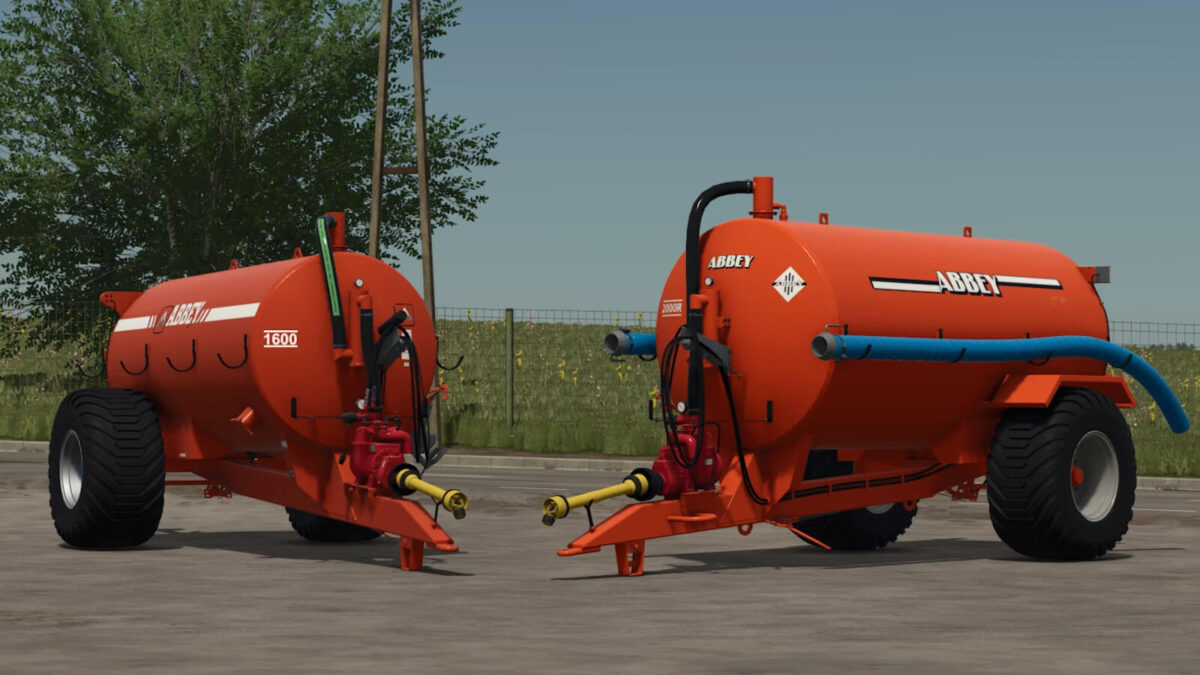
Abbey 1600/2000 Tankers v 1.0.0.1


Explore the robustness and reliability of our Standard Tankers, engineered to meet diverse agricultural needs.
Ranging from 4,000L (900 gal) to 9,000L (2,000 gal), these tankers are built to the highest quality materials, including heavy duty barrels and Battioni Pagani pumps.
Each model is equipped with advanced features like hydraulic brakes, LED lights, and a variety of pump options, ensuring optimal functionality tailored to your specific farming needs.
Features:
– MEC 9,000 Pump
– Hydraulic Brakes
– Dynamic Lights
– 20” Door
– Hydraulically Operated Heavy Duty Outlet Valve
– Inverted Spreading Plate
– One Blank Fill Point with 2” Wash Tap
– One Complete 6” Quick Attach Fill Point
– Two Blanked Off Fill Points
– 15ft of 6” Suction Hose
– Band Spreader Ready Bracketry
– 550/60 x 22.5 Wheels
– Price: $14,000
Version 1.0.0.1:
* Fixed Log Warnings
Credits:
4DModding