
FS25 Trucks

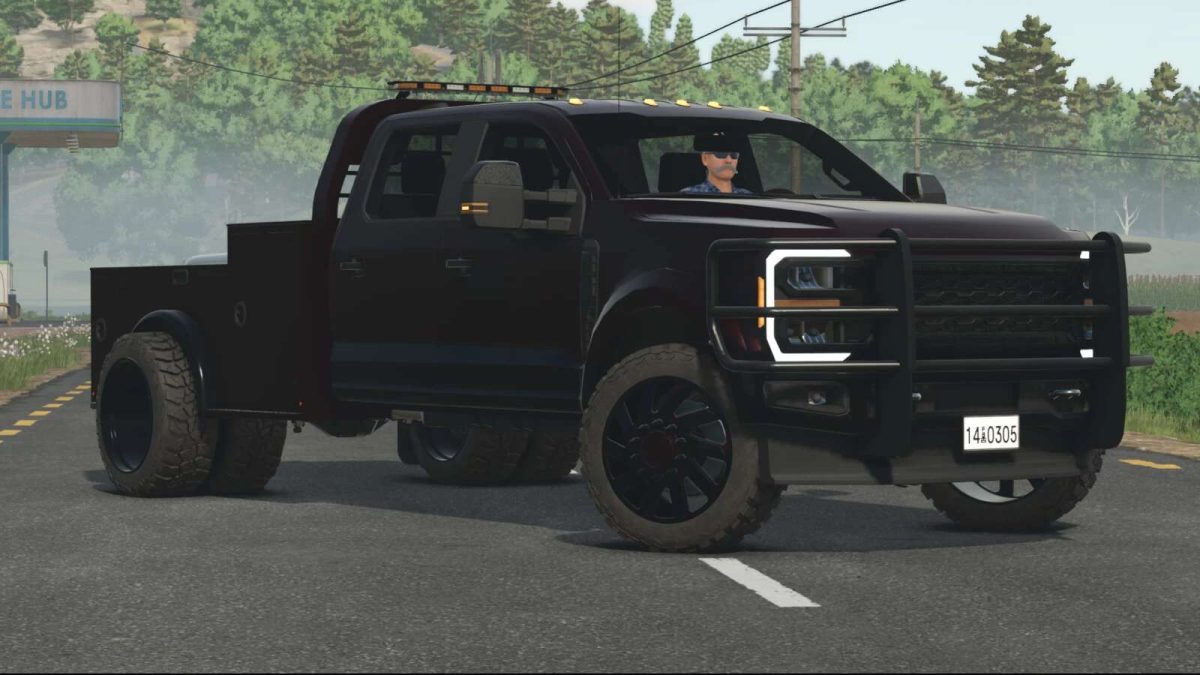
2024 Lizard Superduty Pickup Truck v 1.3

2024 Lizard Superduty Pickup Truck v 1.3

Version 1.3:
* Added more wheel configuration options for enhanced customization
* Introduced motion control functionality for side mirrors
* Integrated bed flashing lights within the taillights
* Expanded color configuration options for both the truck and bed
* Added shop selection for the front valance
* Added motor configurations
* Fixed various bed accessory texture issues
* Adjusted plow attachment alignment and behavior
* Updated suspension settings for improved handling
* Corrected front fender flare alignment
* Adjusted door scaling to resolve water droplet size inconsistencies
* Adjusted motor config to be smoother

Credits:

Roughneck Modding Crew

How to install FS25 Trucks?
Firstly find a mod which you like and want to download. Then download a mod to your PC. Mods are usually in .zip format file. But sometimes it can be in .rar. If a mod file is a .zip format no needed additional actions. If a file is in .rar, then you must unarchive mod with software like WinRar or Zip7. Windows 10 users no need to use software for archives, Win10 itself has a feature to unarchive files.
The next step is to find mods folder in your PC. Usually, it is in Documents/My Games/Farming Simulator 25/2025. Open the "mods" folder and put downloaded .zip archive or unarchived .rar file to this folder.
Last step. Enjoy of FS25 mods!

Leave a Reply

Your email address will not be published. Required fields are marked *