

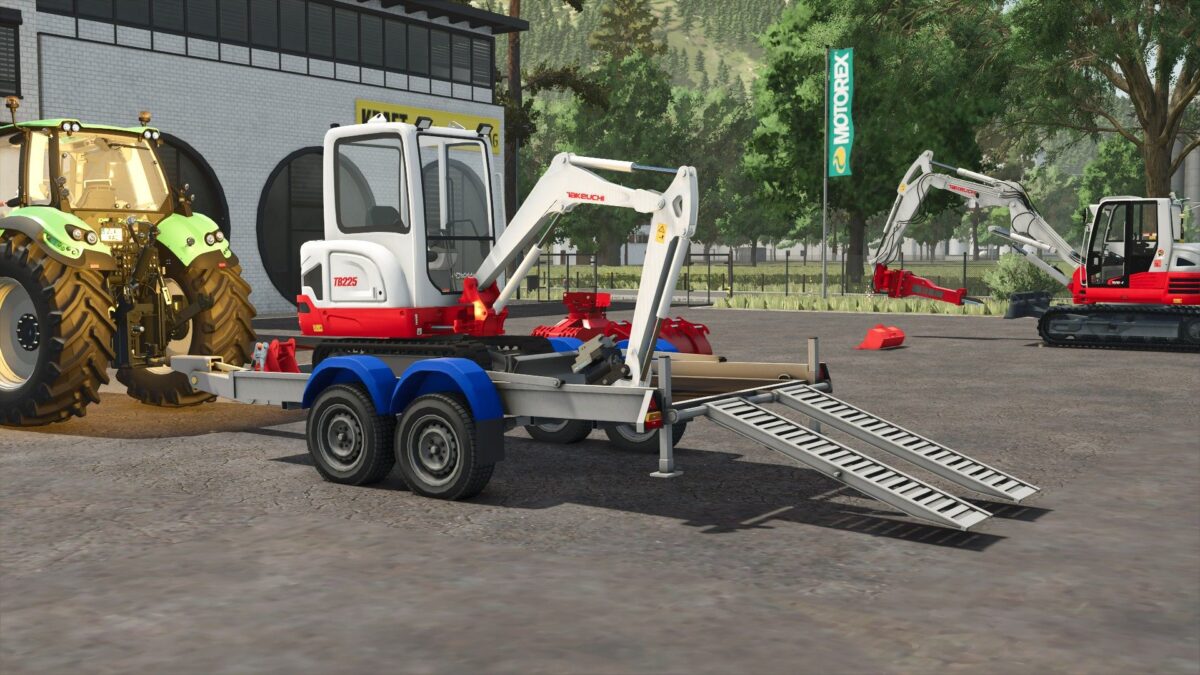
2 Axles Low Loader Trailer v 1.0


The 2 Axles Low Loader Trailer v 1.0 is designed for efficient transportation of heavy equipment and vehicles within Farming Simulator 25. This mod features adjustable ramps that provide multiple height settings, allowing for easy loading and unloading. The trailer’s sturdy construction ensures reliable performance while transporting various machinery like tractors, harvesters, and other sizable assets. The low profile of the trailer maximizes stability, reducing the risk of tipping during transport.
With a practical design aimed at enhancing your farming operations, this trailer is a useful addition for players looking to manage their equipment logistics effectively.
– Adjustable ramp height settings
– Low-profile design for improved stability
– Suitable for transporting large machinery
– Sturdy construction for reliable performance
– Enhances equipment management capabilities
Credits:
modeure27


