

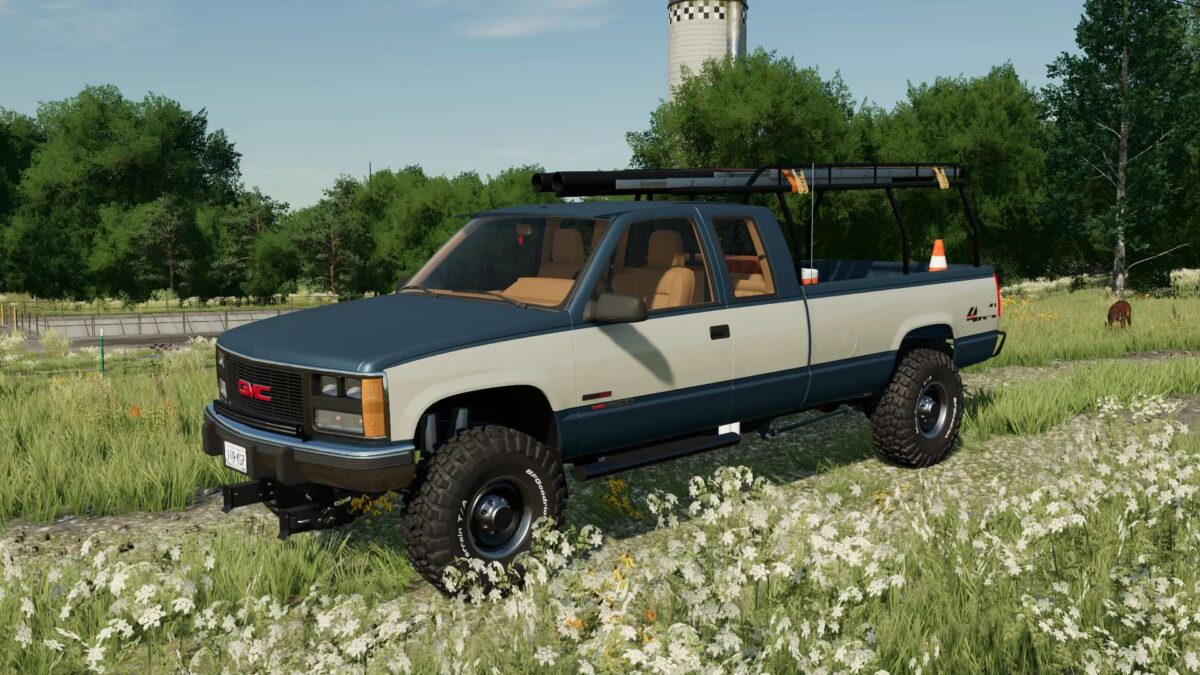
1989 Chevrolet/GMC K2500/3500 v 1.0.0.1


– Speed 225 km/h
– Selectable Wheels (Stock, Off0Road, Custom)
– Selectable License Plates
– Selectable Hitch
– Selectable Toolboxes and Fuel Tanks
– Selectable Winch
– Selectable Chassis Options
– Selectable Bumpers
– Selectable Labels
– Selectable Plow Mount
– Selectable Badges/Stickers
– Selectable Tailgate
– Selectable Bed Addons
– Selectable Side Steps
– Selectable Headlights
– Selectable TailLights
– Selectable Cab Lights and Visor
– Selectable Fuel Pumps
– Selectable Exhaust
– Selectable Two Tone
– Selectable Mirrors
– Selectable Mud Flaps
– Selectable Suspension
– Selectable Front Seats
– Selectable Hood
– Selectable CB Radio
– Selectable Auxiliary Lights
– Selectable Window Tint
– Selectable Rock Lights
– Selectable Body Color
Credits:
Diesel Division Customs, Canada FS


