
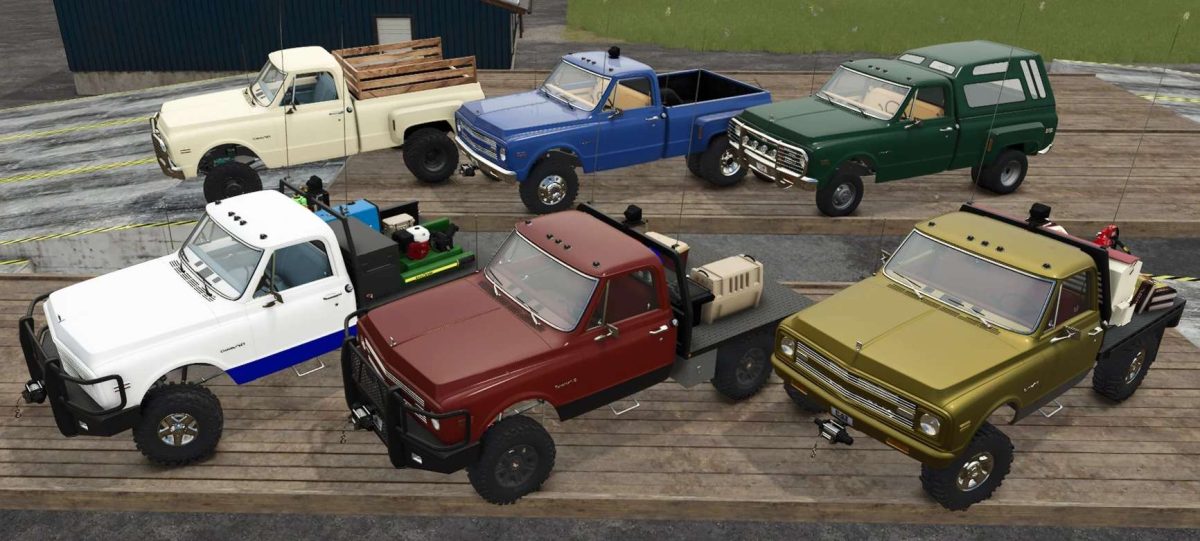
FS25 Trucks

1970 Chevrolet K20 4×4 v 2.0

1970 Chevrolet K20 4×4 v 2.0

Features:
1969–72 Chevrolet K20 4×4 SWB
5.9 Cummins engine & sound
Fully dynamic suspension, front and rear
Animated hood and doors (mouse control)
Fully detailed, color-selectable interior
60 wheels to choose from
6 wheel offset sizes
5 suspension lift sizes
6 bed styles
3 exhaust configurations
6 body configuration accessories (bed-dependent)
3 front bumper options(with or without skid steer plow mount)
Functioning front winch
Selectable cab lights
5 animated dynamic antenna setups (WIPS)
Movable Go Light (mouse control)
19 bed item add-ons
9 front vanity tag options
5 rear window sticker selections
5 optional interior items
11 attacher configurations
9 color-selectable paint options

Credits:

Jbloch

How to install FS25 Trucks?
Firstly find a mod which you like and want to download. Then download a mod to your PC. Mods are usually in .zip format file. But sometimes it can be in .rar. If a mod file is a .zip format no needed additional actions. If a file is in .rar, then you must unarchive mod with software like WinRar or Zip7. Windows 10 users no need to use software for archives, Win10 itself has a feature to unarchive files.
The next step is to find mods folder in your PC. Usually, it is in Documents/My Games/Farming Simulator 25/2025. Open the "mods" folder and put downloaded .zip archive or unarchived .rar file to this folder.
Last step. Enjoy of FS25 mods!

Leave a Reply

Your email address will not be published. Required fields are marked *