
FS25 Buildings

105 x 50 meters Metal Frame Hay Shed v 1.0

105 x 50 meters Metal Frame Hay Shed v 1.0

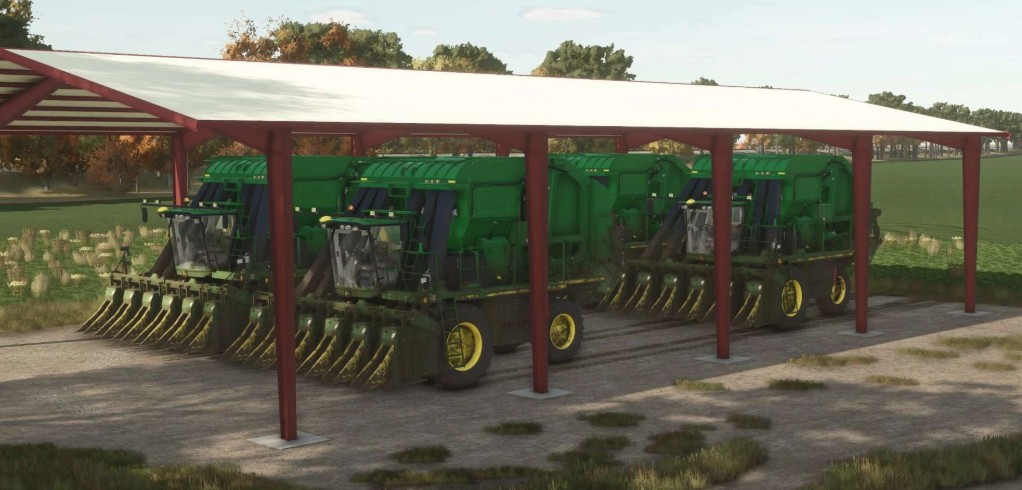
The 105 x 50 meters Metal Frame Hay Shed v 1.0 is designed for players seeking a practical solution for storing hay in Farming Simulator 25.
This spacious shed features a robust metal frame construction, ensuring durability and resilience against the elements.
The color selectable options allow you to customize the look to match your farm’s aesthetic.
Additionally, this version includes an autoload feature that simplifies the process of loading and unloading hay, streamlining your farming operations and enhancing efficiency.

– Dimensions: 105 x 50 meters
– Metal frame construction
– Color selectable
– Autoload feature included

Credits:

LJR Modding

How to install FS25 Buildings?
Firstly find a mod which you like and want to download. Then download a mod to your PC. Mods are usually in .zip format file. But sometimes it can be in .rar. If a mod file is a .zip format no needed additional actions. If a file is in .rar, then you must unarchive mod with software like WinRar or Zip7. Windows 10 users no need to use software for archives, Win10 itself has a feature to unarchive files.
The next step is to find mods folder in your PC. Usually, it is in Documents/My Games/Farming Simulator 25/2025. Open the "mods" folder and put downloaded .zip archive or unarchived .rar file to this folder.
Last step. Enjoy of FS25 mods!

Leave a Reply

Your email address will not be published. Required fields are marked *