

RPM Work Mode v 1.0


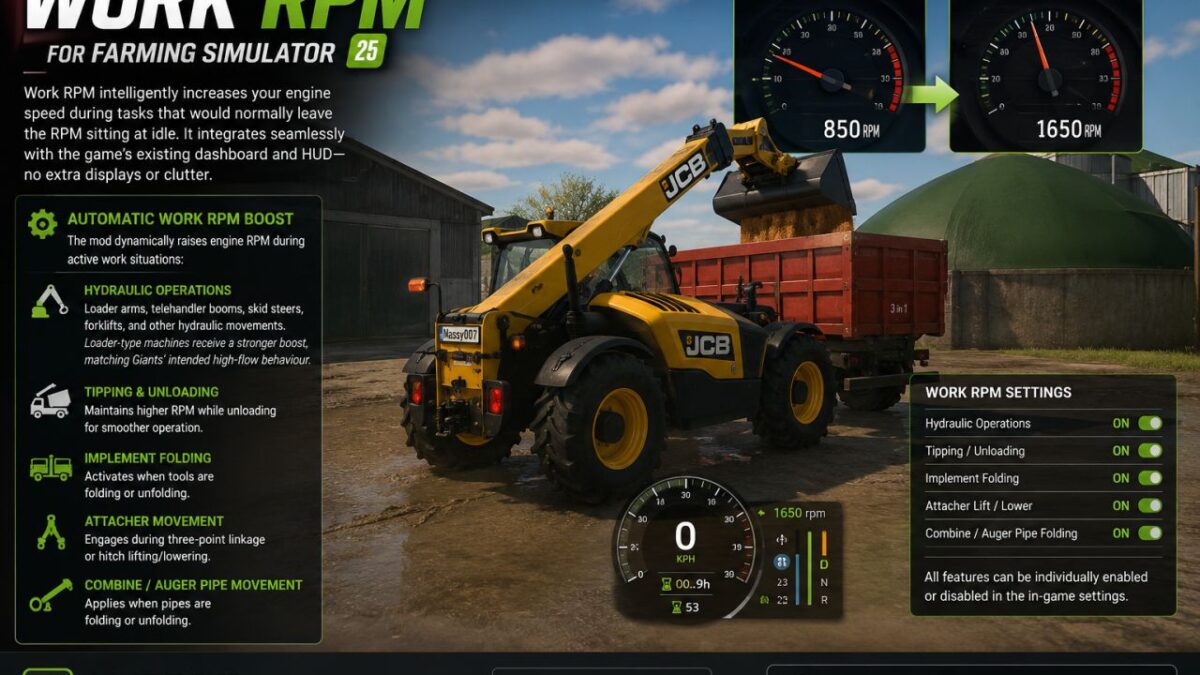
Work RPM intelligently increases your engine speed during tasks that would normally leave the RPM sitting at idle. It integrates seamlessly with the game’s existing dashboard and HUD no extra displays or clutter.
What It Does
Automatic Work RPM Boost
While you are in control of a vehicle from the cab, the mod dynamically raises engine RPM during active work situations:
Hydraulic Operations
Loader arms, telehandler booms, skid steers, forklifts, and other hydraulic movements.
Loader-type machines receive a stronger boost, matching Giants’ intended high-flow behaviour.
Tipping & Unloading
Maintains higher RPM while unloading for smoother operation.
Implement Folding
Activates when tools are folding or unfolding.
Attacher Movement
Engages during three-point linkage or hitch lifting/lowering.
Combine / Auger Pipe Movement
Applies when pipes are folding or unfolding.
Customisation
All features can be individually enabled or disabled in the in-game settings, giving you full control over how the system behaves.
Credits:
Massy Modding, kenny456


