

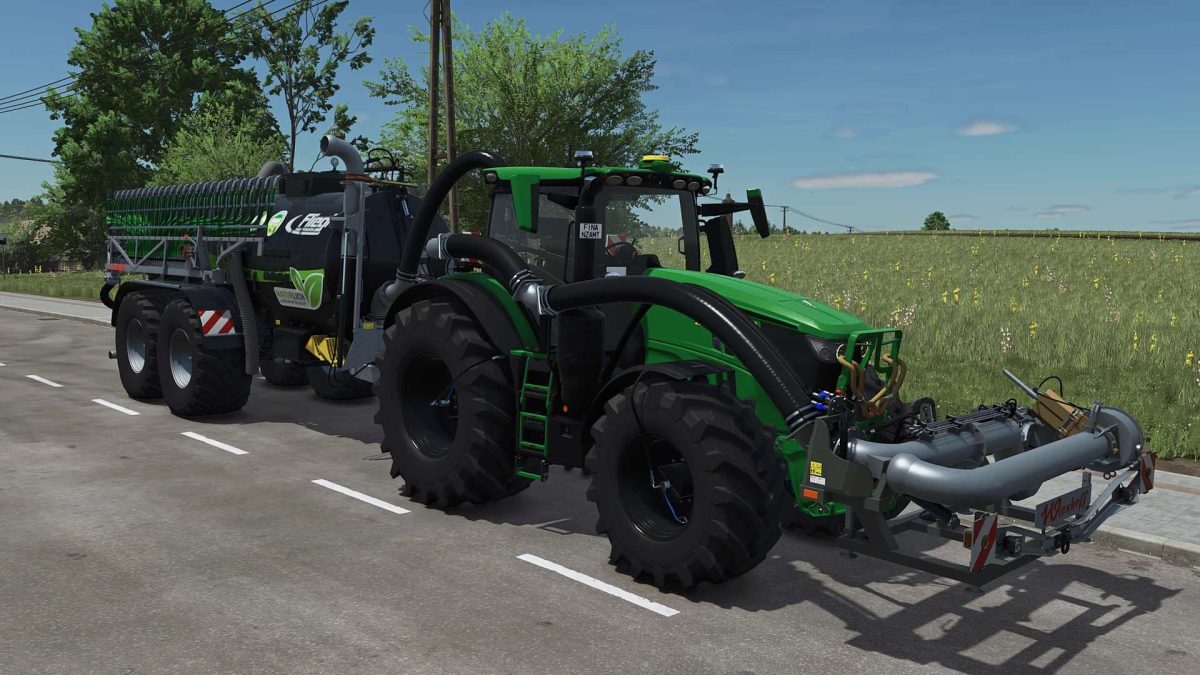
John Deere 6R X Large with Agribumper Options v 1.0.2.3


Passenger Script
Turbo Sound
New Tires
New Rims
New Hubs
New Wheel Weights
Tire Pressure Control System with Terminal in the Interior
Front Axle Lowerable with Mouse Control and Sound
Mouse Control: Left Door and Rear Window with Sound
Agribumper Weight Configurable (400-1800kg)
Agribumper: Flasher Configurable
Agribumper: Driving Lights Configurable
Agribumper: Marker Lights Configurable
Agribumper: Original Prices
Beacon Light Configurable Between Rotating Light and Flasher
Daytime Running Light Color Configurable
CCI200 Terminal: Lemken/Zunhammer/Kuhn/Krone/Amazone/Pöttinger/Horsch
Deco Light Configurable
CB Radio with Lighting Configurable
Animated Antenna for CB Radio
Main Color Configurable (6R + Agribumper)
Rim Color Configurable
Phone Configurable with Start Screen and Dark Mode when Lights are On
Hood Logo Illumination Configurable
Marker Lights in Warning Panels
Interior Color Configurable
Seat Color Configurable
Seat Stitching Color Configurable
Carpet Configurable
Front PTO Color Configurable
K80-K50 Blue Cover Caps
Hood Stickers Configurable*
John Deere 683R Front Loader*
683R Front Loader Color Configurable
Frontloader Configurable: John Deere 683R with and without Hood Guard
The colors of the stickers on the hood and front loader are only selectable if the Black-White variant is chosen
The John Deere 683R Front Loader with configurations is included in the mod
Version 1.0.2.3:
* FIX: New assignment of the hydraulic hose when using the Wienhoff FreeSight because optical errors occurred when using the HORSCH front tank
Credits:
Finanzamt31er


