

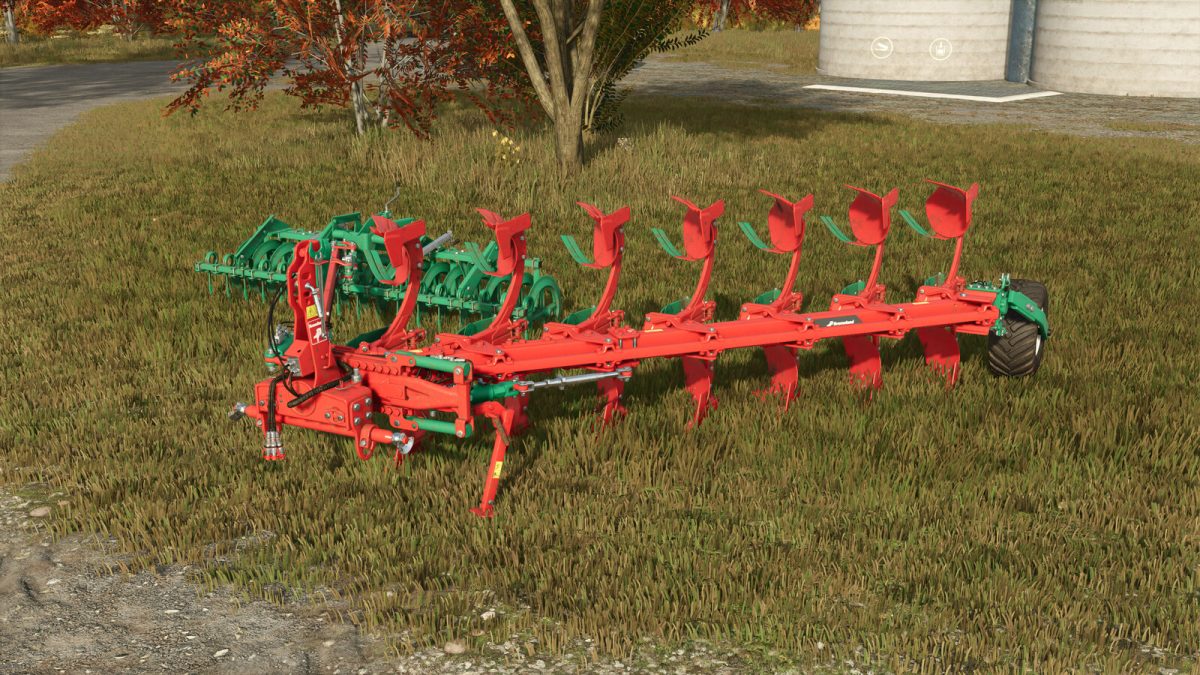
Kverneland Ecomat v 1.0


The Kverneland Ecomat Plow is designed for effective shallow soil cultivation, offering a balance between efficiency and environmental care.
This innovative plow helps minimize soil disturbance, making it a suitable choice for farmers focused on maintaining soil structure while optimizing fuel consumption.
The plow features a working width of 3.5 meters and operates at a working speed of 7.5 mph, making it efficient for various field sizes.
With a required power of 220 hp, it’s suitable for a range of tractors in the farming simulator.
This plow also includes the option for configuration with a Packomat, allowing for further customization to meet specific farming needs.
– Price: $23,500
– Category: Soil Cultivation / Plows
– Required Power: 220 hp
– Working Speed: 7.5 mph
– Working Width: 3.5 meters
– Configuration Option: Packomat
Credits:
B3N


