

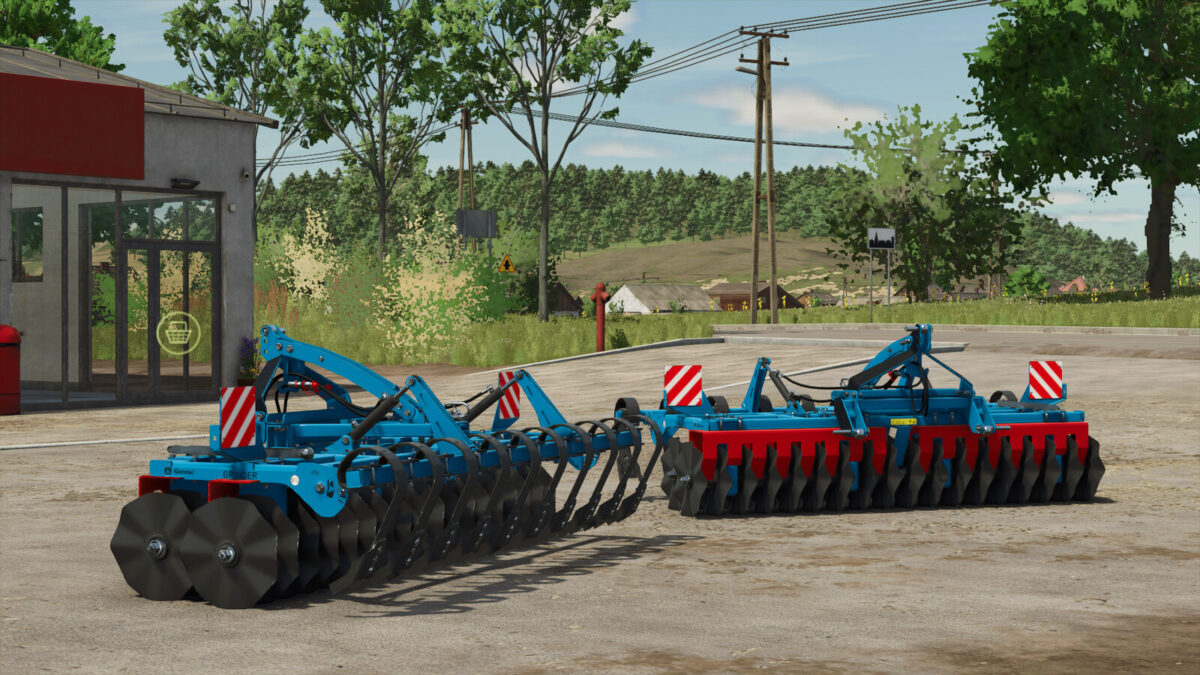
Gorenc Grinder 300 Disc Harrow v 1.0


The Gorenc Grinder 300 is an advanced agricultural machine designed for pre-sowing and post-harvest tillage. It is characterized by a robust construction made of high-quality materials that ensure a long service life and high wear resistance. With a working width of 3 meters, it enables efficient cultivation of larger areas in one pass. Spring tines are fitted at the front to loosen and work through the soil, while the rear discs and rollers break up clods and level the surface. The working depth can be adjusted individually, allowing flexible use depending on the type of soil and the user’s requirements. The machine is compatible with standard tractors and uses a category II three-point linkage for easy mounting. It is ideal for loosening compacted soils, incorporating plant residues, seedbed preparation and post-harvest tillage, significantly improving the quality of agricultural land. The Gorenc Grinder 300 is a reliable and efficient solution for professional farmers who want to increase their productivity.
Price: 10.000$
Working width: 3 m
Required power: 100 HP
Credits:
WOLFex Modding


