

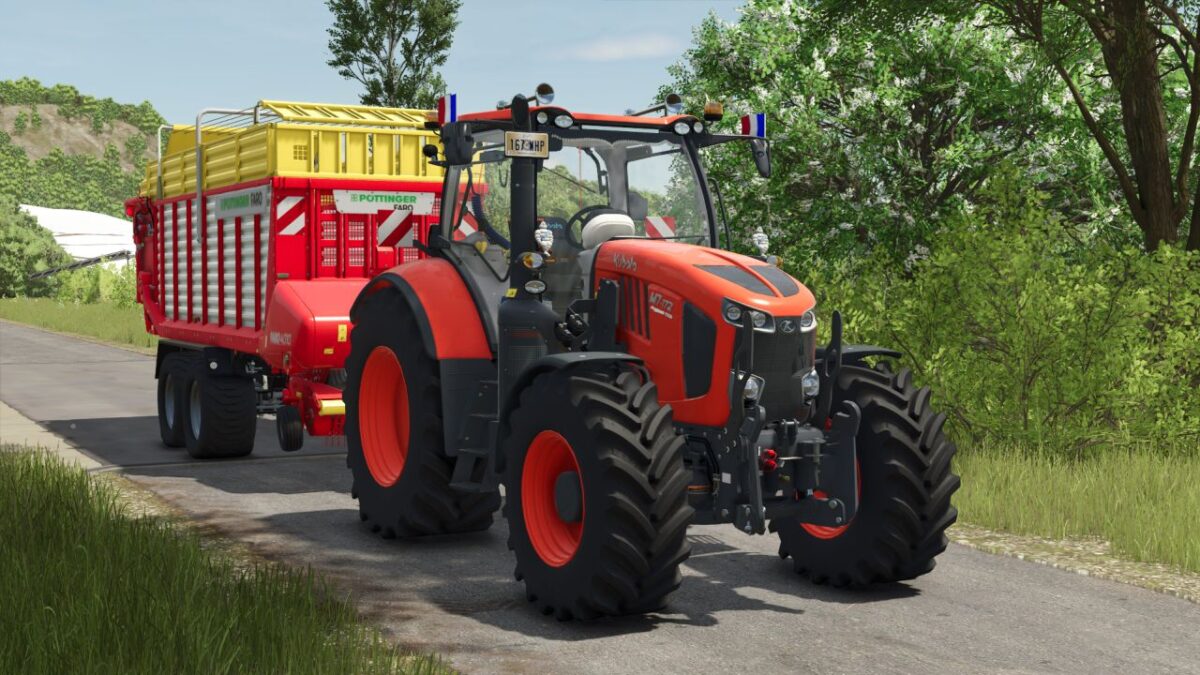
Kubota M7 Series v 1.0


Outside:
– Addition of 2 fellows on the rooftop
– Addition of 2 LED Flash at the cabin height fixed to a home support (option)
– Addition of 2 Michelin guy at a cabin height fixed to a home support (option)
– Adding a functional LED bar (option)
– Addition of flags: French, American, Spanish, young farmers (option)
– Change the protection of the hood when the charger is installed
– Modification of the horn
Inside:
– Addition of an cooler to the ground on the right (option)
– Addition of a table on the right with a good poppy direction on it (option)
– Addition of a toolbox to the ground on the left (option)
– Addition of a radio CB fixed to a support on the right (option)
– Adding a phone door with an iPhone on it (option)
– Addition of a sulfletted fixed to a support (option)
– Addition of a curtain at the front-end level (option)
Credits:
Agrifarm87, Gab Modding


