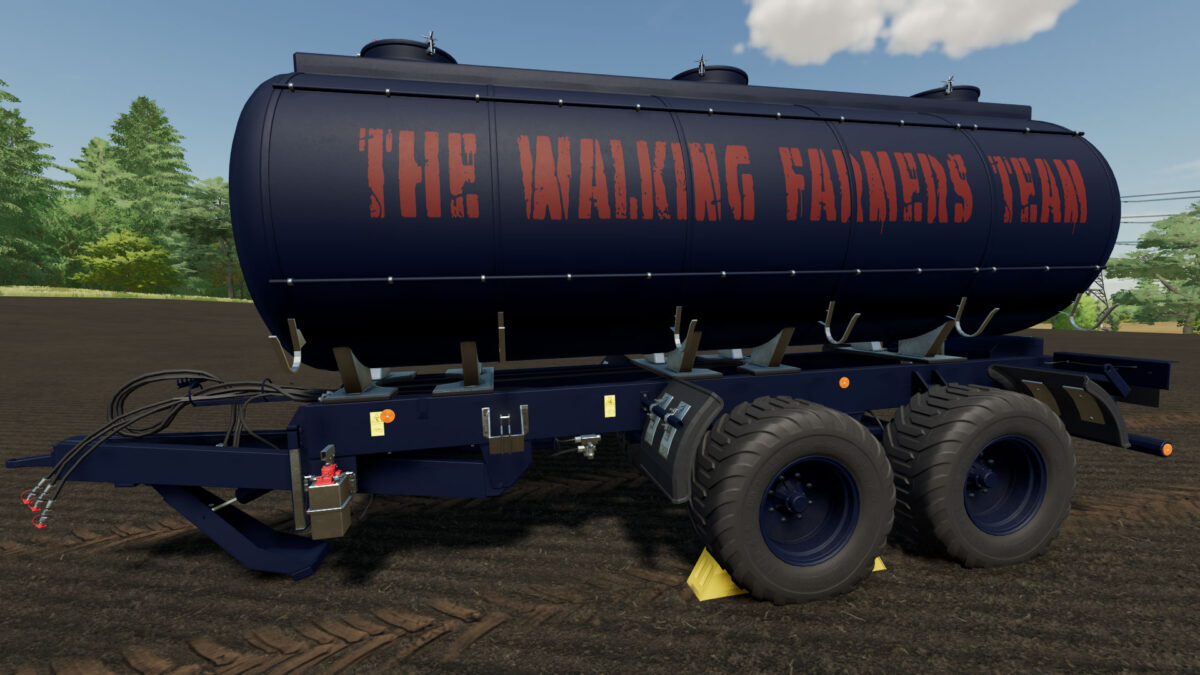
Universal Tank v 1.0.2.0


Capacity: 30,000 liters
Version: 1.0.2.0
Overview
The Universal Tank for Liquids is designed for efficient storage and transport of various liquid substances, including manure and standard liquids. With a substantial capacity of 30,000 liters, this tank is ideal for agricultural operations and liquid management tasks.
Key Features
- Versatile Design: This tank accommodates both manure and other liquids, making it a versatile solution for farmers and agricultural professionals.
- Wheel Arch Options:
- Standard Style: A traditional design for general use.
- Bredal Style: A more specialized option that enhances aesthetics and functionality.
- Enhanced Safety Features:
- Beacons: The beacons have been repositioned slightly further back to improve visibility while ensuring compliance with safety regulations during transport.
- Updated Control Box:
- The control box has undergone slight modifications for improved usability and accessibility, making it easier to operate the tank efficiently.
Benefits
- Increased Efficiency: The large capacity allows for fewer trips, saving time and fuel.
- User-Friendly Design: With intuitive controls and safety features, this tank is easy to operate, even for those new to liquid transport.
- Durable Construction: Built to withstand the rigors of agricultural use, ensuring long-lasting performance.
Applications
This Universal Tank is perfect for:
- Transporting manure for fertilization.
- Carrying water and other liquids for irrigation.
- Various agricultural and industrial liquid handling needs.
Credits:
(TWFT) Markus