

FS25 Misc

Extended HUD v1.1
Extended HUD v1.1
Extended HUD v1.1

Extended HUD v1.1

V1.1.0.0
modDesc descVersion set to 116 (according to the GIANTS Certification Report).

More overview in Farming Simulator 25!
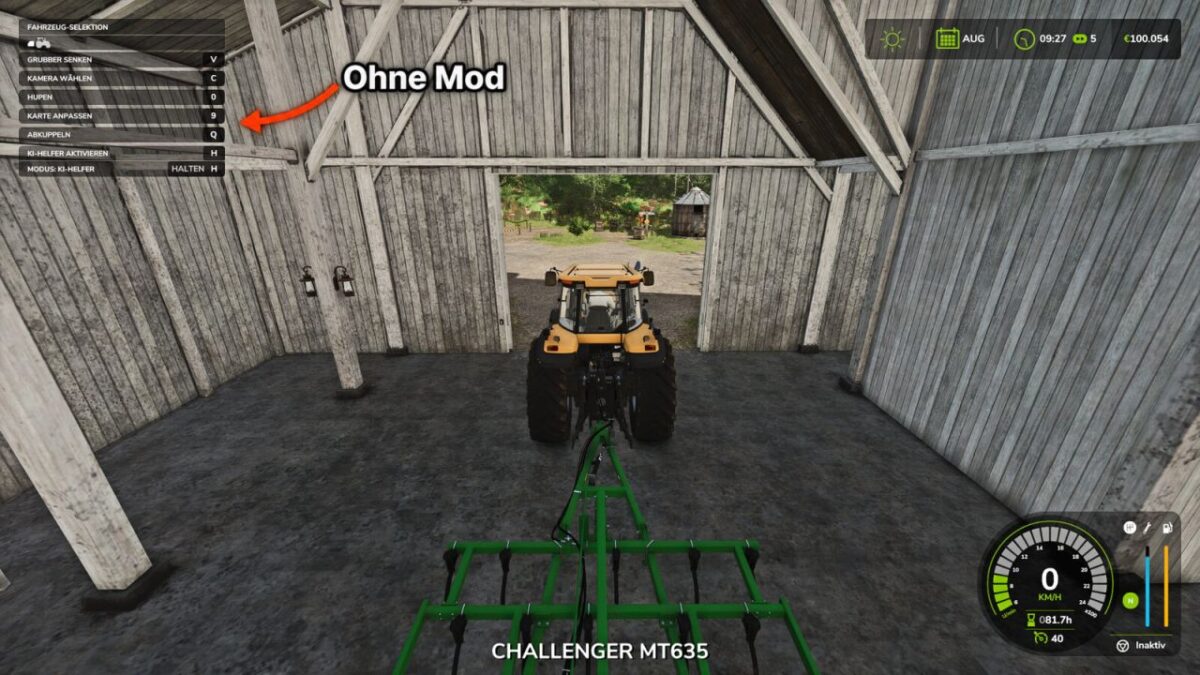
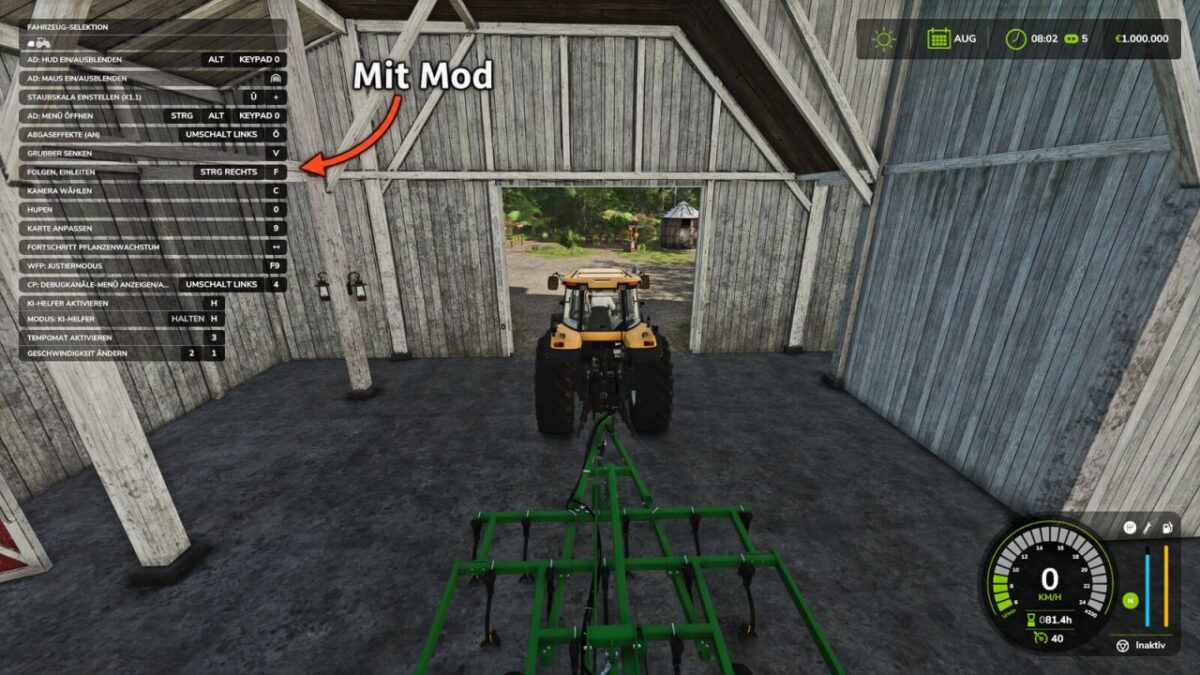
In the standard game, the F1 help window only shows a small selection of the available actions. Extended HUD expands this display so you can see all key bindings for the current vehicle and implement directly, including those from other mods such as AutoDrive or Courseplay.

Features:
Displays significantly more entries in the F1 help window
Key bindings from other mods are also displayed
No more lengthy searches in the control settings
Ideal when using many mods and new vehicles

Controls:
F1 – Show/hide the help window (as usual)

Multiplayer:
Works in single-player and on servers.
Version 1.0.0.0 – Initial release

Credits:

MrMorty92

How to install FS25 Misc?
Firstly find a mod which you like and want to download. Then download a mod to your PC. Mods are usually in .zip format file. But sometimes it can be in .rar. If a mod file is a .zip format no needed additional actions. If a file is in .rar, then you must unarchive mod with software like WinRar or Zip7. Windows 10 users no need to use software for archives, Win10 itself has a feature to unarchive files.
The next step is to find mods folder in your PC. Usually, it is in Documents/My Games/Farming Simulator 25/2025. Open the "mods" folder and put downloaded .zip archive or unarchived .rar file to this folder.
Last step. Enjoy of FS25 mods!

Leave a Reply

Your email address will not be published. Required fields are marked *