FS25 Trucks

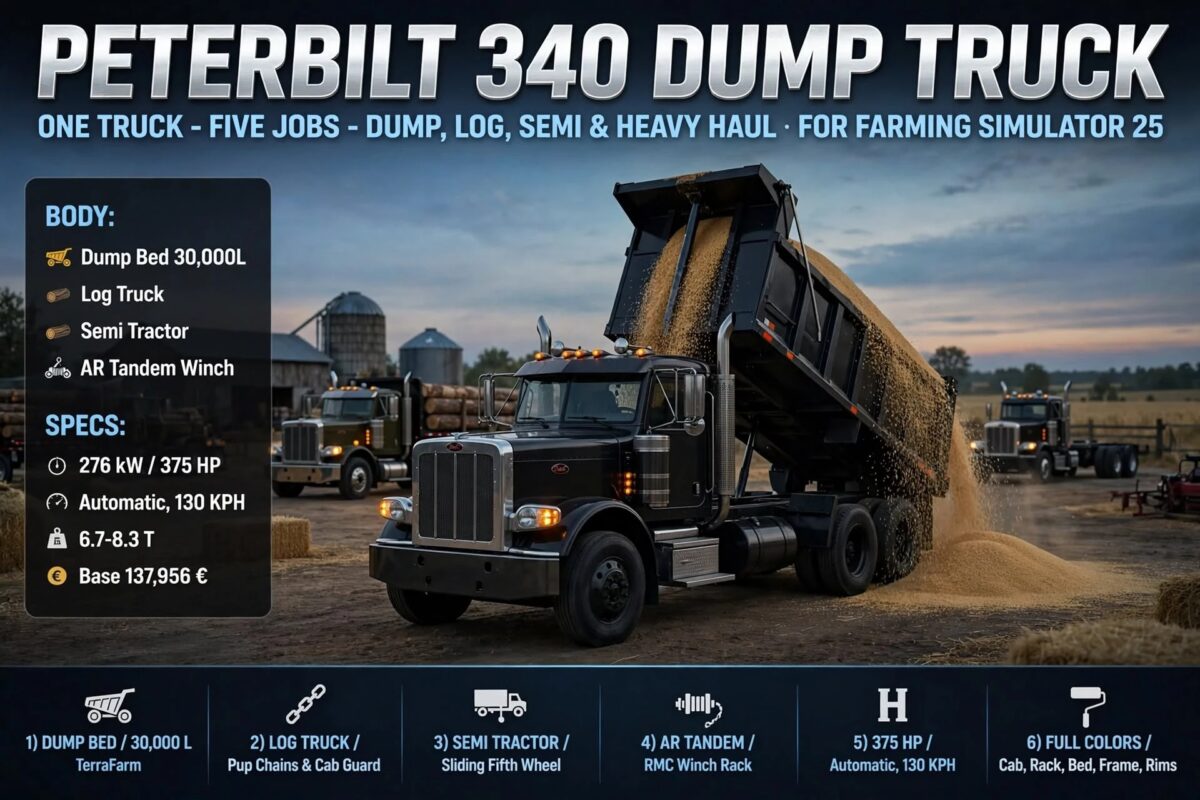
Peterbilt 340 Dump Truck v1.0

Peterbilt 340 Dump Truck v1.0

Configurations

BODY:
Dump Bed (Optional TerraFarm) — 30,000 L
Log Truck – Pup Chains and Cab Guard
Semi Tractor – Sliding FM2106 Fifth Wheel
AR Tandem Frame – RMC Winch Rack
Tandem Semi Tractor – Sliding Fifth Wheel

WHEEL SETUP:
Boggers (Same Size)

DESIGN:
No Lightbar
Wheelen Mini

TAILGATE:
Tailgate
No Tailgate

HEADACHE RACK (SEMI):
None
High Slat Logger

COLORS:
Rack Color
Cab Color
Bed and Tailgate Color
AR Frame Paint
Tandem Semi Frame Color
Wheel Rim Color
License Plate

Specifications
Model: Pete 340
Power: 276 kW / 375 HP
Transmission: Automatic

Fuel Tank: 80 L
Top Speed: 130 KPH
Weight: 6.7 T — 8.3 T (depending on configuration)
Base Price: 137,956 €
Configured Price: 139,756 € — 146,356 €

Credits:

Yepyep modding

How to install FS25 Trucks?
Firstly find a mod which you like and want to download. Then download a mod to your PC. Mods are usually in .zip format file. But sometimes it can be in .rar. If a mod file is a .zip format no needed additional actions. If a file is in .rar, then you must unarchive mod with software like WinRar or Zip7. Windows 10 users no need to use software for archives, Win10 itself has a feature to unarchive files.
The next step is to find mods folder in your PC. Usually, it is in Documents/My Games/Farming Simulator 25/2025. Open the "mods" folder and put downloaded .zip archive or unarchived .rar file to this folder.
Last step. Enjoy of FS25 mods!

Leave a Reply

Your email address will not be published. Required fields are marked *