
FS25 Misc

Enhanced Plantage/Orchard Tool v1.0.0.0

Enhanced Plantage/Orchard Tool v1.0.0.0

Enhanced Plantage/Orchard Tool v1.0.0.0

Enhanced Plantage/Orchard Tool v1.0.0.0

Enhanced Plantage/Orchard Tool v1.0.0.0

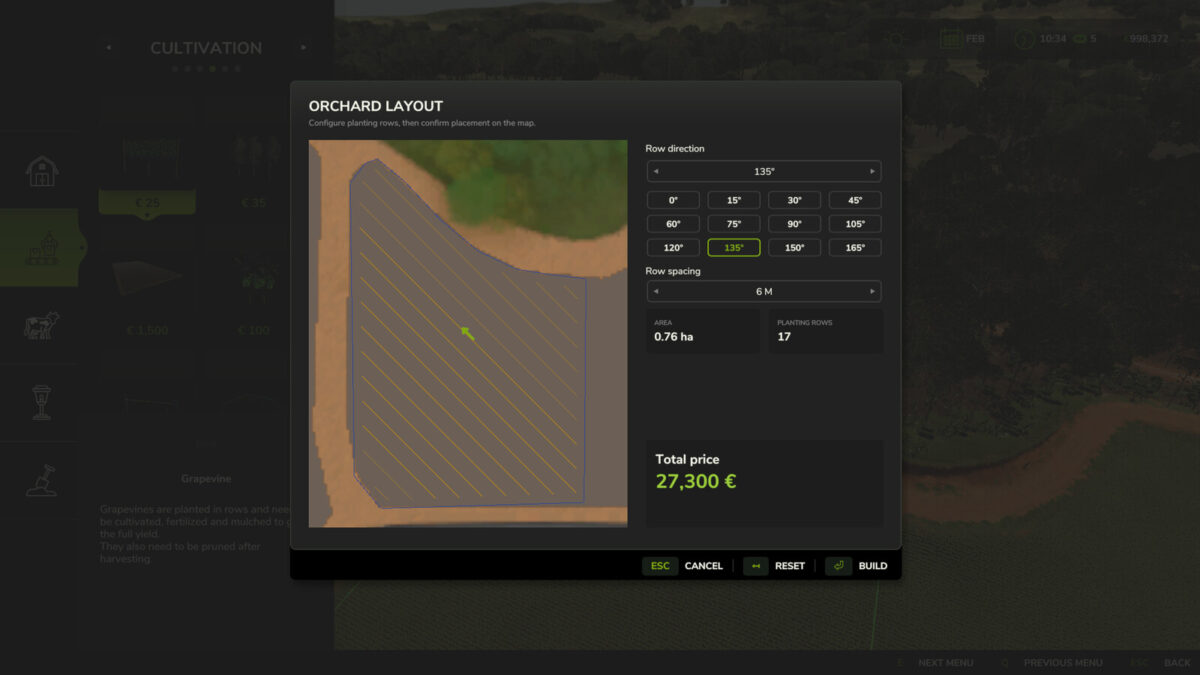
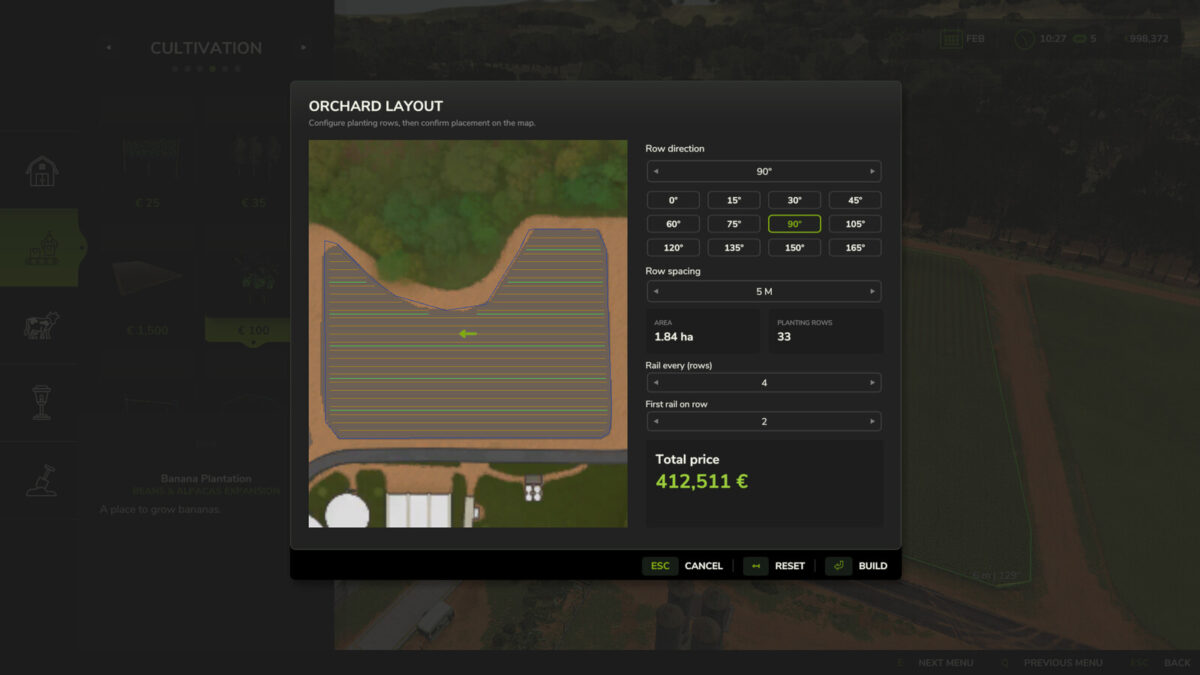
Adds 12 quick-select buttons (0° to 165° in 15° steps) to the row direction dialog when creating vineyards/orchards. A click sets the row direction and recalculates the rows, just like the arrow buttons, which only allow changes in 1° steps.
Works with grapes, olives, coffee and bananas, as well as all other crops that support this new feature by Giants.
The row spacing can also be set in the dialog (2.0 m to 10.0 m in 0.5 m steps). AI helpers drive centered between the rows for any spacing.
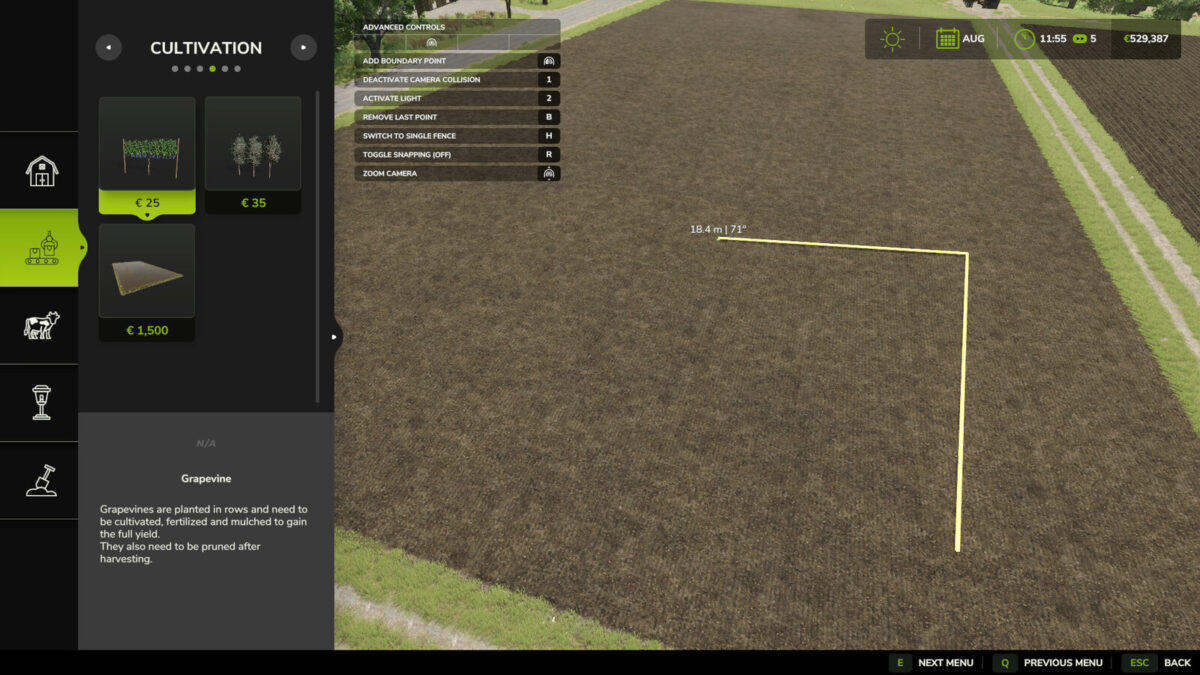
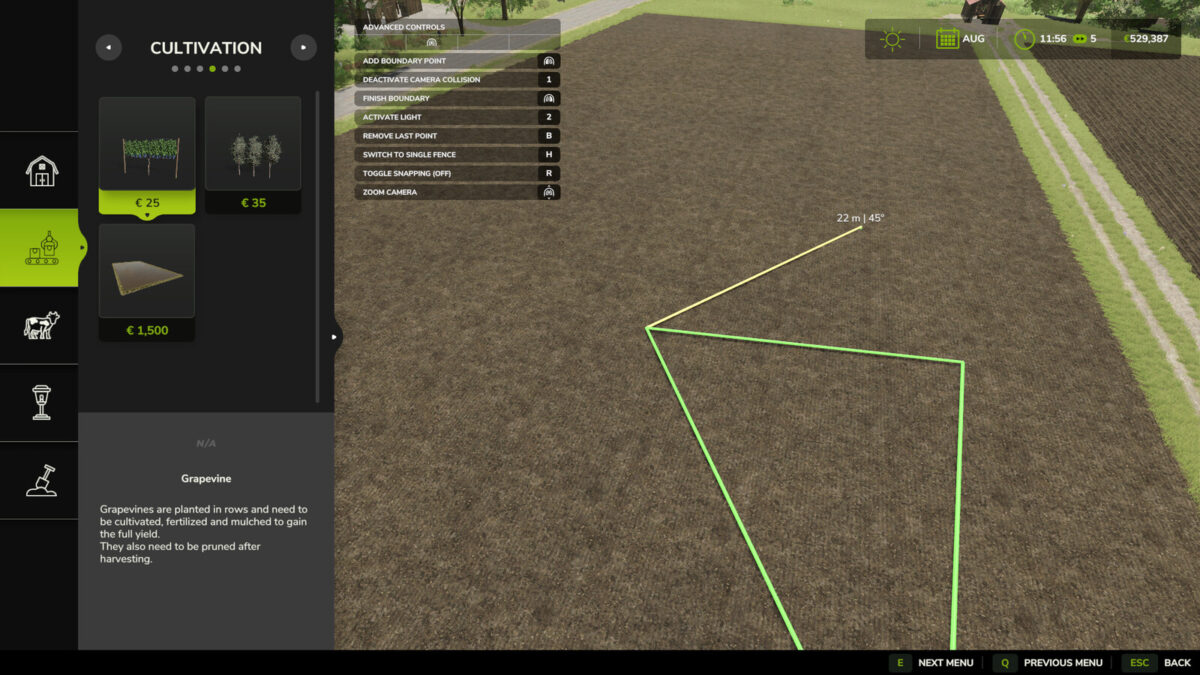
While placing the boundary points for an orchard, the length of the current line and its angle to the previous line are shown at the cursor.

Credits:

Helfer B.

How to install FS25 Misc?
Firstly find a mod which you like and want to download. Then download a mod to your PC. Mods are usually in .zip format file. But sometimes it can be in .rar. If a mod file is a .zip format no needed additional actions. If a file is in .rar, then you must unarchive mod with software like WinRar or Zip7. Windows 10 users no need to use software for archives, Win10 itself has a feature to unarchive files.
The next step is to find mods folder in your PC. Usually, it is in Documents/My Games/Farming Simulator 25/2025. Open the "mods" folder and put downloaded .zip archive or unarchived .rar file to this folder.
Last step. Enjoy of FS25 mods!

Leave a Reply

Your email address will not be published. Required fields are marked *