

Bank And Credit v1.1.0.1


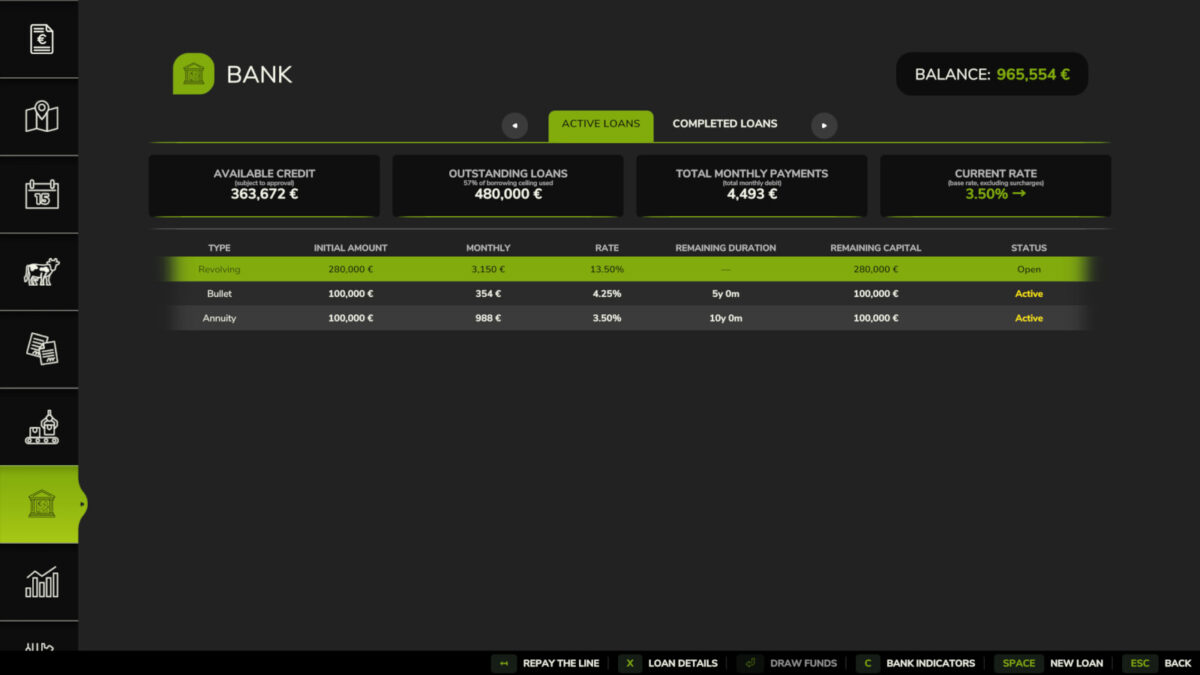
Bank & Credit adds a fractional-reserve bank to Farming Simulator 25. Borrow money, manage your debt and grow your credit capacity by farming.
The bank is a standalone virtual entity with its own equity, funded by the interest it collects. Credit is not granted automatically: it is evaluated based on your income and assets.
Features:
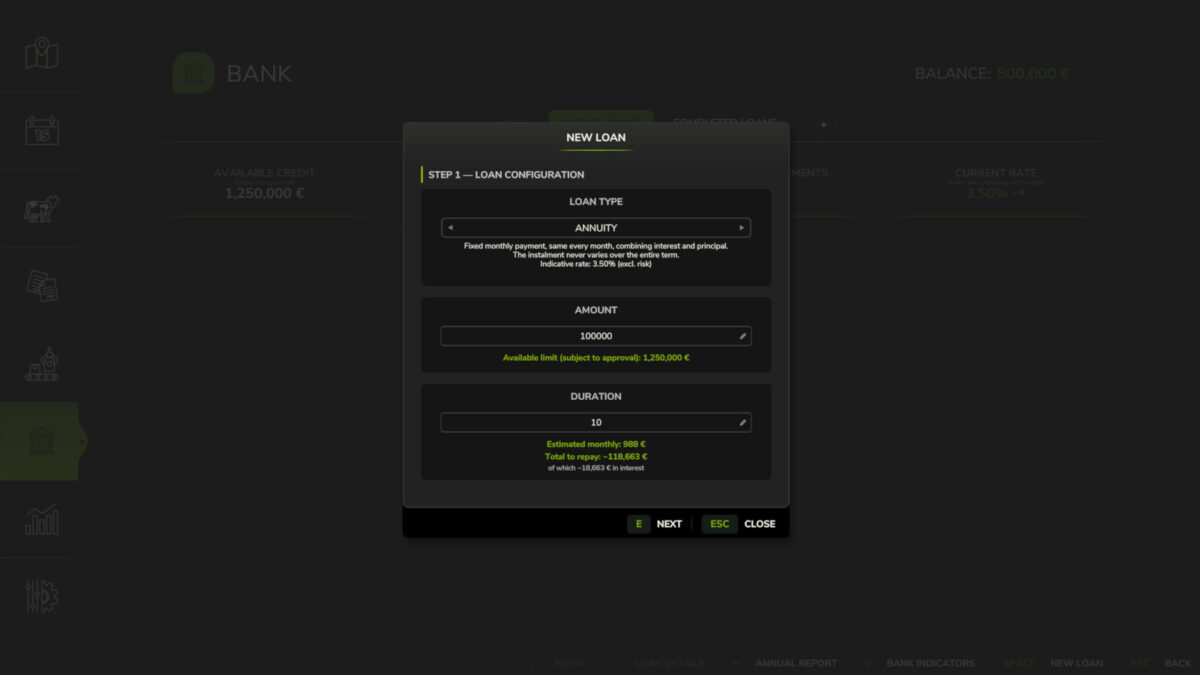
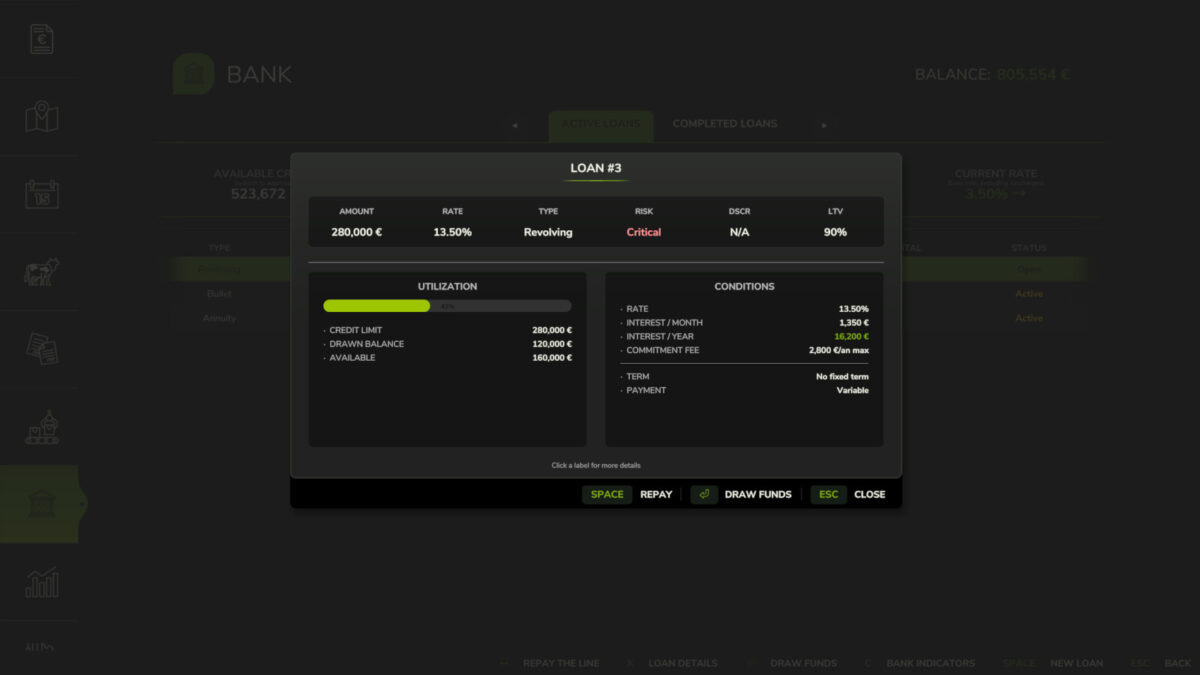
– Three loan types: Annuity (fixed monthly payment), Bullet (interest-only, full principal at maturity), Revolving (draw and repay freely, no fixed term)
– Revolving: 1%/year commitment fee on the undrawn portion; voluntary closure when balance is zero
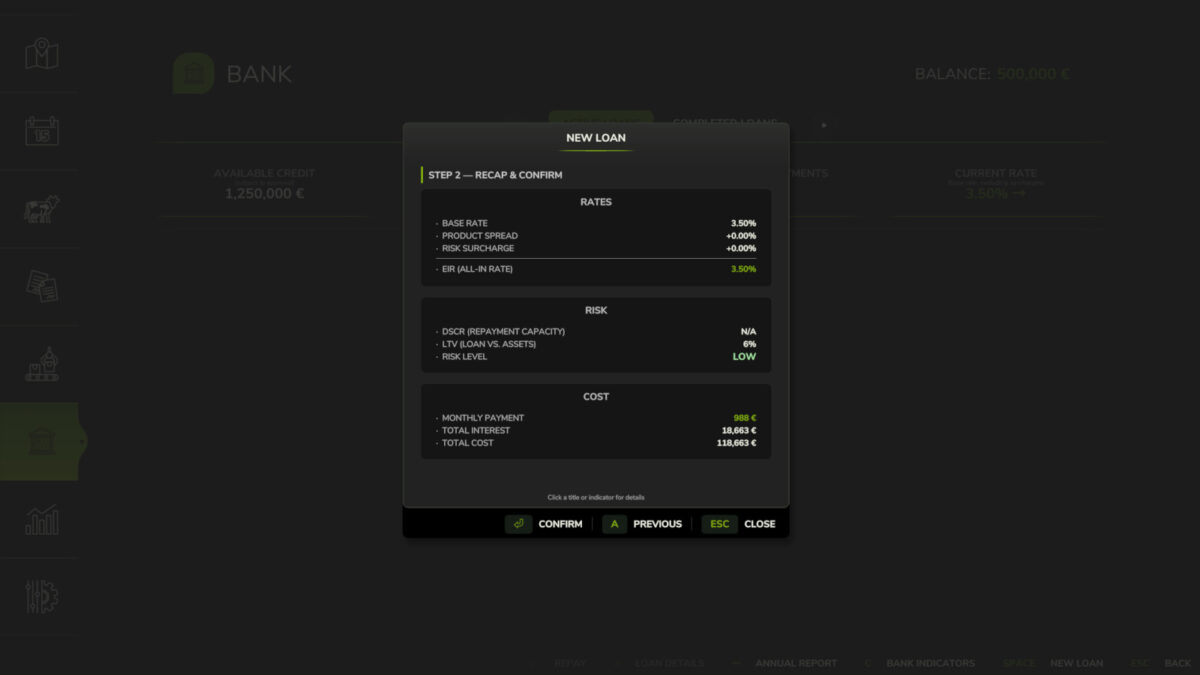
– Credit scoring via DSCR (12-month decay-weighted income history) and LTV (asset liquidation value with per-category haircuts)
– Five risk levels: LOW / MODERATE / HIGH / CRITICAL / REFUSED – transparent rate breakdown and explicit refusal reasons
– Risk surcharges on top of base rate: LOW +0%, MODERATE +0.75%, HIGH +2%, CRITICAL +5%
– CRITICAL applications are auto-capped at 50% of the requested amount (the bank still lends, but at a reduced size)
– Asset haircuts by category: farmland 70%, livestock 60%, buildings 55%, inventory 50%, tools 50%, tractors 40%, cash 30%
– Borrower limit: liquidated asset value plus 24-month income projection, minus existing outstanding debt
– Concentration cap: a single farm cannot exceed 25% of the bank’s total lending capacity
– Loan detail view: full amortisation schedule (Annuity, Bullet) or draw and repayment panel (Revolving)
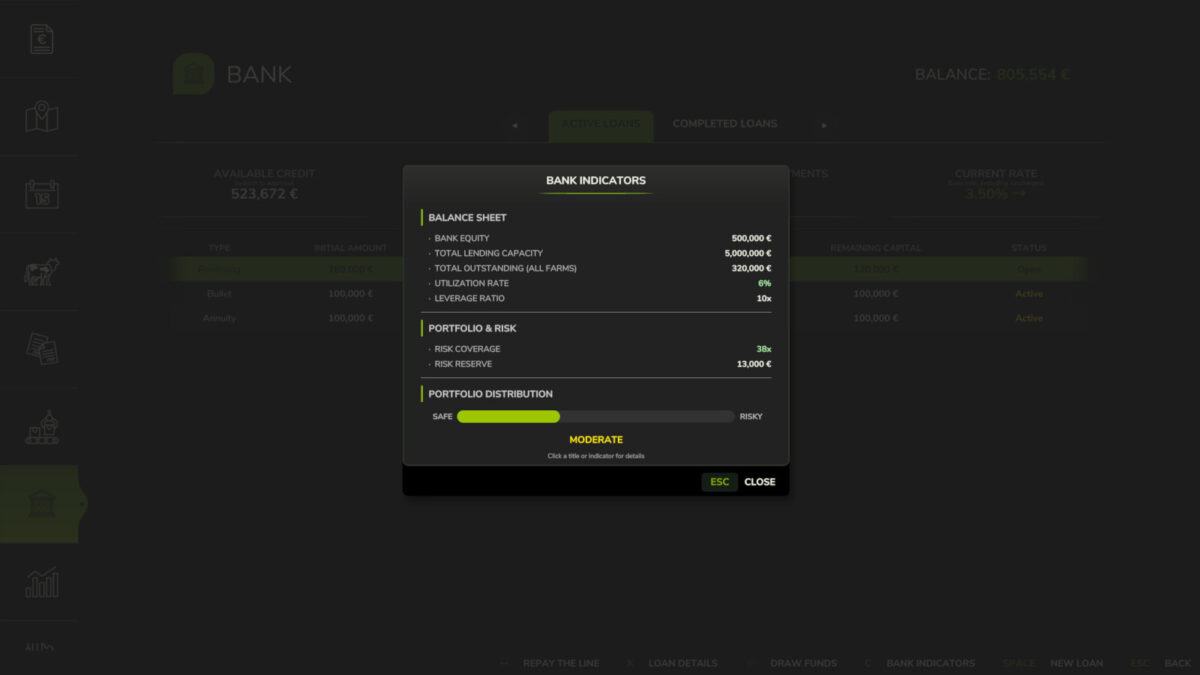
– Bank health dashboard: equity, leverage ratio, outstanding portfolio, internal loss reserve (not player-loan reimbursement), coverage ratio
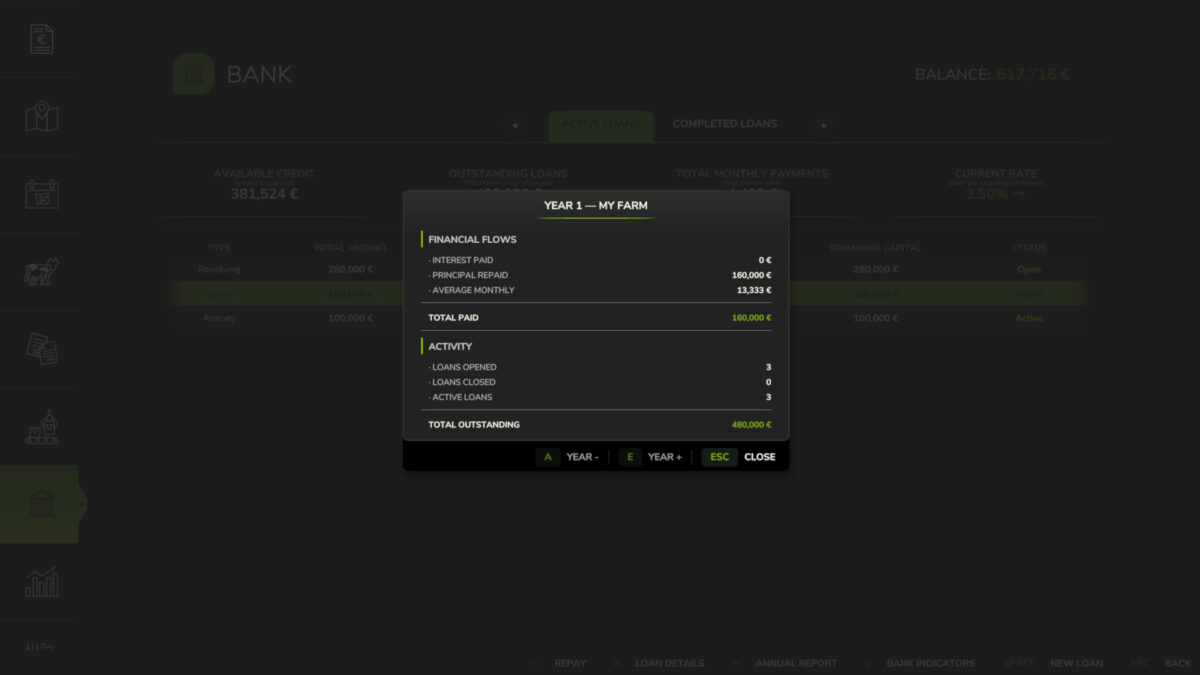
– Annual financial report per farm
– Configurable base rate (1.25–5.75%) with persistent monthly market trends
– Type spreads: Annuity +0%, Bullet +0.75%, Revolving +5%
– Early repayment on Annuity and Bullet loans: full or partial by number of months (configurable penalty 0% – 5%)
– Settings (in Game Settings): starting capital (100 k€ – 5 M€), leverage ratio (5x – 20x), base rate, dynamic rate, early repayment penalty
– Separate Interest and Principal entries in the Finance tab
– Solo and multiplayer: in multiplayer, bank equity and portfolio are shared server-side across all farms
– Compatible with FS25_Invoices: invoice income counts in DSCR history
– Compatible with FS25_RedTape: subsidy and grant income counts in DSCR history
Important: this mod replaces the vanilla loan system. Any vanilla loan balance is automatically cleared at game start.
Issues & suggestions: https://github.com/Squallqt/FS25_BankCredit
Access via the dedicated tab in the InGame Menu (ESC).
Changelog:
1.1.0.1:
– Fixed revolving credit limits being changed unexpectedly when loading a savegame
1.1.0.0:
– Fixed bank settings persistence and multiplayer UI synchronization
– Revolving credit limits now follow leverage-ratio changes
– Reworked dynamic interest rates into persistent monthly market trends with stable, normal, strong, and exceptional movements
– Adjusted the configurable base-rate range to 1.25–5.75%
– Improved multiplayer safety: bank and loan state is now only synced from the host, preventing corrupted or tampered data on clients. Thanks to KeilerHirsch: https://github.com/KeilerHirsch
– Existing saved base rates above 5.75% are automatically capped at 5.75%
– Added compatibility with FS25_additionalCurrencies: amount fields for loans, repayments, and revolving draws now accept values in the active converted currency
1.0.1.0:
– Fixed multiplayer synchronization of paid loans and annual reports
– Fixed Bank tab display in the menu
– Fixed repayment and draw amount fields accepting letters
– Added full translation coverage for all 27 supported languages
1.0.0.0:
– Initial release
Please download this mod only from the official Farming Simulator ModHub and keep the original link. Reuploading, redistribution, modification or copying of this mod or any of its files, in whole or in part, is not permitted without the author’s written consent.
Credits:
Squallqt


