

Realistic 4×4 Traction System v 1.1


Take real control of your tractor’s traction — engage 4WD, lock the differential, and let the system react to actual wheel slip, not just a keybind.
This mod adds a fully switchable 4×4 traction system to compatible vehicles (tractors, trucks, harvesters, cars): engage/disengage the front axle on demand, and toggle a differential lock that trades turning radius for raw grip in mud, snow, or heavy pulls.
Features
Real rear-wheel slip detection — the automatic modes react to actual wheel slip physics, not just speed
Four drive modes, assigned per vehicle out of the box:
Manual — you’re always in control
Semi-auto — engages on real slip, manual override always available
Auto — same logic, tuned for vehicles with factory-automatic 4WD (CVT/IVT drivetrains)
Smart — Fendt-style continuous, proportional engagement (no hard on/off)
Native tire pressure simulation on engagement — no dependency on any other mod
On-screen HUD with live status, adjustable position from the in-game Settings menu
Zero XML edits to any vehicle — the system injects itself into every compatible vehicle automatically
Version 1.1:
Fendt Vario Grip Smart unchanged for now. looking more details how it works
New Features
Automatic differential lock
In “Auto” and “Smart” drive modes, the center differential lock now engages and disengages by itself under severe wheel slip, at low speed only (never on the road). “Semi-Automatic” and “Manual” modes still require Ctrl+K.
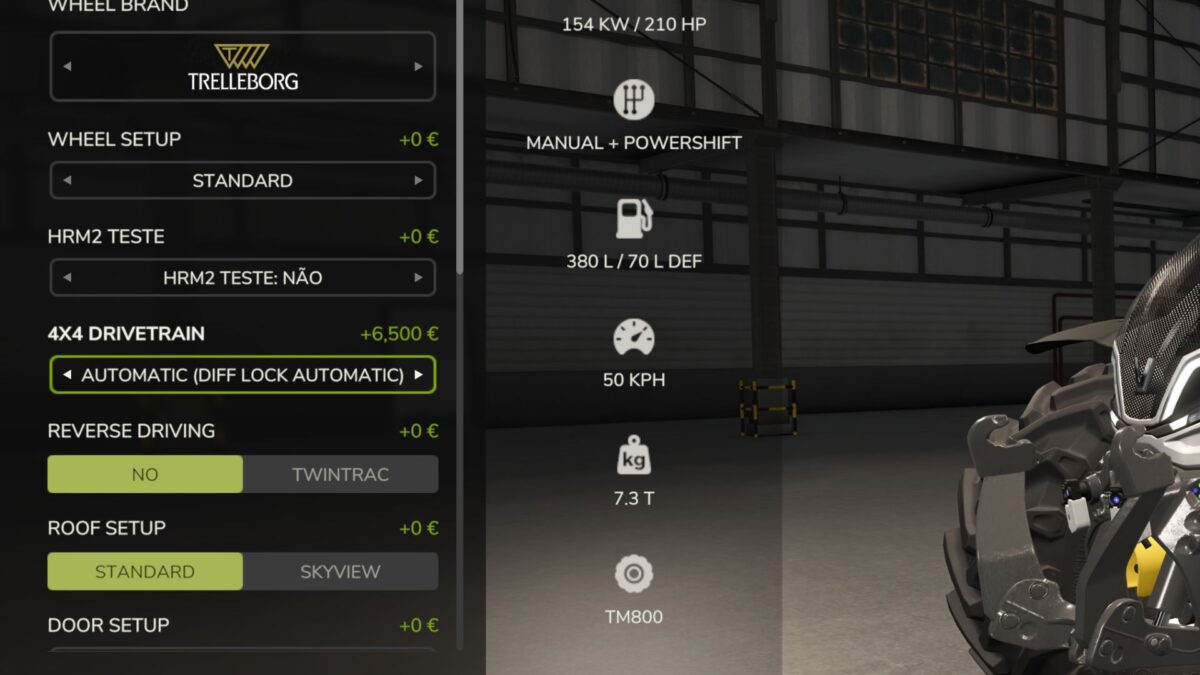
Shop upgrade: Semi-Automatic Automatic
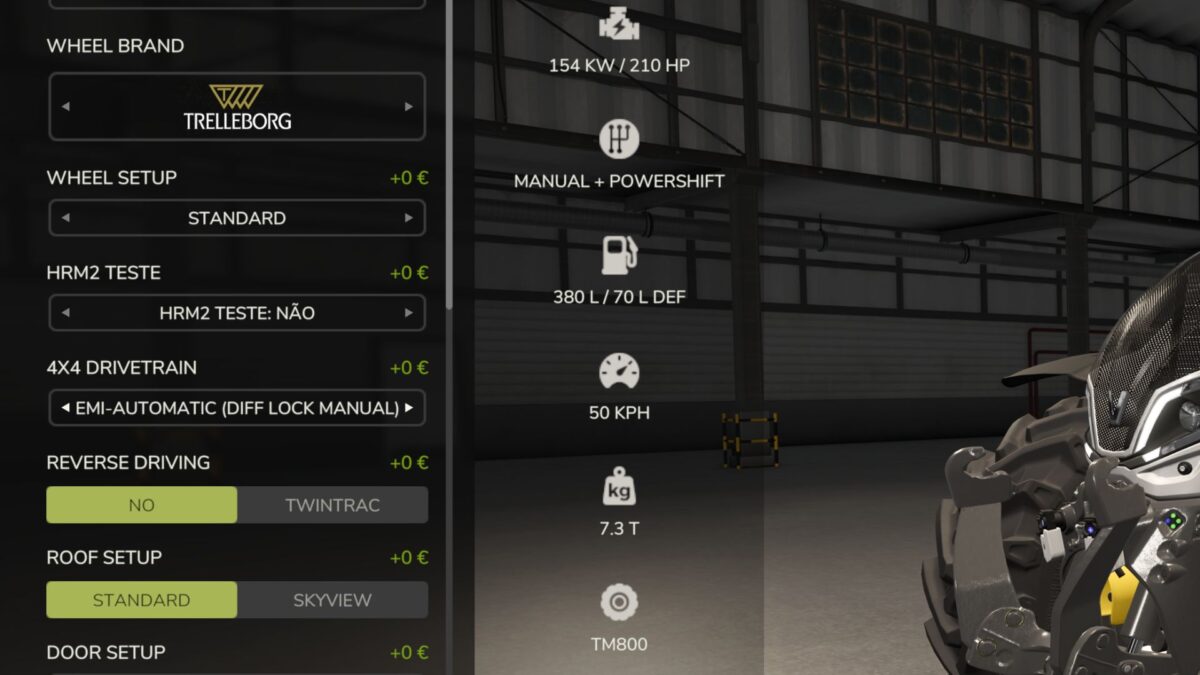
Tractors configured as “Semi-Automatic” now show a new configuration option in the store’s Customize screen, letting you pay to upgrade that specific unit to full “Automatic” behavior (automatic diff lock included). This was added because many players didn’t realize Semi-Automatic and Automatic tractors behave differently the option is now labeled clearly:
Semi-Automatic (Diff Lock Manual) free, default
Automatic (Diff Lock Automatic) paid upgrade
Known Issues
there are several things that may need a tweak or fix. not all vehicles have real or near real specs
this was not tested in deept with other mods including mod tractors or maintenance scripts except my maintenance mod, so compatibility not full confirmed with other mods yet
Fixes
Excluded 3 grape harvesters with independent hydraulic wheel motors (ERO Grapeliner Series 7000, New Holland Braud 9070L, Gregoire GL) — these vehicles are always all-wheel-drive by design (four independent hydraulic motors, no mechanical differential to switch), so the mod no longer applies to them as well as to crowlers and tracked vehicles.
Crawlers and tracked vehicles no longer get 4×4 system
Documentation
Clarified the real difference between “Semi-Automatic” and “Automatic” modes in the in-game HUD hints, configuration comments, and readme: both engage/disengage the 4×4 itself automatically based on real wheel slip the actual difference is that only “Automatic” (and “Smart”) also lock the differential automatically.
Compatibility
Singleplayer only. No changes to save-game compatibility existing installs can update directly.
Credits:
zasty chalk


