
FS25 Other Vehicles

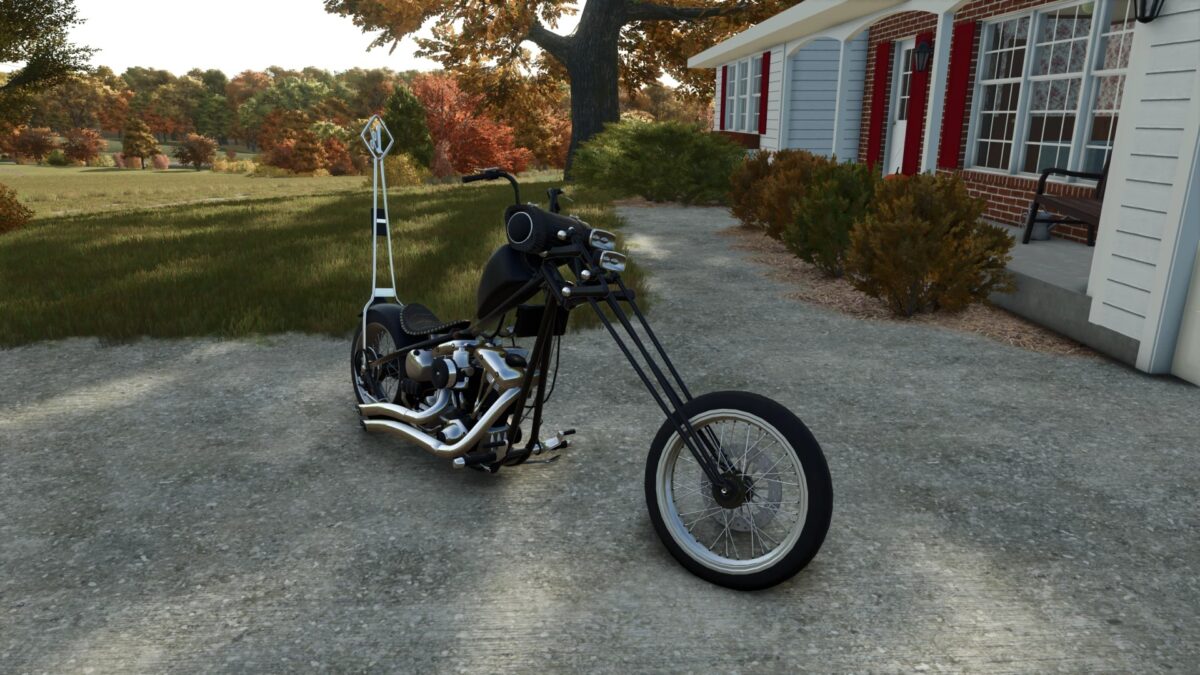
Harley Davidson Chopper v 1.0

Harley Davidson Chopper v 1.0

Chopper Freedom Ride.
Freedom, style, and the roar of a true bike.
This mod adds a custom chopper — a symbol of the open road and independence, built for those who live fast and value unique craftsmanship.

Features:
Highly detailed custom bike with extended fork and chrome accents
Realistic physics and authentic V-Twin engine sound
Paintable body and visual customization options
Unique riding position and handling for realism
Perfect for cruising, photoshoots, and immersive rides

Chopper Freedom Ride isn’t just a motorcycle — it’s a statement of freedom. Every detail is handcrafted to capture the spirit and power of classic custom bikes.

Credits:

Hashy, Motorcycle

How to install FS25 Other Vehicles?
Firstly find a mod which you like and want to download. Then download a mod to your PC. Mods are usually in .zip format file. But sometimes it can be in .rar. If a mod file is a .zip format no needed additional actions. If a file is in .rar, then you must unarchive mod with software like WinRar or Zip7. Windows 10 users no need to use software for archives, Win10 itself has a feature to unarchive files.
The next step is to find mods folder in your PC. Usually, it is in Documents/My Games/Farming Simulator 25/2025. Open the "mods" folder and put downloaded .zip archive or unarchived .rar file to this folder.
Last step. Enjoy of FS25 mods!

Leave a Reply

Your email address will not be published. Required fields are marked *