

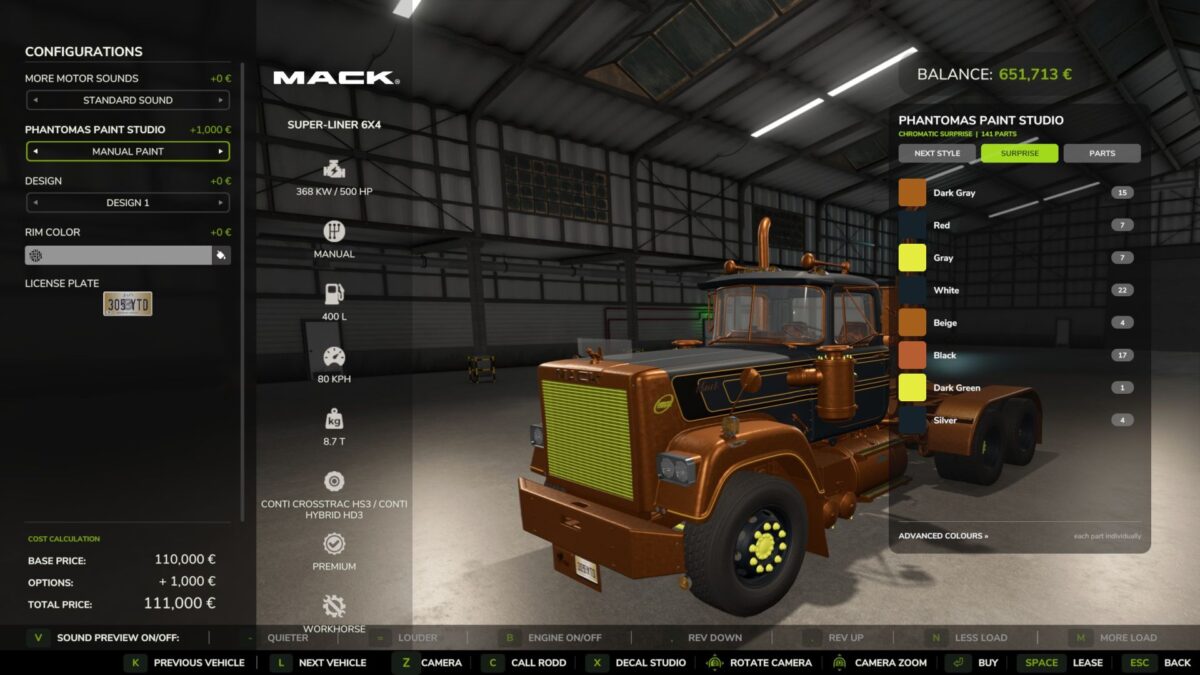
Paint & Decal Studio v 3.6


PHANTOMAS Paint & Decal Studio paints EVERY paintable material on a vehicle – not just the handful of colour slots the vehicle maker exposed.even not paintable vehicles.
Enable “PHANTOMAS Paint Studio” in the shop or workshop to open the studio.
The LIST contains full paint presets: every curated shade is available in Glossy, Metallic and Matte, with additional Pearl, Candy, Chrome and Galvanized selections.
Use any RGB colour, premium finishes and more than twenty original patterns.
Switch to the per part tree for independent left/right material slot control.
Cycle an extensive collection of curated whole vehicle themes with STYLE PRESET or generate a four role chromatic combination with SURPRISE.
Applying paint costs an adjustable fee, and every design survives buying, saving, workshop changes and multiplayer.
Version 3.6:
* Rebuilds Paint Studio with a premium header and permanent STYLE, SURPRISE and PARTS controls
* Whole vehicle styles now reach every safe paintable part instead of inheriting the Advanced list visibility filter, use a fourth semantic detail role and report their coverage live.
* Eight new chromatic templates and twenty one exotic Pearl, Candy, Satin and coloured Chrome finishes expand the palette
Credits:
PHANTOMAS


