
FS25 Misc

Overview of Animal Husbandry v 1.0

Overview of Animal Husbandry v 1.0

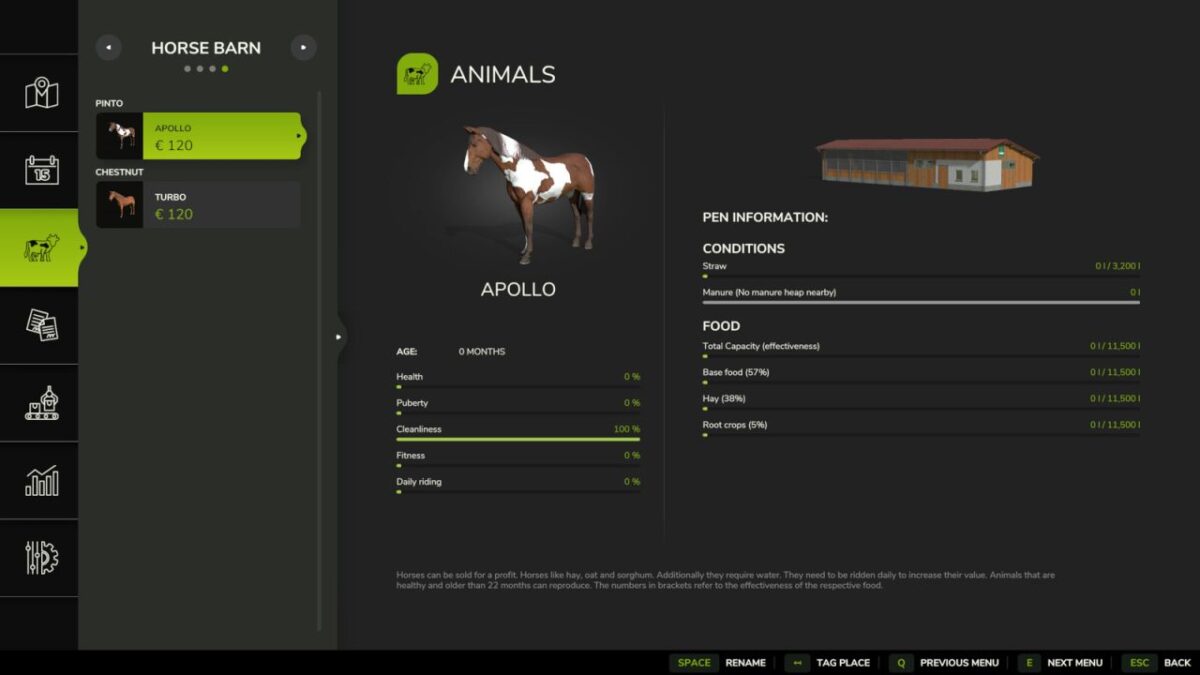
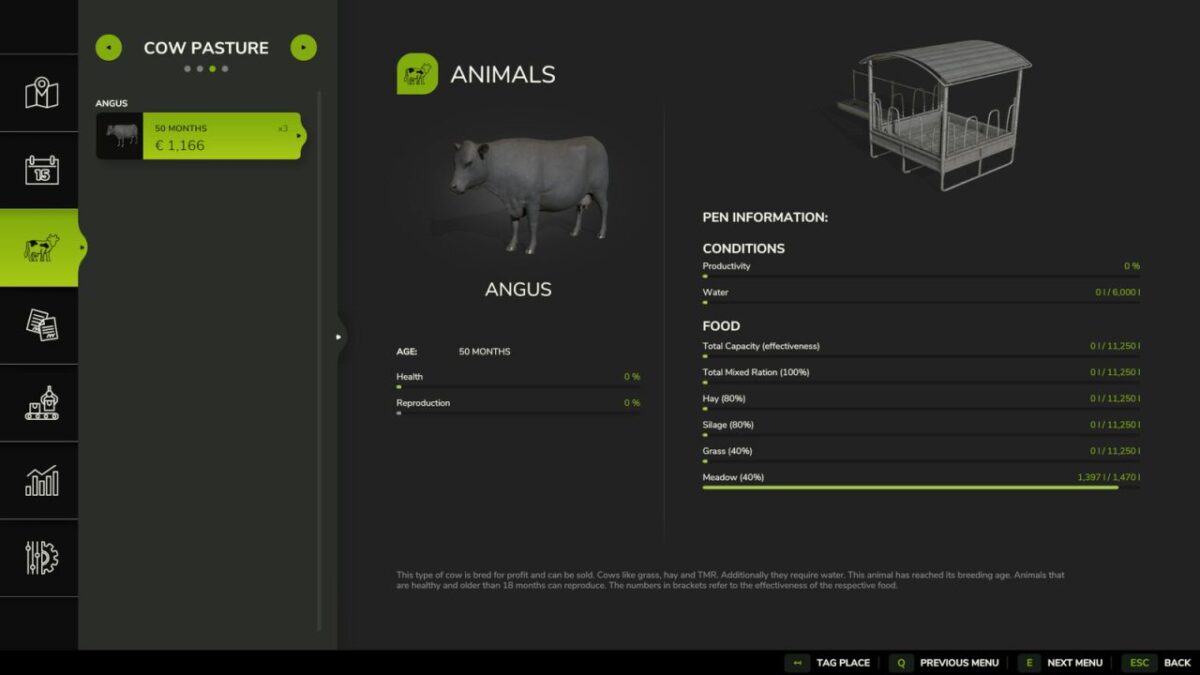
Animal Storage Overview directly supplements Farming Simulator 25’s standard animal menu with current fill levels and maximum capacities.

Features:
Shows current inventory and maximum capacity for water, total feed, feed groups, straw, pasture and available animal stall exits.
Uses the real capacities of the respective animal stables and therefore also supports mod buildings and map animal stables.
Works directly in the existing default animal menu. No new page, dialog or window is added.

The mod only reads the animal stable data provided by the game.
If a building does not provide capacity, no artificial value is displayed.
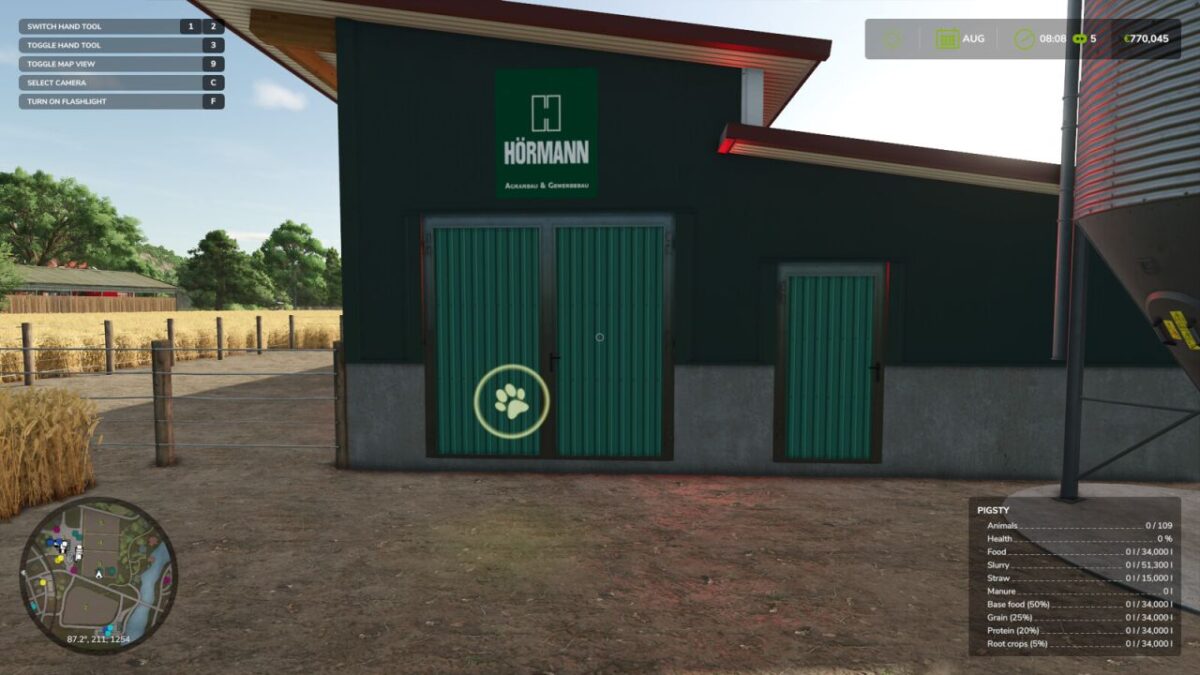
The same current and maximum values ​​are also displayed in the default animal pen info in the bottom right when you are at the animal pen.

Credits:

Pat95

How to install FS25 Misc?
Firstly find a mod which you like and want to download. Then download a mod to your PC. Mods are usually in .zip format file. But sometimes it can be in .rar. If a mod file is a .zip format no needed additional actions. If a file is in .rar, then you must unarchive mod with software like WinRar or Zip7. Windows 10 users no need to use software for archives, Win10 itself has a feature to unarchive files.
The next step is to find mods folder in your PC. Usually, it is in Documents/My Games/Farming Simulator 25/2025. Open the "mods" folder and put downloaded .zip archive or unarchived .rar file to this folder.
Last step. Enjoy of FS25 mods!

Leave a Reply

Your email address will not be published. Required fields are marked *