

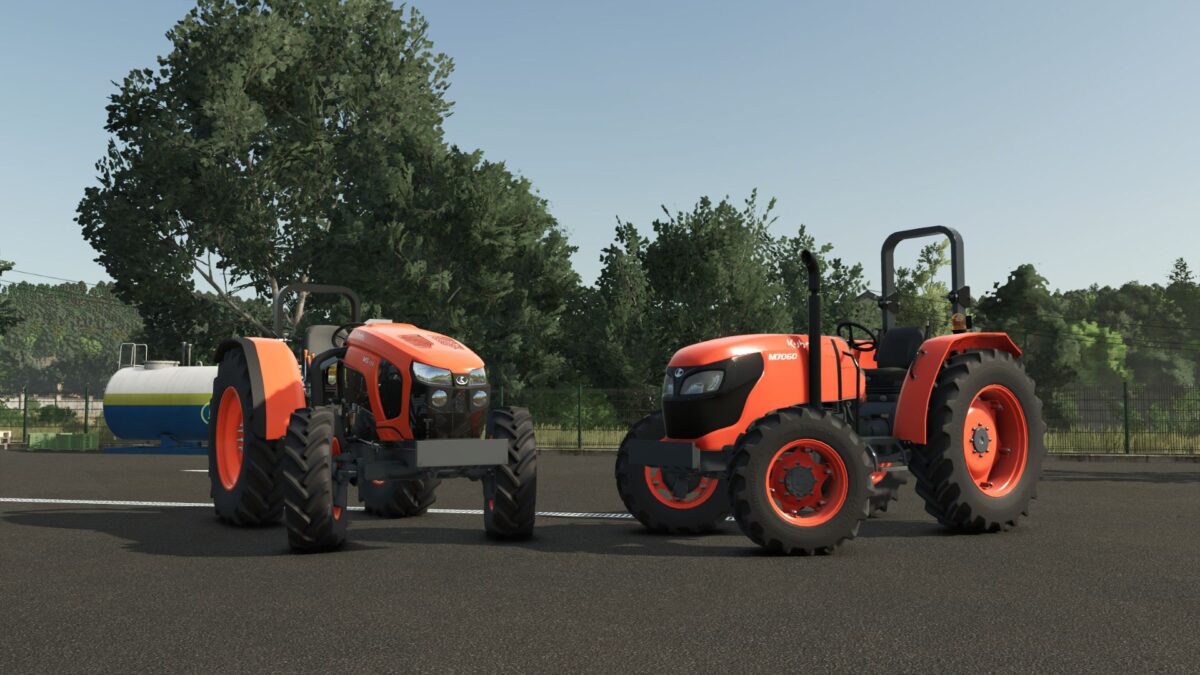
Kubota M7060 & M5001 v 1.0.0.7


– Powerful and efficient engine: Highly reliable Kubota diesel engine options, with excellent torque for heavy duty work
– Multiple configurations: Different track widths, tire types (standard, industrial or field), adjustable weight ballasts and transmission options
– Full compatibility: Prepared for front loader, rear implements and all types of agricultural implements
– Highly detailed open cockpit/station: Fully animated interior with realistic steering wheel, pedals, levers, instrument panel and controls, even in the version without cockpit where the exposed mechanics are better appreciated
– True-to-life design: High quality textures, original Kubota sounds and fluid animations offer an immersive experience.
– Whether for heavy tasks in the open field with the M5001 series or for more precise and agile work with the M7060, these tractors will become the indispensable workhorses of your farm in FS25
– Solid, reliable and ready for any challenge
Version 1.0.0.7:
* Corrected Warnings in the Console
Credits:
SeviModding


