

Animal Planner v 1.0


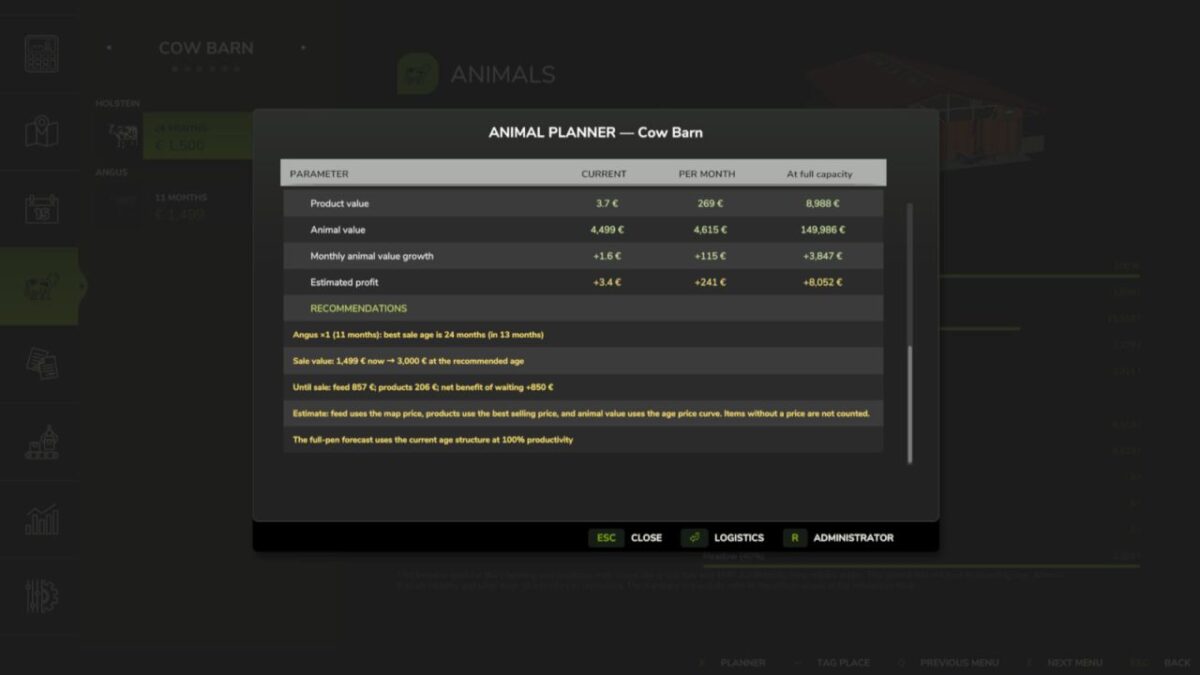
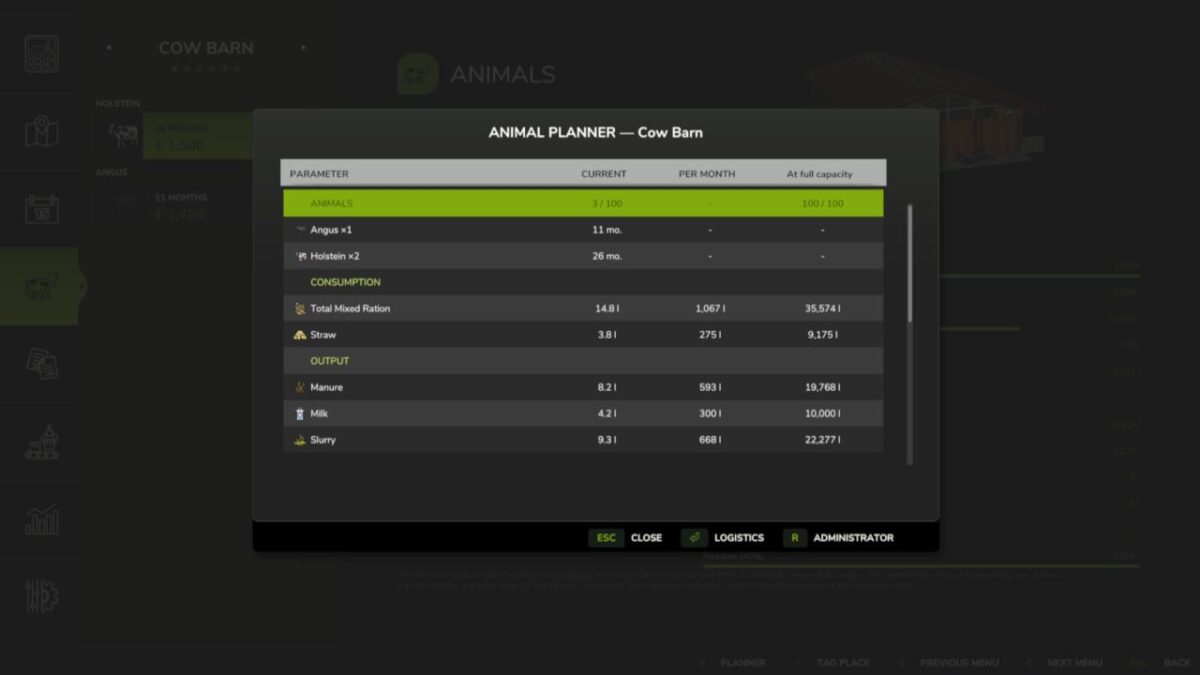
Animal Planner adds detailed husbandry planning directly to the Animals menu.
Features:
– Current hourly consumption and production, adjusted to the game’s days-per-month setting.
– Monthly projections for the current animals and for a fully occupied husbandry.
– Economic overview with feed costs, product value, herd value growth and expected profit.
– Sale-age recommendations for animals raised primarily for sale.
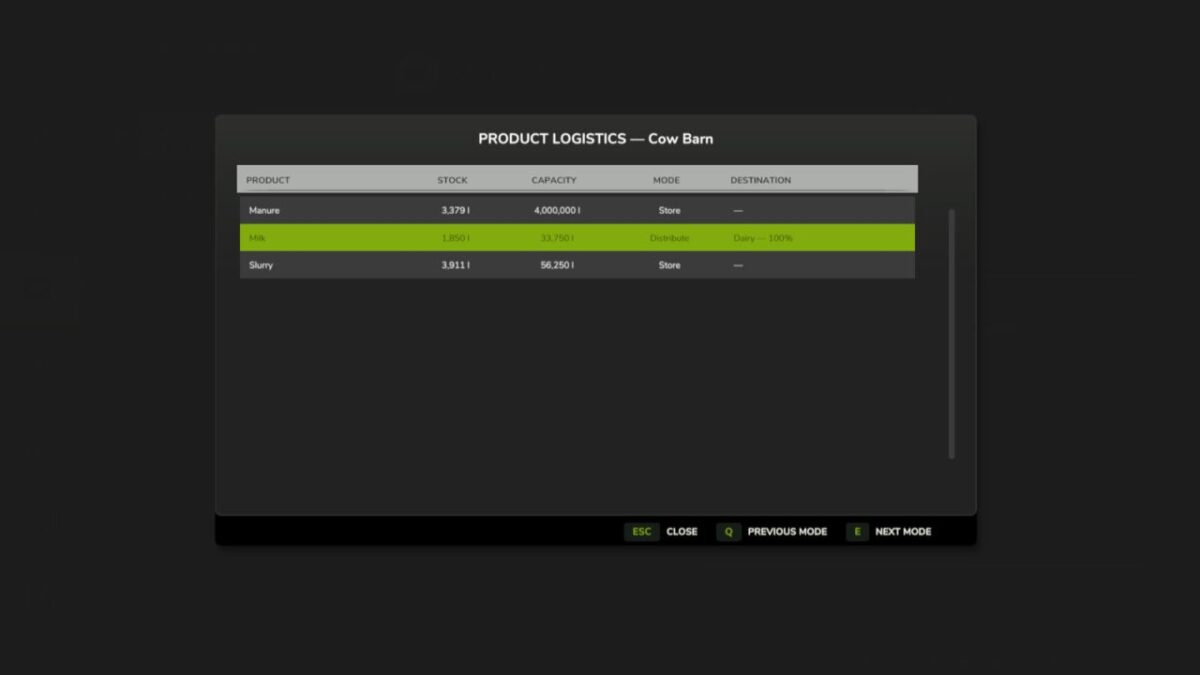
– Product logistics: internal storage, pallet unloading, equal automatic distribution to compatible farm-owned productions and automatic selling.
– Standard storage warnings at 10%, 1% and 0% free capacity.
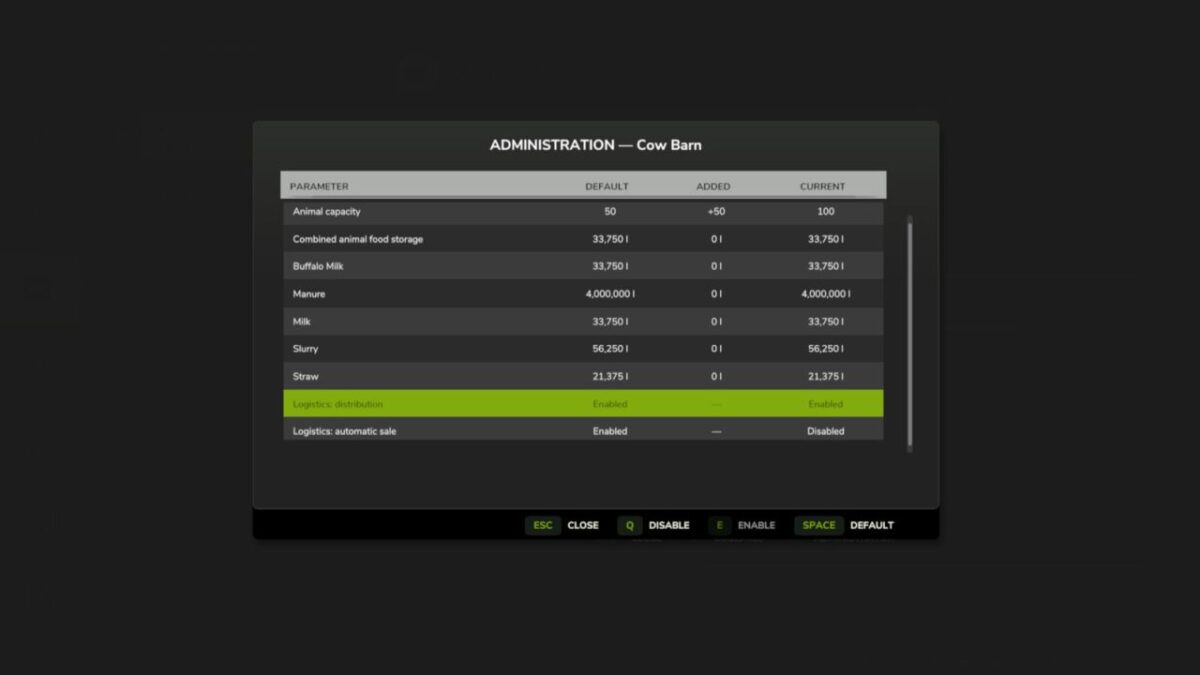
– Administrator controls for animal and storage capacities.
– Distribution and automatic selling are disabled by default and can be enabled separately by a server administrator for each husbandry.
– Multiplayer and dedicated server support.
Controls inside the planner:
– Enter: Open logistics.
– R: Open administrator settings.
– Q / E: Previous / next logistics mode or decrease / increase an administrator setting.
– Space: Reset the selected administrator setting.
Credits:
KOCOYPOB


