

Equipment Pack v 1.0


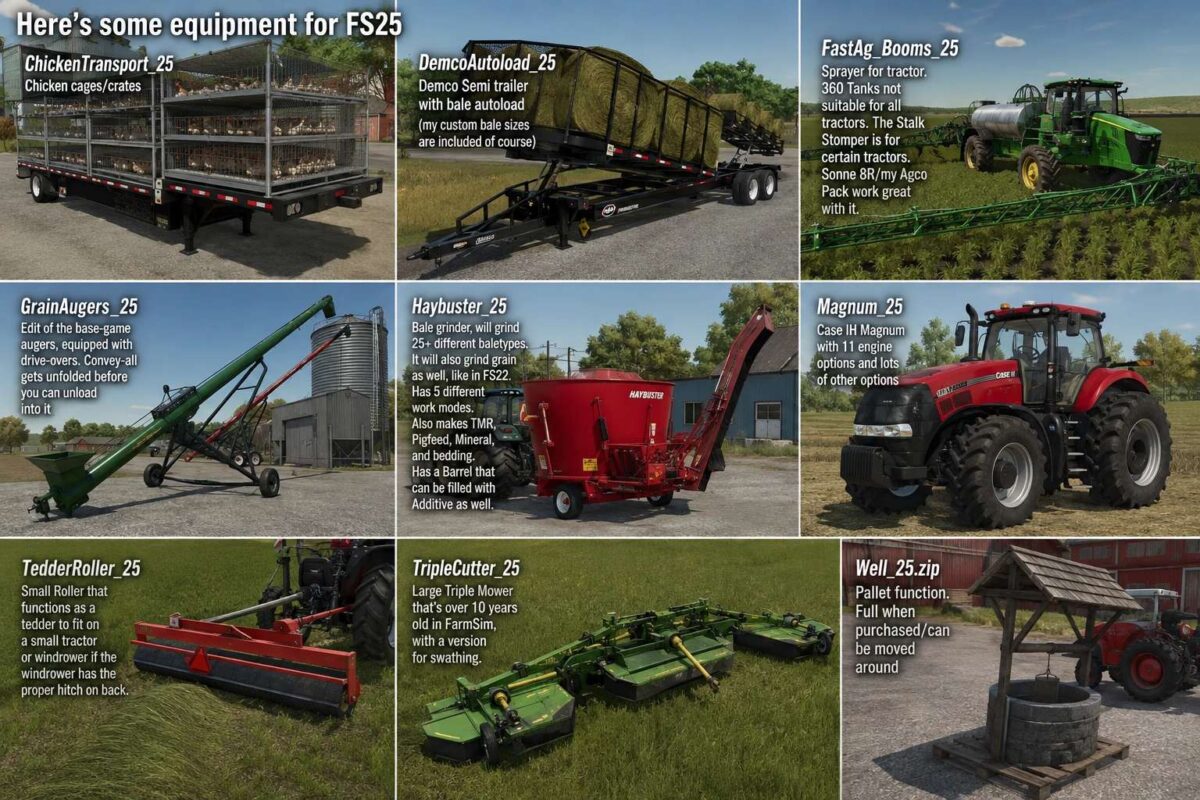
Here’s some equipment for FS25
ChickenTransport_25 Chicken cages/crates
DemcoAutoload_25 Demco Semi trailer with bale autoload(my custom bale sizes are included of course)
FastAg_Booms_25 Sprayer for tractor. 360 Tanks not suitable for all tractors. The Stalk Stomper is for certain tractors. Sonne 8R/my Agco Pack work great with it.
GrainAugers_25 Edit of the base-game augers, equipped with drive-overs. Convey-all gets unfolded before you can unload into it
Haybuster_25 Bale grinder, will grind 25+ different baletypes. It will also grind grain as well, like in FS22. Has 5 different work modes. Also makes TMR, Pigfeed, Mineral, and bedding. Has a Barrel that can be filled with Additive as well.
Magnum_25 Case IH Magnum with 11 engine options and lots of other options
TedderRoller_25 Small Roller that functions as a tedder to fit on a small tractor or windrower if the windrower has the proper hitch on back.
TripleCutter_25 Large Triple Mower that’s over 10 years old in FarmSim, with a version for swathing.
Well_25.zip Pallet function. Full when purchased/can be moved around
Credits:
Bronkema


