Hitch Full Control v 1.0


Regain total control of your hitches and attached tools!
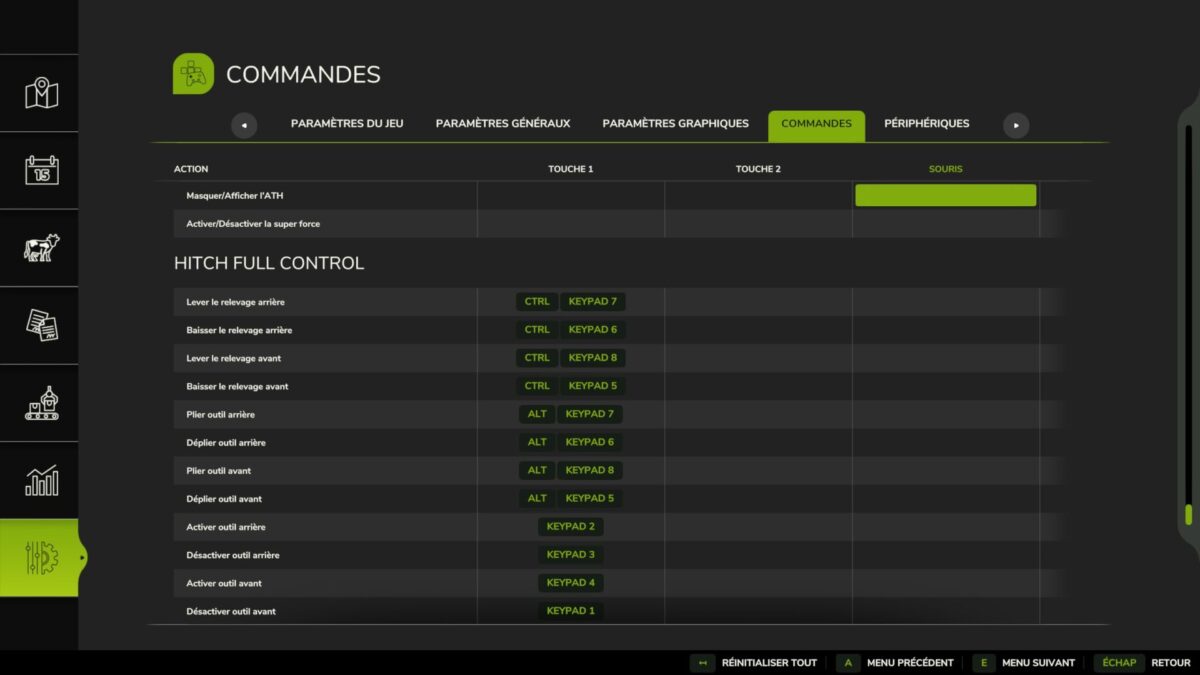
By default in Farming Simulator 25, a single key (V) toggles the selected linkage, requiring you to change selection to act on the front or rear. This mod replaces this operation with 12 independent commands.
FEATURES
Lifting (to be assigned in the options):
– Raise the rear linkage
– Lower the rear linkage
– Raise the front linkage
– Lower the front linkage
Folding (to be assigned in the options):
– Fold the rear tool
– Unfold the rear tool
– Fold the tool before
– Unfold the tool before
Activation (to be assigned in the options):
– Enable back tool
– Disable back tool
– Activate the tool before
– Disable the tool before
COMPATIBILITY
– Works with mounted tools (plough, hammer, etc.) and semi-axle-mounted tools (stubble cultivator, seeder, etc.)
– Multiplayer compatible
Credits:
Tom4z