

Auto Arm Position v 1.0.0.5


This is a modified version of his Work Tool Position script which only allows 1 position
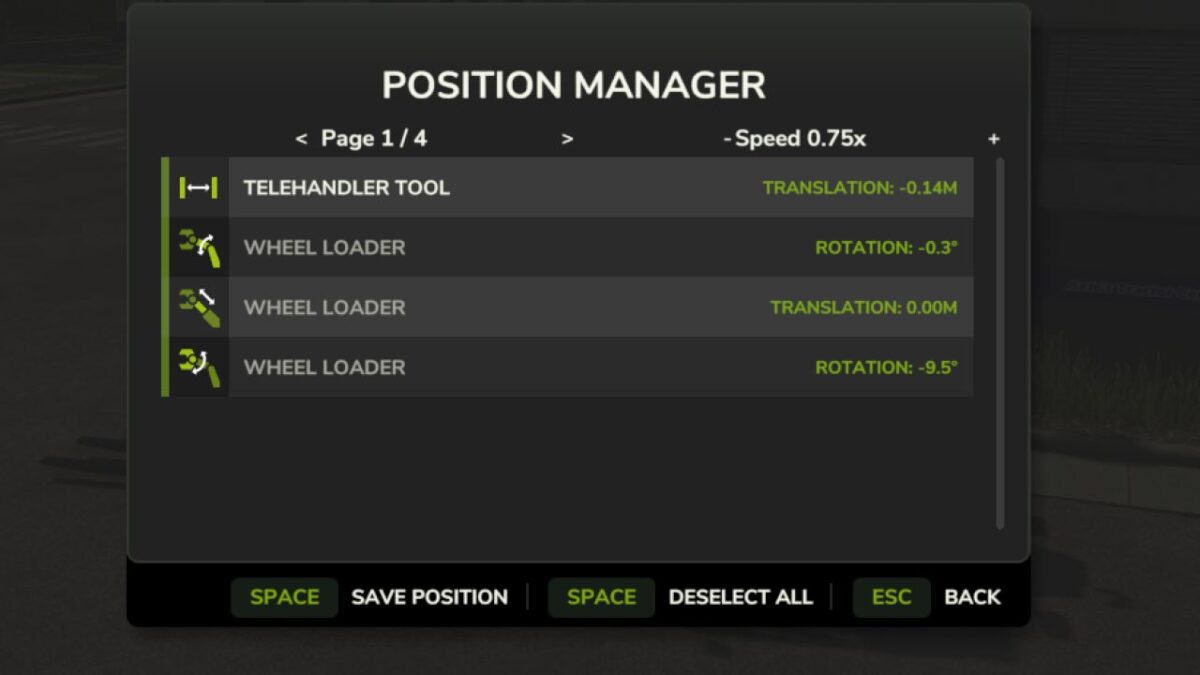
With this mod this gives you a fully bindable GUI (Default: HOLD LALT + Z) that allows you to have 4 different tool positions with customizable speed.
This helps with bunkers/silos and trailer loading.
How to use:
Put tool to desired height in telehandler etc, open gui and click save with space or your mouse. To save position 2 go onto page 2 and click save, Each page saves to its designated tool position.
Hotkeys
LALT + Z Open Menu
LCTRL + Z Load Position 1
LCTRL + X Load Position 2
LCTRL + C Load Position 3
LCTRL + V Load Position 4
Again credits to aaw3k for the base idea and this mod will not be updated if his develops further to be like this.
Version 1.0.0.5:
* Added Slot Naming in F1 Menu
* Slightly optimised
* Removed Select/Deselect all (You can still manually click them) in favour of renaming
Credits:
Daren, aaw3k


