Poettinger Top 611 A v 1.0.0.1


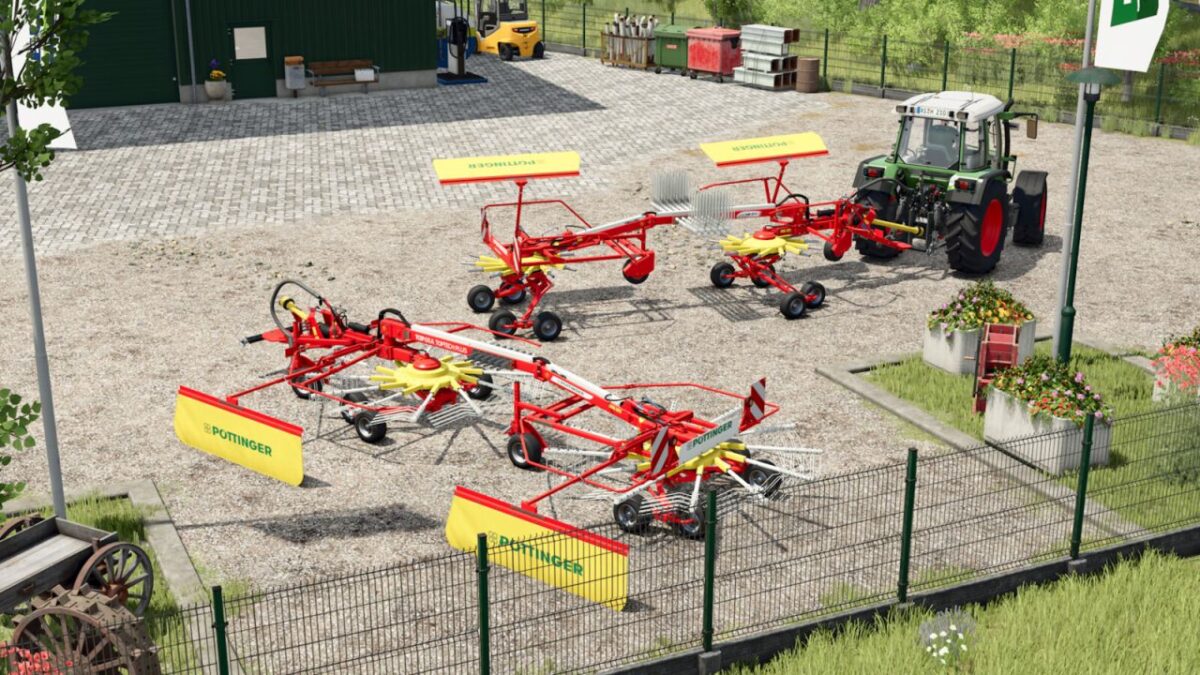
In practice, these two-rotor rakes have many followers due to their economic use with small tractors. These side rakes can be flexibly adapted to your individual needs.
Category: Windrowers
Price: 20,000 $
Working speed: 15 kph
Required power: 50 hp
Weight: 1,690 kg
Number of rotors: 2
Number of tine arms: 12
Double tines per arm: 4
Working width: 6.20 m
Features:
Complete ground adaptation
Animated swath cloths
Switch work mode
Configurations:
Model type (TOPTECH PLUS or EUROTOP) with modification of the rotors, logo and color of the back plate
Protective sleeves
Rear lights
Version 1.0.0.1:
* New wheels added for the rotors
* Configuration for the rear lights added
* Windrower slipping reduced
* Optional folding and unfolding of the protective guards can also be controlled via Interactive Control (PC only)
* Further adjustments
Credits:
Agrar Design Austria