

Crop Diseases v 1.0.2.0


Crop Diseases adds a complete system of diseases and pests for crops to the game.
Fields can now become infested depending on crop condition, soil management, moisture, weeds, stubble and growth stage.
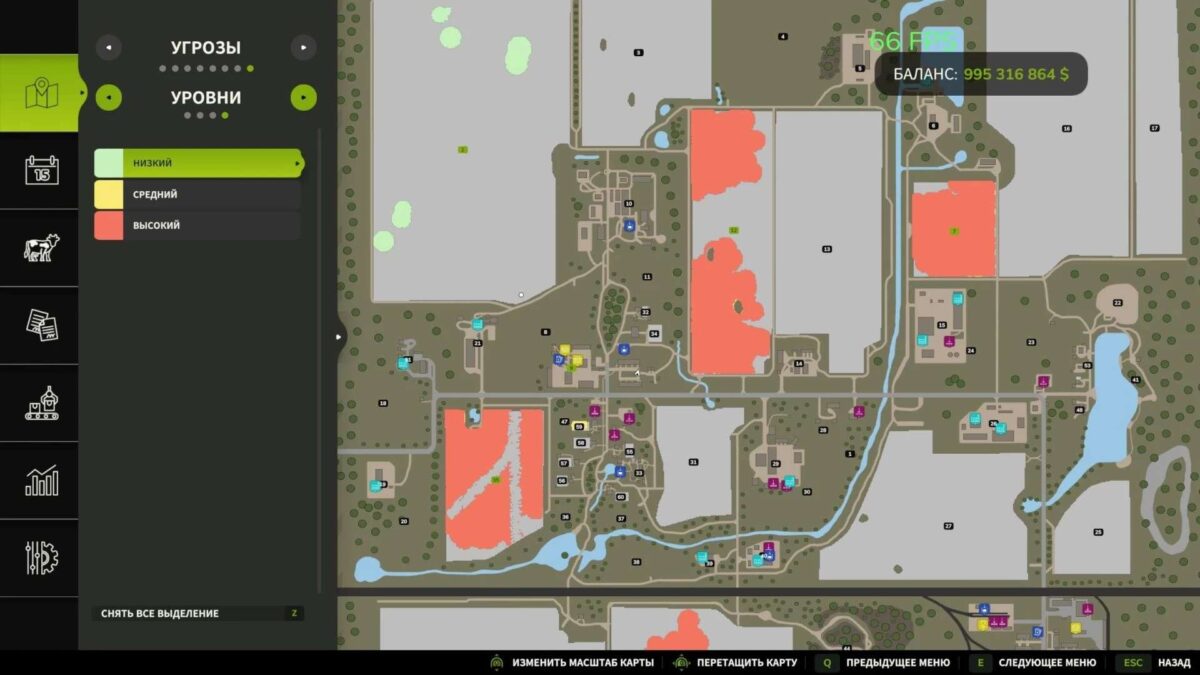
Threats develop in levels: low, medium and high.
If the field is neglected, the disease or pests will begin to spread more and reduce the potential yield.
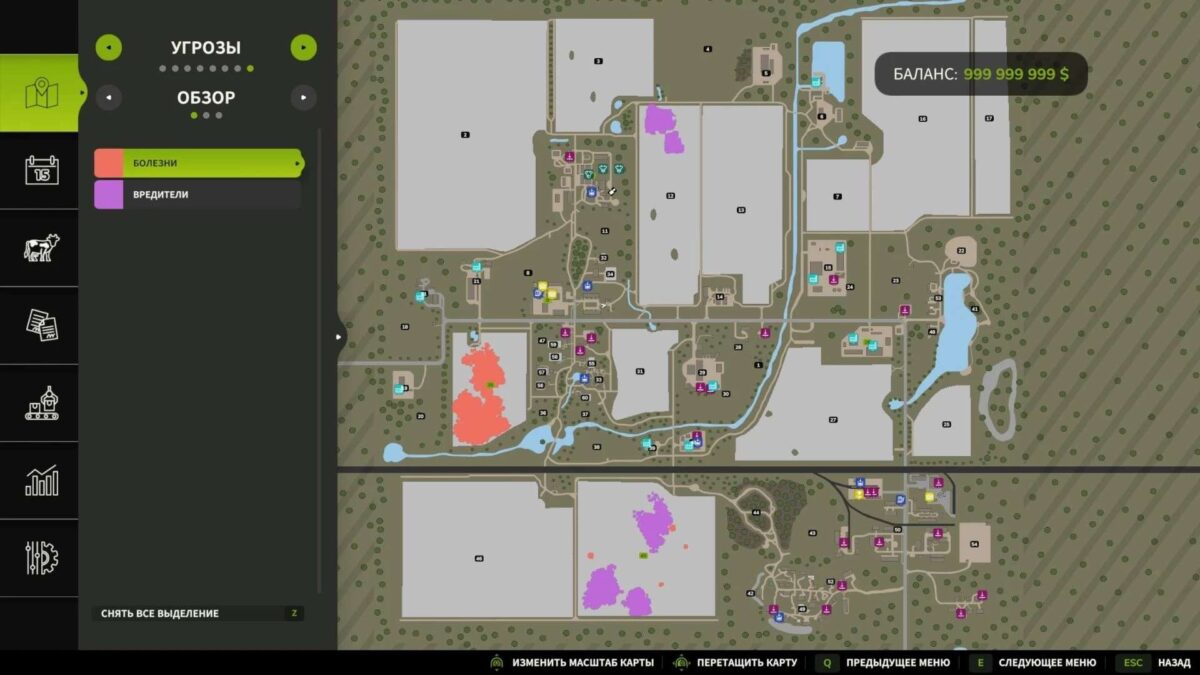
The mod has a separate tab on the map, a threat layer on the minimap, HUD information on the field, saving infected zones and multiplayer support.
What’s added:
System of diseases and pests for fields.
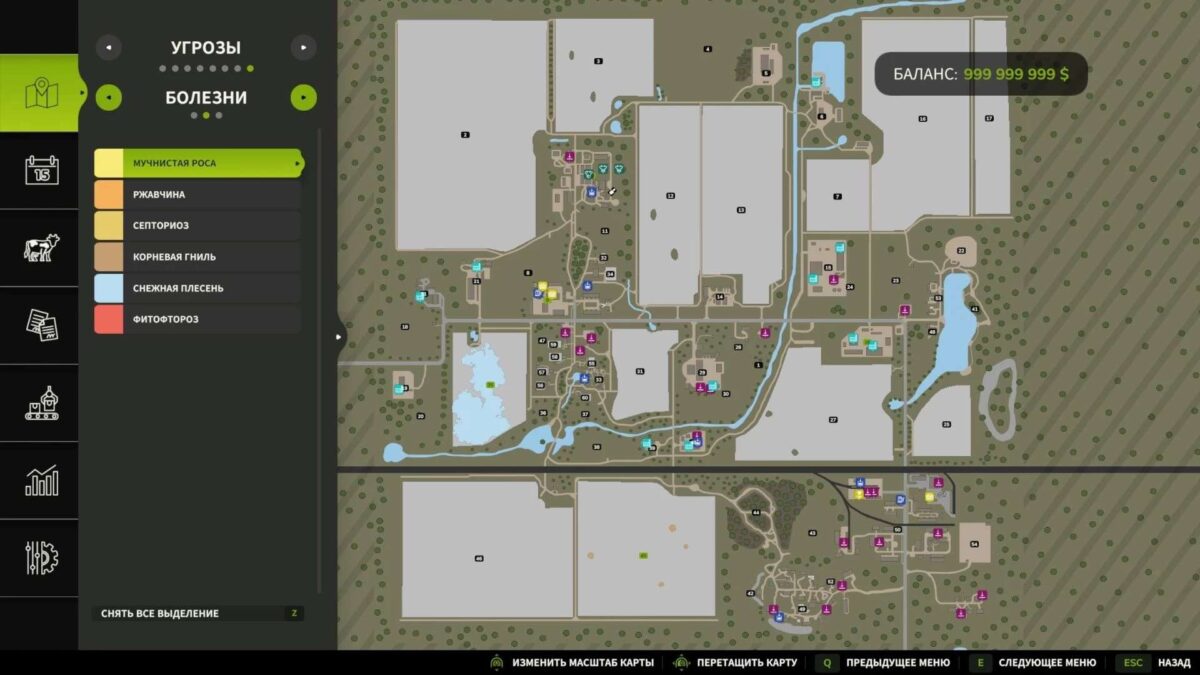
6 diseases: powdery mildew, rust, septoria, root rot, snow mold, late blight.
3 pests: aphids, caterpillars, wireworms.
New liquids: fungicide and insecticide.
Threat map in the map menu: general overview, diseases, pests and infestation level.
Threat layer on the minimap.
Real spread of infection spots across the field.
With severe infection, partial death of the crop is possible.
Multiplayer support.(BETA)
Diseases and cultures:
Powdery mildew: grapes, sunflowers, soybeans, cotton, olives, rapeseed, peas, spinach, rice and other crops.
Rust: wheat, barley, rye, oats, corn, sorghum, sunflower, rapeseed.
Septoria: wheat, barley, oats, rye.
Root rot: potatoes, sugar beets, soybeans, beets, carrots, parsnips.
Snow mold: wheat, barley, rye, grass, oats.
Late blight: potatoes.
Pests:
Aphids: grains, corn, sunflowers, soybeans, potatoes, vegetables and other crops.
Caterpillars: corn, soybeans, sunflowers, cotton, peas, rapeseed and green crops.
Wireworm: potatoes, beets, carrots, parsnips, corn.
How to fight:
The fungicide helps against most leaf diseases: rust, septoria, powdery mildew, snow mold and late blight.
The insecticide is used against pests.
Root rot is best eliminated by soil cultivation: cultivation or plowing. (or fungicide)
Wireworm can also be treated by cultivation or plowing. )or insecticide)
Some threats can be mitigated by field maintenance: weeding, mulching, rolling and tillage.
Management:
The threat layer on the minimap is switched using the Left Alt + \ keys.
Version 1.0.2.0:
* Added notifications about infestation of fields and increasing the stage of infection (for those playing multiplayer, please unsubscribe if you have any notifications)
* Added a delay for reinfection for the next day
* Supported cultures for the mod have been expanded (ALFALFA, CLOVER, FIELDGRASS, FLOWERINGCATCHCROP, GREENRYE, MUSTARD, SILAGEMAIZE, SPELT, TRITICALE, VETCHRYE, WINTERBARLEY, WINTERWHEAT)
* Added translation into Hungarian from player F3cO
* Minor edits
Credits:
BMProd


