

Sheep Breeds for RLRM v 1.0


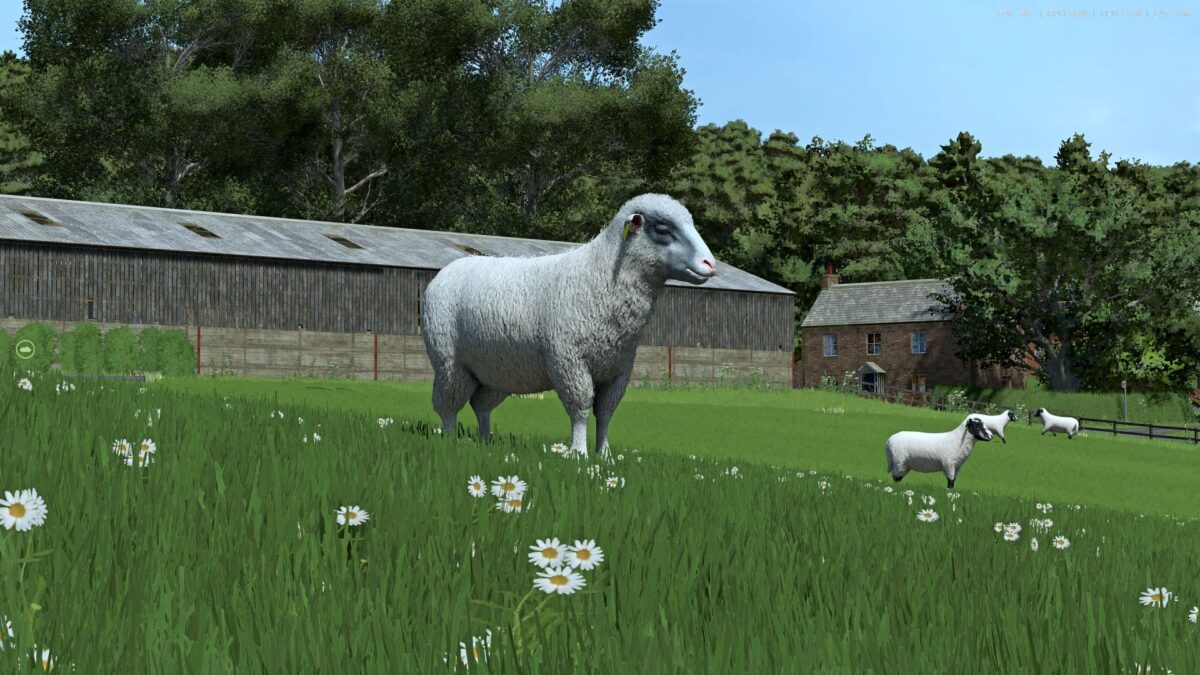
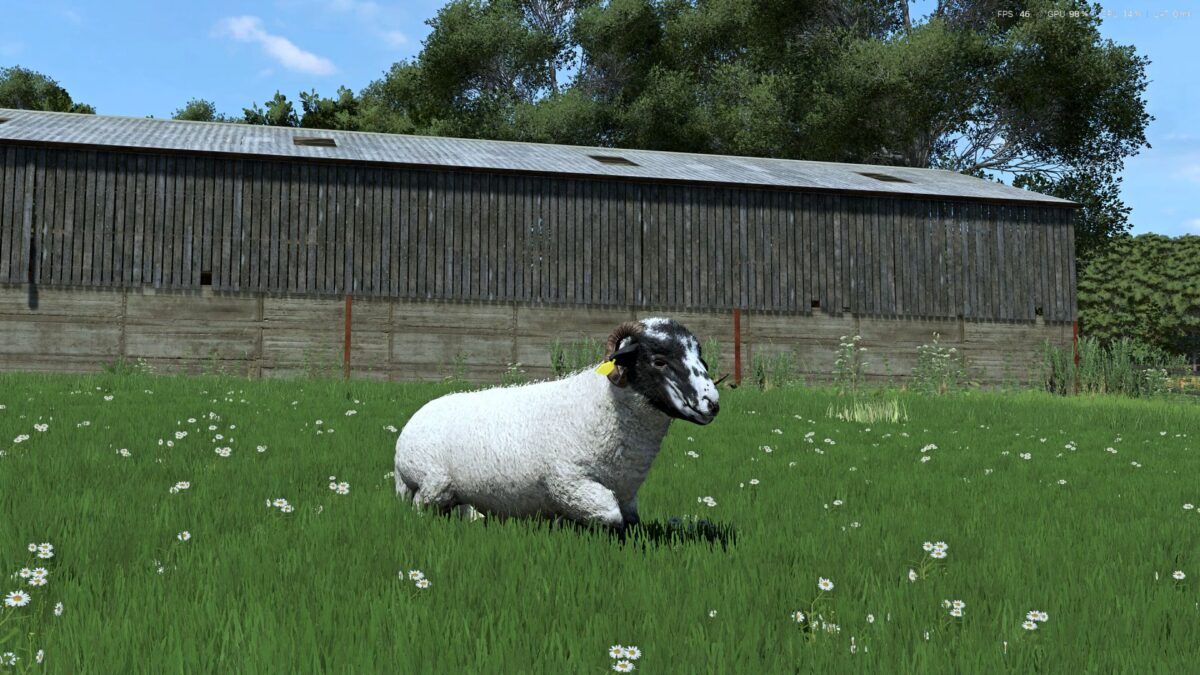
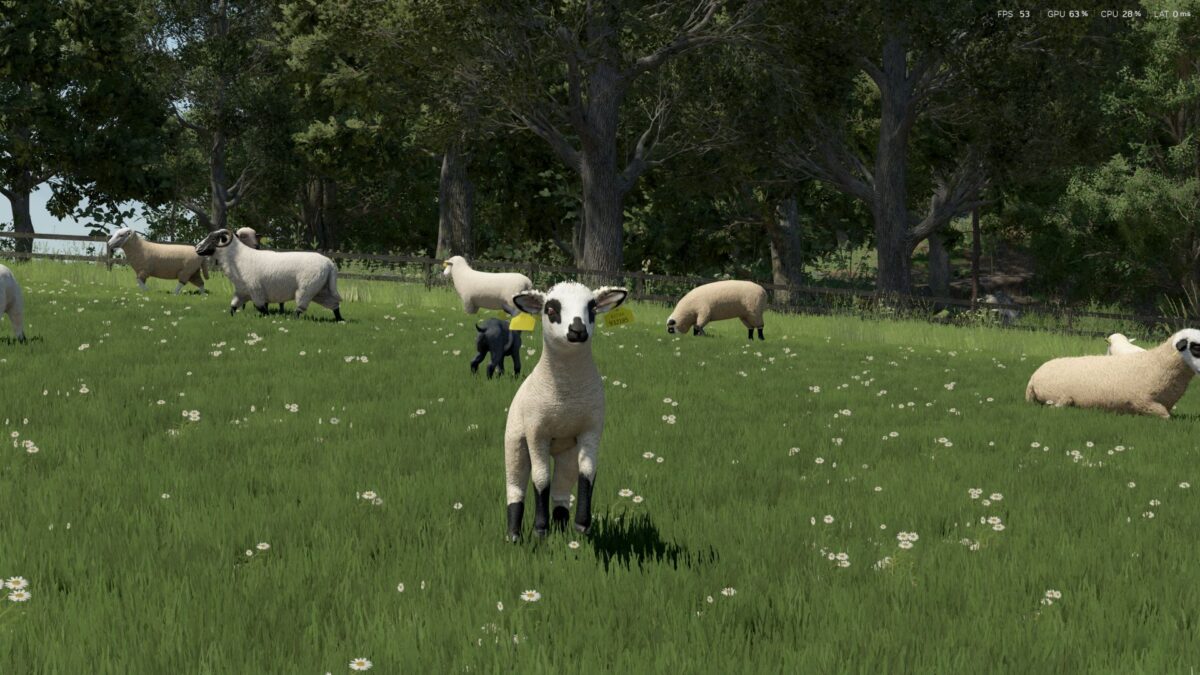
Add 12 real-world sheep breeds to your farm! This pack expands Realistic Livestock – Ritter (RLRM) with twelve carefully balanced sheep breeds, each with custom textures, age-specific store icons, and stats tuned to sit right alongside the base-game sheep.
This pack only RETEXTURES the game’s existing sheep models – it does NOT add any new 3D models.
REQUIRED
Realistic Livestock – Ritter (RLRM).
This is a breed pack for RLRM and will NOT work without it. Install and enable RLRM first.
IMPORTANT – READ THIS
After you load the mod for the first time, you MUST refresh the animal dealer so the new breeds show up in the buy list. Until the dealer is refreshed it keeps showing its old stock and the new breeds will not appear.
BREEDS INCLUDED (ewe + ram each)
– Texel – heavy terminal meat breed; lean carcass and fast growth
– Suffolk – popular terminal sire; fast-growing meat lambs
– Blue Faced Leicester – maternal / crossing sire; fine wool
– Border Leicester – longwool; heavy fleece and strong crossbred mothers
– Belclare – productive Irish maternal all-rounder
– Dorset Horn (horned) – versatile meat breed; out-of-season lambing
– Cheviot – hardy hill, dual-purpose
– Kerry Hill – attractive dual-purpose; quality wool
– Norfolk Horn (horned) – rare hardy heritage grazer
– Black Face / Mountain (horned) – hardy hill; heavy coarse wool, low feed
– EasyCare – low-maintenance; sheds its own fleece (minimal wool)
– Jacob (horned) – heritage breed; high-value speciality wool
Every breed has its own buy/sell prices, feed and water needs, wool yield and weight, plus a short info line in the purchase menu. All values are calibrated against RLRM’s base sheep, so nothing is wildly out of balance with vanilla.
Translated into 9 languages: English, German, French, Italian, Spanish, Dutch, Polish, Portuguese, Russian.
INSTALLATION
1. Install and enable Realistic Livestock – Ritter (RLRM).
2. Place the mod zip in your Farming Simulator 25 “mods” folder.
3. Enable this pack in the in-game mod list.
4. Refresh the animal dealer to see the new breeds.
Credits:
ConGan


